Ahrefs sells one of the best-known SEO suites on the market, and it also gives a surprising amount away for free. The hard part is telling the two apart. This guide maps every Ahrefs SEO tool to what it does, what it costs and what you can use without paying.
What Ahrefs Is, and How This Guide Was Put Together
Ahrefs is a paid SEO and marketing platform whose plans run from $29/month (Starter) to $1,499/month (Enterprise), according to its pricing page. Around those plans sit two free layers: Ahrefs Free for websites you own, and a set of free tools anyone can open in a browser.
One thing up front. Indie Stack Lab has not run Ahrefs through our test list yet, so every Ahrefs fact here comes from Ahrefs’ own product pages, pricing page and help center, as published on October 23, 2026. Where we add first-hand numbers, they come from four other SEO tools we ran on the same small site, and we label them that way.
Why write a guide like that at all? Because the official pages are spread across more than a dozen URLs, and the limits that matter most (credits, rows, crawl budgets) sit in different tables on different pages. Putting them side by side is useful even without a test account.
A note on money: Indie Stack Lab may add affiliate links to some tools later. Affiliate links are labeled when they appear, and they do not change what this guide says.
Key Takeaways
Ahrefs lists five paid plans from $29/month to $1,499/month on its pricing page, and its pricing FAQ answers the free-trial question by pointing site owners to Ahrefs Free instead. That free tier covers Site Explorer, Site Audit and Web Analytics for sites you verify. Researching competitors starts at Starter. Is Ahrefs worth it for a small site? Only if you need its competitor data, not just data on your own site.
Ahrefs SEO Tools in One Minute: The Paid Suite, Free Tools and Ahrefs Free
Ahrefs groups its products into core tools, and its pricing page lists more than 15 features in the Lite plan alone, from Site Explorer to Report Builder (Ahrefs pricing). Most readers only need five or six of them. Here is what each one is for and where it first becomes available.
| Tool | What it does | Free access | Lowest plan with full access |
|---|---|---|---|
| Site Explorer | Backlinks, organic keywords and traffic estimates for any website | Your own verified sites, via Ahrefs Free | Starter ($29/month), with 200 credits |
| Keywords Explorer | Keyword ideas, search volume, Keyword Difficulty, Traffic Potential | Free Keyword Generator and Keyword Difficulty Checker | Starter ($29/month) |
| Site Audit | Crawls a site and flags 170+ technical and on-page issues | Verified sites, 5,000 crawl credits per project per month | Starter for one unverified project |
| Rank Tracker | Tracks keyword positions over time, updated weekly | Free Keyword Rank Checker for one-off checks | Starter (50 keywords) |
| Content Explorer | Searches an index of web pages for content ideas and link prospects | None | Standard ($249/month) |
| Brand Radar | Tracks how AI answers mention your brand | Free AI Visibility Checker | Custom prompts included from Lite ($129/month) |
| Web Analytics | Site analytics with no cookies by default, including traffic from LLMs | Included in Ahrefs Free | Ahrefs Free |
The free column comes from the Ahrefs Free page and the free SEO tools page. The plan column comes from the pricing page and the help center’s Starter plan article.
What should you take from the table? If you only care about your own website, the free tier covers more than most people expect. The moment you want to study a competitor’s site, you are in paid territory.
Site Explorer: Backlinks, Organic Traffic and Domain Rating
Site Explorer is Ahrefs’ tool for analyzing any website, and Ahrefs says the backlink index behind it is updated with fresh data every 15 to 30 minutes (Ahrefs big data page). It covers three areas: organic and AI search traffic, the backlink profile, and paid search ads (Site Explorer).
What Site Explorer shows
For any domain or URL, the product page lists reports for:
- top pages and the keywords that send them traffic
- referring domains and backlinks, with filters for link type, Domain Rating and URL Rating
- the most linked-to pages, plus broken backlinks from the Standard plan up
- competitors’ Google Ads keywords, ad copy and estimated ad spend
- how much of a page’s content looks AI-written
Each report you open on Starter or Lite costs credits. The help center says opening a report costs 1 credit, and applying filters, changing dates or switching modes costs 1 more each time (what actions consume credits). Reopening the same report with the same settings within 30 minutes is free.
What Domain Rating means
Domain Rating (DR) is Ahrefs’ 100-point score for the strength of a site’s backlink profile compared with the other sites in its database (Ahrefs help center). Each linking domain splits its rating across all the sites it links to. So a DR 10 site that links to three domains can move your DR more than a DR 80 site that links to a million.
That design has a side effect worth knowing. Your DR can drop even when you lose no links, because other sites gained links and pushed you down the scale. Ahrefs itself says DR is relative and that no single number counts as “good”. Compare yours with similar sites instead.
How does DR differ from Moz’s Domain Authority? Both are third-party scores built from backlink data, and DR is Ahrefs’ own metric, not a Google one. Our guide to how Moz Domain Authority works covers the Moz side.
Keywords Explorer: How Ahrefs Measures Volume and Difficulty
Keywords Explorer is Ahrefs’ keyword research tool, and its product page says it filters 28.7 billion keywords out of 110 billion discovered, across 217 locations (Keywords Explorer). It is included from the Starter plan.
The metrics that matter
- Keyword Difficulty (KD). Ahrefs says it calculates KD “based solely on the average number of backlinks to the top-ranking pages.” Lower scores mean an easier path into the top 10.
- Search volume. Monthly estimates by country, split into desktop and mobile, with trend forecasts.
- Traffic Potential. How much traffic the page ranking #1 for the keyword gets, which is traffic you could win by overtaking it.
- Parent Topic. Whether you can rank for the keyword by targeting a broader topic instead.
Because KD only looks at backlinks, it says nothing about content quality or search intent. Read it as “how many links will I probably need,” not “how hard is this overall.”
Ideas, clusters and credits
Keywords Explorer offers 6 report types for keyword ideas, and the product page also advertises AI seed keywords and instant clustering. Check your plan before counting on those: keyword clusters, AI suggestions and search intent labels start at the Standard plan, per Ahrefs’ plan comparison article.
Here is a detail that saves credits: the help center says you can paste up to 10,000 keywords at once into Keywords Explorer for 1 credit. Batch your lookups.
Do tools agree on volume and difficulty for the same keyword? They often don’t. When we tested other suites, Semrush showed 9.9K monthly searches and a difficulty of 72% for one keyword, while Mangools showed 4.1k searches and a KD of 51. Treat every tool’s numbers as estimates and compare like with like. Our keyword research tools comparison on one keyword shows how far the numbers drift between vendors.
Site Audit: Crawling and Technical Issues
Ahrefs’ Site Audit crawls your site and checks it for 170+ technical and on-page SEO issues, and it is free for websites with verified ownership, up to 5,000 pages a month (Site Audit). That makes it the strongest free tool in the suite for most site owners. If you searched for the “ahrefs site audit tool,” this is the one.
What the audit checks
The product page groups issues into categories such as slow pages, Core Web Vitals, titles, meta descriptions, duplicates, indexability, redirects, images, JavaScript, robots.txt, sitemaps and structured data. Each issue is sorted into errors, warnings or notices, with instructions on how to fix it.
A few details from the same page:
- the crawler can execute JavaScript, so script-built pages get checked too
- structured data is validated against 190+ Google and Schema.org requirements
- you can crawl staging sites behind a login, crawl the mobile version, and segment crawls by subfolder
- issues export in bulk to ZIP or CSV, fix instructions included
Crawl limits by plan
Site Audit does not use report credits. It has its own crawl budget instead, measured in crawl credits per month.
| Plan | Crawl credits per month | Max pages per project |
|---|---|---|
| Ahrefs Free (verified sites) | 5,000 per project | Capped by the 5,000 credits |
| Starter | 10,000 for an unverified project | 500 |
| Lite | 100,000 | 25,000 |
| Standard | 500,000 | 50,000 |
| Advanced | 1.5M | 250,000 |
Sources: Ahrefs pricing and the Starter plan article. The Ahrefs Free FAQ adds that only HTML pages returning status 200 use up crawl credits; redirects, broken URLs and non-HTML files don’t.
Want faster always-on audits? The Project Boost add-ons run them at 10 pages per minute for $20/month per project, or 30 pages per minute for $200/month per project.
How does Ahrefs’ audit stack up against other crawlers? Our audit crawler comparison, with notes on Ahrefs Free covers Semrush, SE Ranking and Ubersuggest on the same site.
Rank Tracker: Tracking Positions Over Time
Rank Tracker updates keyword positions weekly on every plan, from Lite to Enterprise, according to the limits table on the Ahrefs pricing page. That answers one common question, “how often does Ahrefs update rankings,” for this tool: once a week, unless Ahrefs changes the schedule.
Limits and features
| Plan | Tracked keywords | Update frequency |
|---|---|---|
| Starter | 50 | Weekly |
| Lite | 750 | Weekly |
| Standard | 2,000 | Weekly |
| Advanced | 5,000 | Weekly |
| Enterprise | From 10,000 | Weekly |
Sources: pricing page and the Starter plan article. Like Site Audit, Rank Tracker does not consume credits.
The Rank Tracker page lists 190+ locations, down to city and ZIP code, desktop and mobile tracking, and 19 SERP features, AI Overviews among them. You can set a target URL for each keyword and get a warning when it’s outranked, and the tool flags keywords where several of your URLs rank at once, which helps spot cannibalization.
Is weekly enough? For most small sites, yes. Rankings for a young site rarely need daily checks, and a weekly view smooths out day-to-day noise. If you need daily data, compare options in our guide to rank tracker software.
Content Explorer and Competitive Research Tools
Content Explorer searches an index of 22.7 billion web pages for content ideas and link prospects, and its product page says 10 million new pages are discovered every 24 hours (Content Explorer). It is a Standard-plan feature, so it starts at $249/month.
What Content Explorer is for
The product page frames three jobs:
- Content marketing. Filter pages by traffic, referring domains, word count, language or publication date to find proven topics with few backlinks.
- Link building. Find guest post targets, unlinked brand mentions and broken pages with many backlinks.
- PR. Track brand mentions, find journalists and pitch stories.
The other competitive tools
Ahrefs also lists Content Gap, Link Intersect, Domain Comparison and Batch Analysis among its extra tools. Per the plan comparison article, Link Intersect, Batch Analysis and Content Explorer arrive with Standard, while Competitive Analysis is available from Lite. Batch Analysis checks up to 200 URLs for 1 credit.
So which plan do you need for competitive research? Lite covers the basics. If finding link prospects at scale is your main job, plan on Standard.
Ahrefs’ AI and Brand Visibility Features
Ahrefs’ main AI search product is Brand Radar, which its product page says runs 496 million+ prompts through AI platforms to measure how often brands get mentioned or cited (Brand Radar). The FAQ names the platforms as AI Overviews, AI Mode, ChatGPT, Perplexity, Gemini and Copilot.
Two ways to use Brand Radar
- Custom prompts. You track your own questions daily. A small allowance comes free with every paid plan from Lite up: 150 checks a month on Lite, 300 on Standard and 600 on Advanced. Extra packages cost $50/month (2,500 checks), $100/month (7,000 checks) or $250/month (25,000 checks).
- AI Visibility Index. You look up any brand’s visibility across the full prompt database, from $199/month.
How are checks counted? One prompt on one platform in one location uses 1 check per update. The Brand Radar page gives the math: 5 prompts on 1 platform make 150 checks a month. Claude answers cost 8 checks per update.
Writing and content features
- AI Content Helper grades a draft against top-ranking pages and suggests gaps. Ahrefs Free includes 1 free doc a month.
- Content Kit is a paid add-on from $99/month that bundles AI Content Helper and AI Content Grader.
- Free AI tools without an account include an AI Visibility Checker, an AI Mode Tracker and an AI Overviews Tracker (free SEO tools).
Is Brand Radar worth adding? That depends on whether AI answers already mention your niche. For a broader comparison, see our roundup of AI search visibility tools.
Ahrefs Free (Formerly Ahrefs Webmaster Tools): The Free Tier for Sites You Own
Ahrefs Webmaster Tools is now called Ahrefs Free, and it gives free access to 3 core tools for websites you verify: Web Analytics, Site Audit and Site Explorer (Ahrefs Free). The old URL still works, and many guides still use the old name.
| Ahrefs Free limit | Allowance |
|---|---|
| Verified websites | Unlimited |
| Web Analytics | Up to 1M events per project |
| Site Audit | 5,000 crawl credits per project per month |
| Site Explorer | 1,000 backlinks and keywords visible at once |
| AI Content Helper | 1 free doc per month |
| Social Media Manager | Unlimited channels and posts while in beta |
Source: the limits table on the Ahrefs Free page.
The catch is verification. You must prove you own the site, and Ahrefs’ FAQ says you can’t research competitors’ sites without paying. The data itself is the same as in paid plans; subscribers just get higher allowances and access to unverified sites.
How does it compare with Google Search Console? Ahrefs’ own comparison says its free tier shows all known backlinks and keywords, where Search Console shows the top 1,000, and checks 170+ issues against “a handful.” Search Console still has first-party data straight from Google, such as real clicks, impressions and indexing status, as Ahrefs’ own FAQ points out. Use both. If you haven’t connected Search Console yet, start with our guide on how to set up Google Search Console.
Free Ahrefs Tools You Can Use Without an Account
Ahrefs’ free tools need no account at all, and the FAQ lists a Keyword Generator that shows the top 100 ideas and a Backlink Checker that shows the top 20 backlinks for any domain (Ahrefs FAQ). These are the “free SEO tools made by Ahrefs” that rank for so many searches.
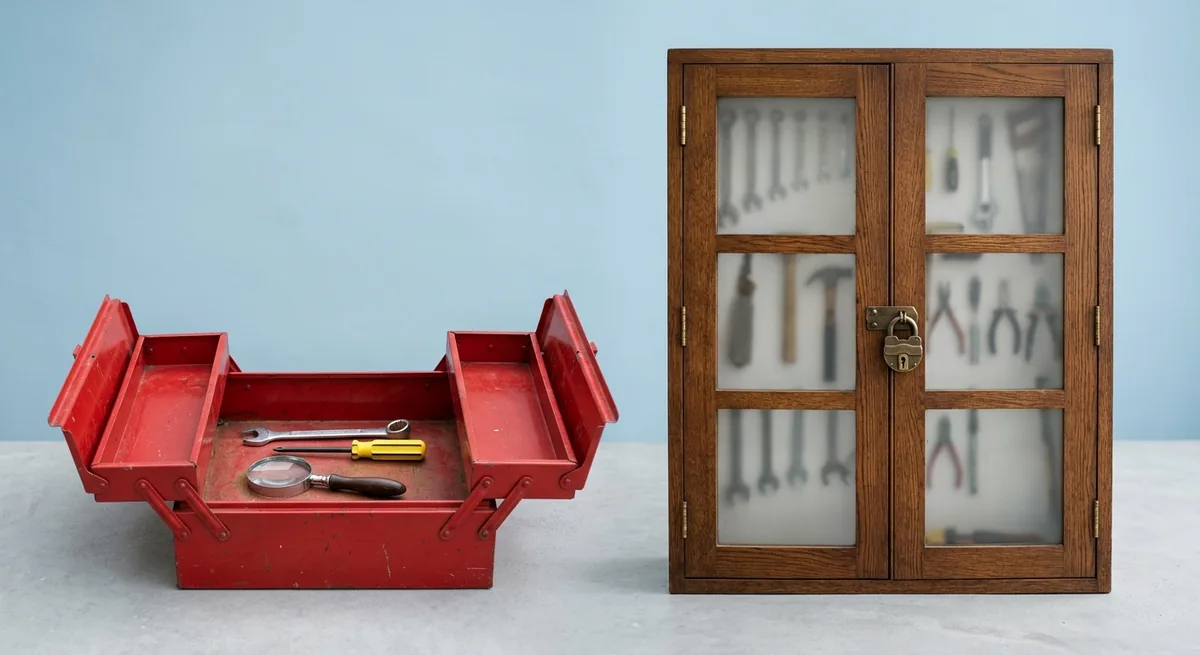
The free SEO tools page groups them like this:
| Group | Free tools |
|---|---|
| AI visibility | AI Visibility Checker, AI Mode Tracker, AI Overviews Tracker |
| Keyword research | Keyword Generator, Keyword Difficulty Checker, YouTube, Amazon and Bing keyword tools |
| Link building | Backlink Checker (top 20 backlinks), Broken Link Checker, Website Authority Checker (DR) |
| SERP and ranking | Website Traffic Checker, SERP Checker (top 10 results), Keyword Rank Checker |
| Other | XML Sitemap Generator, Website Change Monitor, Ahrefs SEO Toolbar, AI writing tools |
A few notes from the tool pages themselves:
- The Keyword Generator takes up to ten words or phrases at once and offers six report types, including questions and search suggestions.
- The Backlink Checker shows referring domains, backlinks and DR for any site, but only the top 20 links.
- The SEO Toolbar shows DR and URL Rating while you browse, but you need a free Ahrefs account to unlock those metrics.
So what can you do for free? Quick checks on any site, and full checks on your own. For a wider view of free options from other vendors, see our guides to free backlink plans from Ubersuggest, Mangools and Semrush and free keyword research tools.
Ahrefs Plans and Pricing
Ahrefs’ paid plans cost $29, $129, $249, $449 and $1,499 a month for Starter, Lite, Standard, Advanced and Enterprise, according to the Ahrefs pricing page on October 23, 2026. Starter through Advanced include 1 user, and the gaps between them come down to credits, history, rows and project counts.
| Plan | Monthly price | Credits per user per month | Historical data | Unverified projects | Extra users |
|---|---|---|---|---|---|
| Starter | $29/month | 200 | 1 month | 1 | None |
| Lite | $129/month | 1,000 | 6 months | 5 | Up to 2, $40/month each |
| Standard | $249/month | Unlimited | 2 years | 20 | Up to 5, $60/month each |
| Advanced | $449/month | Unlimited | 5 years | 50 | Up to 10, $80/month each |
| Enterprise | $1,499/month | Unlimited | Unlimited | 100 | From 3 included, more at $100/month each |
Sources: pricing page and the Starter plan article. Enterprise requires an annual commitment.
How credits work
Starter and Lite run on credits; Standard and above have “unlimited fair usage” per user, per the plan comparison article. The FAQ says credits reset each billing cycle and don’t roll over. Rows also matter: Lite shows up to 2,500 rows per report and 500,000 export rows a month, while Starter shows 250 rows and has no exports.
Annual billing, trials and refunds
- Annual billing. The FAQ says annual billing means paying for 10 months and getting 12, about 17% off.
- Free trial. The pricing FAQ says Ahrefs never runs discounts and points site owners to Ahrefs Free for free limited access. Plan your evaluation around the free tier, not a trial.
- Refunds. Ahrefs says it does not issue refunds in general; on monthly plans you can ask for one if you haven’t used the service.
- Cancellation. Paid features run to the end of the billing period, then the account drops to Ahrefs Free.
Add-ons
Add-ons sit on top of any plan: Content Kit from $99/month, Report Builder at $99/month, Project Boost Pro at $20/month per project, Project Boost Max at $200/month per project, and Brand Radar’s AI Visibility Index from $199/month.
Which plan fits a solo site owner? Starter is the cheapest way to research competitors, but 200 credits go fast when every filter costs one. Lite is the first plan with exports and a real credit budget.
Is Ahrefs Worth It, or Is a Cheaper Tool Enough?
Ahrefs is worth it if you research competitors’ backlinks and keywords every week; for checking one small site, a free tier often covers the basics, and our own tests of four other tools on one small site showed referring-domain counts from 40 to 77. That spread is the first thing to understand before paying for any backlink tool.
What other tools showed for the same small site
On October 21, 2026, we ran Semrush, SE Ranking, Mangools and Ubersuggest on a small marketing website our own team runs, using the same keyword and the same tasks in each tool. We did not run Ahrefs in that test, so it has no column here.
| Tool | Plan we used | Referring domains reported | Site check limit we saw | Cost to keep going |
|---|---|---|---|---|
| Semrush | Free account | 46 | Site Audit: 100 pages per audit | In-app plans from $199/month (Starter) |
| SE Ranking | 14-day trial, no card | 77 | 5,000 audited pages in the trial | Core: $103.20/month billed annually |
| Mangools | Free account | 40 | No crawler-based audit; 5 site lookups per 24 hours | Paid plans not opened |
| Ubersuggest | Free account | 48 | Site Audit stopped at 150 pages | Trial not started |
Sources: Indie Stack Lab test records for each tool, October 21, 2026.
What surprised us was how far apart the backlink numbers landed. The same site got 40 referring domains in Mangools and 77 in SE Ranking. Authority scores varied too: Semrush gave it an Authority Score of 7, SE Ranking a Domain Trust of 15, and Mangools and Ubersuggest a Domain Authority of 3. So which tool is right? None of those numbers is wrong. Each tool counts from its own crawl, which is why our guide to checking backlinks with four different checkers compares them side by side.
When Ahrefs makes sense
- You research other people’s sites often enough to use more than 200 credits a month.
- Link building is a core part of your work, and you want broken backlinks, Link Intersect and Content Explorer (Standard and up).
- You need history: Lite keeps 6 months, Standard 2 years.
When a cheaper or free option is enough
- You only care about your own site. Ahrefs Free plus Google Search Console covers audits, your backlinks and your keywords at no cost.
- You check a few keywords a day. In our test, Semrush’s free account handled a keyword lookup, a 100-page audit and a backlink summary without a card.
- You want rank tracking on a budget. Ubersuggest’s free plan showed a limit of 25 tracked keywords; Semrush’s free account allowed 10.
In our own setup, a free Semrush account was the easiest no-cost start of the four; our Semrush SEO tools review has the details. SE Ranking’s trial gave the most room before paying, as our SE Ranking review explains. For cheaper all-in-one suites, see our one-site test of three cheaper Semrush rivals.
Picking Your First Ahrefs Tool: A Short Checklist
Start with the free layer: Ahrefs Free costs $0, works on unlimited verified sites, and shows whether Ahrefs’ data is useful to you before you spend $29/month or more (Ahrefs Free). Then pay only for the gap you actually hit.

A short checklist:
- Verify your site in Ahrefs Free and run Site Audit first. Fix errors before warnings.
- Try the free Backlink Checker and Keyword Generator on a competitor. If the top 20 links and top 100 ideas leave you wanting more, that is your signal to pay.
- Count the lookups you would run in a month. Under 200 reports, Starter may do; well beyond that, look at Lite.
- Decide whether you need history and exports. Starter has 1 month of history and no exports.
- Check the pricing page again before you buy. Ahrefs has renamed products and changed plan limits before, and its help center still mentions legacy plans with credit caps.
Not sure which SEO tool to learn first? Our beginner guide on how to use SEO tools walks through the basic workflow that applies to Ahrefs and its rivals alike.
Further Reading
- Semrush SEO tools review: what a free account gets you
- Semrush keyword research review: what a free account shows
- Keyword research tools compared on the same keyword
- Best AI SEO tools in 2026: what we tested and what to skip
- Best Semrush alternatives for cheaper SEO research
References
- Ahrefs: Plans & Pricing
- Ahrefs: Ahrefs Free (formerly Ahrefs Webmaster Tools)
- Ahrefs: Free SEO Tools
- Ahrefs: Site Explorer
- Ahrefs: Keywords Explorer
- Ahrefs: Site Audit
- Ahrefs: Rank Tracker
- Ahrefs: Content Explorer
- Ahrefs: Brand Radar
- Ahrefs: Backlink Checker
- Ahrefs: Free Keyword Generator
- Ahrefs: Big Data
- Ahrefs: FAQ
- Ahrefs Help Center: About Ahrefs’ Starter plan
- Ahrefs Help Center: What actions consume credits
- Ahrefs Help Center: What’s the difference between all Ahrefs subscription plans?
- Ahrefs Help Center: What is Domain Rating (DR)?