Semrush is one of the best-known names in SEO, yet many people who hear it can’t say what it actually does. Is it a keyword tool, a site checker, an AI tracker or an agency? It’s a bit of each, sold as one web app. This guide explains Semrush in plain English, with what we saw when we opened a free account ourselves.
What Is Semrush? The Short Answer
Semrush is a web-based platform that shows how websites perform in search, and its own help center calls it “a brand visibility management platform that enables marketers to audit, optimize, and quantify performance across SEO, AI search, content marketing, and paid media” (Semrush Knowledge Base). In everyday terms, you type in a website or a keyword, and Semrush tells you what it knows about it.
That covers questions like these:
- How many people search for this phrase each month?
- Which pages on my site have technical problems?
- Which websites link to my competitor?
- Where does my page rank in Google today?
- Does ChatGPT mention my brand when people ask about my niche?
Semrush answers most of them with estimates built from its own databases, not with your private analytics. That difference matters, and it comes up again in the data section of this guide.
We’re an independent site that tests creator tools on free plans and no-card trials. On October 21, 2026, we opened a free Semrush account and ran four of its tools on a small marketing website our own team runs. Where this guide says “we saw,” the line comes from that test log. Everything else comes from Semrush’s and Google’s own documentation, read on October 23 and 24, 2026.
Key Takeaways
Semrush is an SEO and AI search platform that Adobe finished buying on April 28, 2026; Adobe’s announcement says it’s “used by over 28 million users globally” (Adobe). It sells eight toolkits, runs mostly on estimated data, has a free account with tight daily caps, and teaches its tools through free Academy courses.
Who Makes Semrush: Company Background and the Adobe Deal
Semrush is made by Semrush Holdings, a company headquartered in Boston that Adobe agreed to buy on November 19, 2025, for $12.00 per share in cash, “a total equity value of approximately $1.9 billion” (Adobe, November 19, 2025). At the time, Semrush traded on the New York Stock Exchange as SEMR.
Adobe announced that the deal had closed on April 28, 2026 (Adobe). The same release quotes Semrush’s CEO, Bill Wagner, saying the company “has spent more than 17 years helping marketers scale and grow.” It now describes the product as “Semrush, an Adobe company.”
What does the sale change for a regular user? Not much yet. Semrush’s customer FAQ, published the day the deal closed, says “there will be no immediate changes to your current services, agreements, or points of contact,” and lists features, access, support and billing among the things that stay the same (Semrush FAQ for customers). The same page adds that “Semrush’s operations will continue without interruption.”
So you still sign up at semrush.com, log in with the same account and pay Semrush, not Adobe. Adobe says it plans to connect Semrush with its own marketing products, such as Adobe Experience Manager and Adobe LLM Optimizer. Those connections matter most to large companies that already pay for Adobe software.
Here’s the company timeline in one table:
| Date | What happened | Source |
|---|---|---|
| November 19, 2025 | Adobe and Semrush sign a deal at $12.00 per share, about $1.9 billion | Adobe press release |
| First half of 2026 | Expected closing window given in that release | Adobe press release |
| April 28, 2026 | Adobe announces the acquisition is complete | Adobe press release |
| April 28, 2026 | Semrush tells customers there are no immediate changes | Semrush customer FAQ |
What Semrush Does: Its Toolkits in Plain English
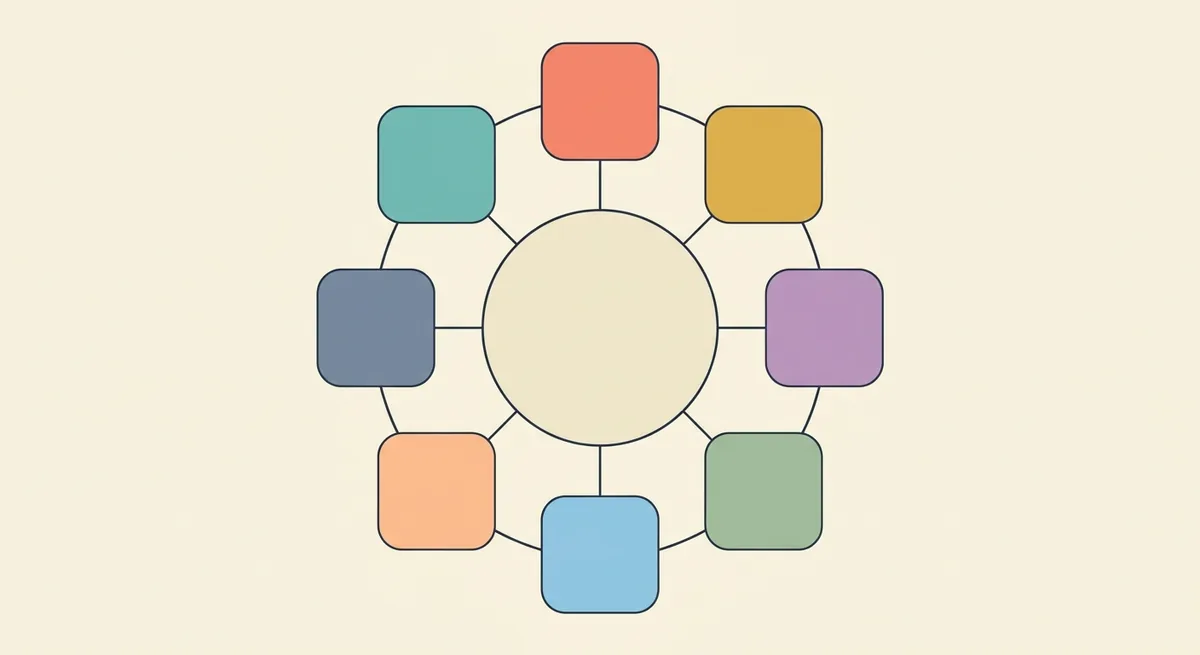
Semrush sells its features as eight toolkits, each built for one marketing job: SEO, AI Visibility, Traffic & Market, Local, Content, Social, Advertising and AI PR (Semrush Subscriptions and Toolkits). Its paid plans bundle the first two, and you add the other six on top only if you need them.
Here’s what each toolkit is for, in one line each:
| Toolkit | What it’s for, in plain English |
|---|---|
| SEO | Keyword research, rank tracking, site audits, backlinks and competitor research for Google |
| AI Visibility | How ChatGPT, Google’s AI answers and Gemini mention your brand and your competitors |
| Traffic & Market | Estimated traffic, audience and market trends for any website |
| Local | Google Business Profile, local listings, reviews and map rankings |
| Content | Topic ideas, SEO briefs, AI article drafts and draft optimization |
| Social | Posting to social networks, tracking competitors and listening for brand mentions |
| Advertising | Competitors’ Google Ads and your own ad keyword research |
| AI PR | Finding the media outlets AI answers cite, researching journalists and writing pitches |
Descriptions summarize Semrush’s Subscriptions and Toolkits guide, read October 24, 2026.
Which toolkit do most people mean when they say “Semrush”? The SEO Toolkit. It’s the oldest part of the product and the one most reviews cover. Our review of what a free Semrush account gets you for SEO goes through its tools one by one.
The AI side is newer and changes fast. Semrush now adds AI to almost every toolkit, from a dashboard assistant to an AI Search Health score in Site Audit. For a feature-by-feature guide, see our breakdown of Semrush’s AI features and which ones are free. If optimizing for AI answers is new to you, our explainer on what generative engine optimization is covers the basics.
Extras outside the toolkits
A few parts of Semrush don’t belong to any toolkit:
- Free tools: single-purpose checkers on Semrush’s free tools page, which says “No sign-up required.”
- App Center: paid add-on apps from Semrush and partners, such as AdClarity and Exploding Topics, per Semrush’s own overview.
- API and MCP: ways to pull Semrush data into your own dashboards or into AI assistants. Our walkthrough of Semrush’s Standard, Trends and Projects APIs covers how API units work.
How Semrush Gets Its Data
Semrush gets its data from four main places: Google results pages collected through third-party providers, a clickstream panel of over 200 million anonymized internet users, its own backlink crawler, and AI answers it collects at scale (Semrush Data & Metrics). Most numbers you see in Semrush are estimates built from those sources.
Here’s how each one works, in Semrush’s own words:
- Rankings and keywords. Semrush says it partners “with third-party data providers to collect Google’s search engine results pages (SERPs) for hundreds of millions of the most popular keywords,” and records the sites in the top 100 positions, for both organic and paid results.
- Search volume. Semrush takes data sets from third-party providers, overlays historical clickstream data, and runs the result through a machine-learning model to get “the volumes for billions of keywords” (Semrush).
- Website traffic. The Traffic & Market Toolkit uses a panel of over 200 million users “across more than 190 countries and regions,” built with “hundreds of clickstream data providers,” then estimated by a neural network.
- Backlinks. Semrush’s own crawler “combs through approximately 10 billion web pages daily.”
- AI visibility. The AI Visibility Toolkit “collects and refreshes 317M+ prompts monthly” across platforms like ChatGPT, Google AI Mode, Gemini and Perplexity.
How big is the database? The same help page lists these totals “as of 2026”:
| Data type | Size per Semrush |
|---|---|
| Geographic databases | 142 |
| Keywords | 28.8 billion |
| Domains | 808 million |
| Backlinks | 43 trillion |
| Raw website traffic data | 500TB |
| AI prompts | 317 million |
Source: Semrush Data & Metrics, read October 24, 2026.
Why the numbers are estimates
Here’s something we noticed while reading. Semrush’s “What is Semrush?” page gives slightly different totals: “289M+ prompts, 28B+ keywords, 43T+ backlinks, and 800M+ domain profiles” (Semrush). Both pages are official. They were likely written at different times, and that’s normal for a database that grows every day.
The bigger point is what the data is not. Semrush doesn’t see your Google Analytics or your Search Console account unless you connect them. Its traffic figure for your site is a model, not a count. In our test, Backlink Analytics estimated 329 monthly visits and 21 organic visits for our site. We haven’t compared those figures with our own analytics, so we can’t tell you how close they were.
When is an estimate good enough? For comparing sites against each other, and for spotting trends, usually yes. For reporting your own traffic to a boss or a client, use your own analytics instead.
What People Use Semrush For: Five Common Jobs
People mostly use Semrush for five jobs: keyword research, site audits, backlink checks, rank tracking and competitor research. A free account covers a small slice of each; Semrush says it includes “10 reports per day across all vital tools” (Semrush Subscriptions and Toolkits). We ran four of the five on our own site.
1. Keyword research
You enter a phrase and see how often people search for it, how hard it is to rank for and what the searcher wants. When we looked up “generative engine optimization” in the US database, Keyword Overview showed a volume of 9.9K and a Keyword Difficulty of 72%, labeled “Hard”. Our Semrush keyword research review explains every metric on that screen.
2. Site audits
Semrush crawls your site like a search engine would and lists technical problems, from broken links to missing tags. Our free audit crawled 100 of 100 pages and gave our site a Site Health score of 89%. The full results are in our walkthrough of a free Semrush Site Audit.
3. Backlink checks
Backlink Analytics shows which websites link to a domain. For our site, it found 46 referring domains and 2.7K backlinks, with an Authority Score of 7, labeled “Low authority”.
4. Rank tracking
Position Tracking checks where your pages rank for chosen keywords, every day. We set it up for one keyword on Google, desktop, in the US. The screen read “Keyword limit 1/10,” so the free account allows 10 tracked keywords. Our guide to setting up Semrush Position Tracking and its limits covers the options.
5. Competitor research
Tools like Domain Overview and Keyword Gap show what another site ranks for and where you overlap. Semrush’s free-account guide gives 10 Domain Overview queries a day (Semrush). We didn’t open those tools in our test, so we can’t describe their free view first-hand.
Which job should a beginner start with? The site audit. It needs no keyword list, and it hands you a ranked list of fixes for a site you already own.
What Using Semrush Looks Like on a Free Account
A free Semrush account costs $0 and needs no card, but the sign-up flow ends on a paid trial offer. When we signed up on October 21, 2026, the last screen read “Pro+ $299/mo … 7 days free, then $299/mo,” with “Get free trial” as the main button and “Skip trial” as the smaller one. We pressed “Skip trial.”
The steps before that took a few minutes. We used Google sign-in, which asked only for our name, profile picture and email address. Then Semrush asked three survey questions, about our role, our experience level and our marketing focus.
What surprised us was what came next: nothing told us what the free account includes. There’s no single page with the free limits. They show up one tool at a time, the first time you open each tool.
So how do you learn the caps before you hit them? Open each tool once and read its setup screen. Here’s what we saw inside each tool:
| Tool | What the free account showed us |
|---|---|
| Keyword Overview | Full summary for one keyword, plus “Go beyond basic volume and discover advanced metrics with Semrush Pro” |
| Site Audit | “Limit per audit 100 pages,” scheduled weekly by default |
| Backlink Analytics | Full summary for one domain, plus “Live Update: 1 backlink found today” |
| Position Tracking | “Keyword limit 1/10”; ChatGPT and Gemini listed in the engine menu |
| Subscription info | Paid plans only: Starter $199/mo, Pro+ $299/mo, Advanced $549/mo |
Source: our free-account test, October 21, 2026.
One line in that table needs care. The Position Tracking menu listed ChatGPT and Gemini next to Google, but Semrush’s help center says that tracking prompts in those AI engines needs a paid add-on: “To access this feature, you need a subscription to the AI Visibility Toolkit” (Semrush Prompt Tracking). We only tracked Google. Seeing an AI engine in the menu doesn’t mean a free account can track it. If AI answers are your main concern, compare the AI search visibility trackers we set up side by side.
We also didn’t start the paid trial, so we can’t describe the paid toolkits first-hand. For the full free-account write-up, tool by tool, read our review of Semrush’s SEO tools on a free account.
How Often Semrush Updates Its Data
Semrush updates keyword data on a sliding schedule: “Depending on their popularity in search queries, keywords are updated daily, weekly, or monthly,” and the more popular a keyword is, the more often it refreshes (Semrush Live Update). Other data types run on their own clocks.
Here’s the schedule for the main data types, from Semrush’s help center:
| Data | How often it updates | Source |
|---|---|---|
| Keyword rankings | Daily to monthly, by keyword popularity | Live Update |
| Search volume | Monthly; average of the past 12 months | Search Volume |
| Backlinks | Crawled daily | Data & Metrics |
| AI prompts | Monthly; brand sentiment weekly | Data & Metrics |
| Position Tracking | Daily for 60 days, then weekly for up to 140 weeks | Historical Data |
Sources: Live Update, What Is Search Volume, Data & Metrics and Historical Data.
Search volume deserves a note. Semrush calculates it by “dividing the total searches for the keyword over the past 12 months by 12” (Semrush). So a seasonal keyword, like a holiday gift idea, can look smaller than it really is in December and bigger than it is in June.
How far back can you look? Semrush keeps SEO history back to January 2012 for some databases, but it says you need “at least a Guru-level subscription” or Semrush One Pro+ to see it (Semrush Historical Data). A free account shows current data only.
During our test, Backlink Analytics showed “Live Update: 1 backlink found today”. That small line matches the daily crawl Semrush describes.
Semrush vs Free Google Tools: What Each Can Tell You
Google’s free tools report real data about your own site, while Semrush estimates data about any site. Google describes Search Console as “a free service offered by Google that helps you monitor, maintain, and troubleshoot your site’s presence in Google Search results” (Google Search Console Help). Semrush can’t see that data unless you connect it.
Google’s free Keyword Planner covers some of the same ground as Semrush’s keyword tools. Google says it helps you “discover new keywords related to your business and view estimates of the searches they receive and the cost to target them” (Google Ads Help). It’s built for ad campaigns and lives inside a Google Ads account.
Here’s how the three compare:
| Question | Google Search Console | Google Keyword Planner | Semrush |
|---|---|---|---|
| Which searches show my site in Google? | Yes, from Google’s own data | No | Estimated |
| How many people search for a keyword? | No | Yes, as estimates | Yes, as estimates |
| What do my competitors rank for? | No | No | Yes |
| Who links to my site? | Yes, for your own site | No | Yes, for any site |
| Can Google crawl and index my pages? | Yes | No | Partly, through Site Audit |
| Does AI search mention my brand? | No | No | Yes, with the AI Visibility Toolkit |
| Price | Free | Free with a Google Ads account | Free account; paid plans |
Sources: Google’s help pages linked above and Semrush’s Subscriptions and Toolkits guide.
So do you need Semrush if you have Search Console? Start with Search Console, because it’s free and it’s the only source of real Google data for your site. Add Semrush when you need to look outward: at competitors, at keywords you don’t rank for yet, or at AI answers. Our beginner’s guide to Google Search Console for SEO shows how to set it up.
How to Learn Semrush: Academy, Knowledge Base, Blog and Webinars
Semrush teaches its own tools for free through four channels: Semrush Academy courses with certificates, the Knowledge Base, the Semrush Blog and live webinars. The Academy’s certification page says its courses are “completely free” (Semrush Academy).
Semrush Academy
Semrush Academy is a free online school of video courses, each ending in an exam and a certificate. Its course catalog lists “Getting Started with Semrush” at 20 lessons and about 1 hour, with a separate 18-lesson version built for agencies (Semrush Academy courses). Other courses on the same page include Keyword Research Essentials with Semrush and On-Page SEO and AI Search Essentials with Semrush.
The certification page lays out five steps:
- Pick a course from the catalog.
- Select “Start learning” to enroll for free.
- Work through the video lessons, the script and the short knowledge checks.
- Take the final exam; pass it and you get a downloadable certificate, also sent by email.
- Share the certificate on LinkedIn if you like.
Two rules are worth knowing before you start. You get three attempts at a course’s final exam, and if you don’t pass, “you can try again after a month.” Each certificate “is valid for one year from the date of completion” (Semrush Academy). The page doesn’t publish the number of exam questions or a passing score.
Is a Semrush certificate worth it? It proves you finished a course about Semrush’s tools, which helps if a job or client uses them. It isn’t a general SEO license, and the one-year expiry means you’ll retake it to keep it current. We’ll cover courses and exams in more depth in a separate guide to Semrush Academy certifications.
Knowledge Base, blog and webinars
The other three channels fill different gaps:
- The Semrush Knowledge Base is the manual. It offers “straightforward manuals, video walkthroughs, and ready workflows,” and it’s where you’ll find exact limits and definitions.
- The Semrush Blog covers SEO, AI search and content strategy in general, not just Semrush’s tools.
- Semrush Webinars are live sessions with marketers; the page promises you can “sharpen your digital marketing skills with our free webinars.”
Which should you open first? If you want to use the tool this week, the Knowledge Base. If you want a structured path, Getting Started with Semrush in the Academy. We’ll also publish a step-by-step tutorial on how to use Semrush, built from the same free-account tasks. For habits that work in any SEO tool, see our beginner’s guide on how to use SEO tools effectively.
Who Semrush Is For and Who Can Skip It
Semrush fits people who check search data often, across several sites or competitors, and its public pricing page starts paid plans at $139.95 a month (Semrush pricing). If you run one small site and only need a monthly checkup, the free account or Google’s free tools may be all you need. The rest of this section is our judgment, based on the limits and prices in this guide.
Price is where Semrush confuses people most, because it shows three different lists. On October 23, 2026, they looked like this:
| Plan | In-app Subscription info (our free account) | Public pricing page, Monthly tab | Older help page (SEO Toolkit tiers) |
|---|---|---|---|
| Entry plan | Not listed | SEO, $139.95 | Pro, $139.95 |
| Middle plan | Starter, $199 | Starter, $199 | Not listed |
| Upper plan | Pro+, $299 | Pro+, $299 | Guru, $249.95 |
| Top plan | Advanced, $549 | Advanced, Custom | Business, $499.95 |
Sources: our free account’s Subscription info page, Semrush’s pricing page and its older SEO Toolkit Pricing and Limits page. Our full guide to Semrush pricing, plans and trials explains every plan and add-on.
Here’s how we’d sort readers:
- Bloggers and solo creators with one site: start on the free account. Run the 100-page audit, check your backlinks and track up to 10 keywords.
- Small businesses: pair the free account with Google Search Console. Upgrade only when a cap stops you more than once a week.
- Freelancers and agencies with several client sites: the free account’s 1 demo project won’t stretch across clients. Look at the paid plans or the free trial.
- Brands that care about AI answers: AI tracking is paid. Plans with AI Visibility start at Starter, at $199 a month on the public page.
- Learners and job seekers: take the free Academy courses, even before you sign up for anything.
Who can skip Semrush? Anyone who only needs their own site’s Google data, since Search Console is free and exact. Also skip it if the price is the obstacle and you need just one job done, such as keyword lookups. Our list of the best Semrush alternatives covers three cheaper SEO tools we’ve used ourselves, and our test of four SEO suites on the same website shows how Semrush compares with them on one task list.

Still unsure where you fit? Count the websites you’re responsible for, then decide what you want to learn first. If the answer is one site and one question, the free account will answer it this week at no cost.
Further Reading
- What a free Semrush account gets you for SEO
- Semrush plans, prices and trials in one place
- Which Semrush AI features are free and which are paid
- What one free Semrush keyword lookup shows
- What a free 100-page Semrush Site Audit found
- Using Google Search Console for SEO, step by step
References
- Semrush Knowledge Base: What Is Semrush?
- Semrush Knowledge Base: Semrush Data & Metrics
- Semrush Knowledge Base: What Is Search Volume in Semrush?
- Semrush Knowledge Base: What Is Live Data? (Live Update)
- Semrush Knowledge Base: Historical Data
- Semrush Knowledge Base: Subscriptions and Toolkits
- Semrush Knowledge Base: Prompt Tracking
- Semrush Knowledge Base: SEO Toolkit Pricing and Limits
- Semrush: SEO + AI Search Plans and Pricing
- Semrush: What Can You Do with a Free Semrush Account?
- Semrush: Free SEO Tools
- Semrush Academy: Certification
- Semrush Academy: Courses
- Semrush Knowledge Base home
- Semrush Blog
- Semrush Webinars
- Semrush: FAQ for Customers, Adobe Acquires Semrush
- Adobe: Adobe to Acquire Semrush (November 19, 2025)
- Adobe: Adobe Completes Semrush Acquisition (April 28, 2026)
- Google Search Console Help: About Search Console
- Google Ads Help: Use Keyword Planner