You ask ChatGPT a question about something that happened this morning, and a few seconds later the answer arrives with a row of little source links under it. That is ChatGPT search at work. This guide explains what it is, when it kicks in, where those sources come from, what it costs, and what our own tracker counted when ChatGPT answered questions in our niche.
ChatGPT Search in Short: What It Is and Who Can Use It
ChatGPT search is the built-in web search inside ChatGPT: OpenAI’s Help Center says ChatGPT “can search the web to answer questions with current information and links to relevant sources,” and lists it on seven plans, from Free to Edu (OpenAI Help Center). There is no separate app to install. It runs in the same chat box you already use.
OpenAI launched it on October 31, 2024, promising “fast, timely answers with links to relevant web sources” (OpenAI, Introducing ChatGPT search). At first only paying Plus and Team users and SearchGPT waitlist members had it. On December 16, 2024, it reached all logged-in users. On February 5, 2025, OpenAI updated the launch post: “ChatGPT search is now available to everyone in regions where ChatGPT is available. No signup required.”

As of October 24, 2026, the Help Center lists web search on ChatGPT Free, Go, Plus, Pro, Business, Enterprise and Edu, and adds that “People who are not signed in can also use web search.” It works on chatgpt.com and in the desktop and mobile apps.
One naming detail trips people up. ChatGPT also has a sidebar search that finds your own past chats, projects and files. That is not web search. When people say “ChatGPT search,” and when this guide says it, we mean the feature that goes out to the web.
Who is this guide for? Two groups. If you use ChatGPT to look things up, the first half shows how search works and how to check its answers. If you run a website, the later sections explain how ChatGPT finds pages and what we saw when our own small site went up against it.
Key Takeaways
ChatGPT is the chatbot Americans use most: 44% of U.S. adults say they ever use it, in a survey run February 17–23, 2026 (Pew Research Center, 2026). Its search feature is free, decides on its own when to look things up, and cites sources you should still open and check.
How ChatGPT Decides When to Search the Web
ChatGPT searches when it judges that fresh information would help: the Help Center says “ChatGPT may search the web automatically when your question would benefit from current information” (OpenAI Help Center). You can also force a search by hand, which the next section covers. So what makes a question “need” the web?
The launch post gives the original idea: “ChatGPT will choose to search the web based on what you ask” (OpenAI). Sports scores, news, stock quotes and weather were the first examples OpenAI named, along with maps. In practice, questions about recent events, prices, opening hours or anything with a date in it are the ones most likely to trigger a search. A question like “explain photosynthesis” usually doesn’t need one.
Your question becomes one or more search queries
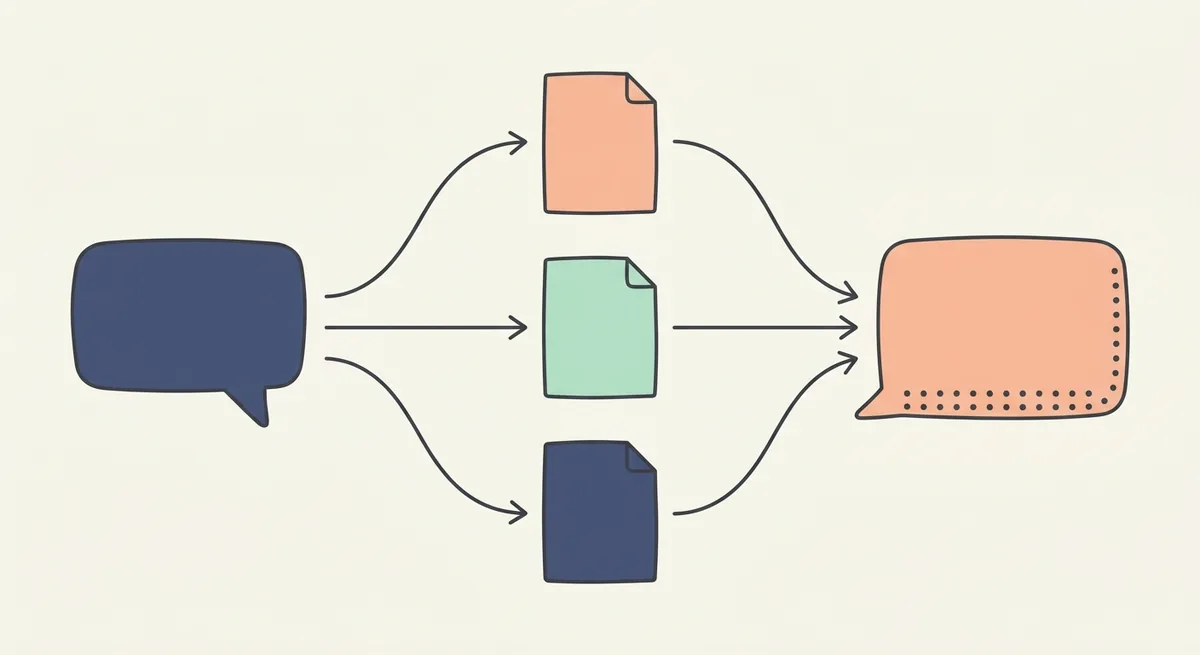
Here is the part most people never see. ChatGPT doesn’t paste your question into a search engine word for word. OpenAI’s Enterprise page describes the flow: ChatGPT “can turn the request into one or more search queries, retrieve relevant results, and use those results to generate an answer with links to sources” (OpenAI Help Center, Enterprise and Edu).
The consumer Help Center gives a worked example. A researcher asks about drugs that target CCR8 for cancer. ChatGPT might first search “CCR8 immunotherapy drug development 2025,” read the results, then send a narrower follow-up such as “CHS-114 conference 2025.” One question, two or more searches.
Memory and location shape the rewrite
Two more inputs can change the query. If memory is on, ChatGPT may use saved memories when it rewrites a search. OpenAI’s example: a user who said they are vegan and live in San Francisco might get a search for “good vegan restaurants San Francisco.” ChatGPT also estimates your general location from your IP address, so “restaurants near me” can become “top restaurants San Francisco.”
What does this mean for you? The answer you get depends partly on things you didn’t type. If results look off, the fix is often to say more: name the city, the date range or the source you trust, and ask again.
How to Use ChatGPT Search on the Web, Desktop and Mobile
Using ChatGPT search takes four steps when you start it by hand, per OpenAI’s Help Center: open a conversation, select View all tools, select Search, then send your question (OpenAI Help Center). Most of the time you won’t need them, because ChatGPT searches on its own. But what if you want a search on a question it would answer from memory?
Start a search by hand
- From the tools menu: in a chat, select View all tools, then Search, then type your question.
- With the slash shortcut: type
/in the message box and pick Search from the menu. - On an answer you already have: select the refresh control and choose Search the web, when it is offered, to regenerate that response with web results.
- In a voice conversation: ask ChatGPT out loud to search the web. Voice searches count toward the same plan limits.
The same steps apply on chatgpt.com and in the desktop and mobile apps. On iOS and Android, a search answer about places may also include a map.
Make ChatGPT the default search in Chrome
OpenAI’s Help Center says you can set ChatGPT as the default search engine in Google Chrome by installing the ChatGPT search extension. After that, a search typed in Chrome’s address bar opens a ChatGPT conversation instead of a Google results page. Need Google for one query? Type !g followed by your search terms. A full setup walkthrough for the extension, including what it can see, is on our list of upcoming guides.
When the Search option is missing
The Help Center lists four checks, in this order:
- Start a new conversation and look for Search in the tools menu.
- Update the ChatGPT app, or try chatgpt.com in a browser.
- Make sure you’re in the right account or workspace and haven’t hit your plan’s usage limit.
- In a work or school workspace, ask your admin whether web search is turned on for your role.
That last one matters more than it sounds. On Enterprise and Edu, admins can switch web search off for the whole workspace or for a role, and then ChatGPT won’t search “even if a user asks ChatGPT to search” (OpenAI Help Center, Enterprise and Edu).
Is ChatGPT Search Free? Plans, Limits and Ads
Yes, ChatGPT search is free: OpenAI’s Free Tier FAQ lists “Search the web and obtain up-to-date information” among the things Free users can do, and the Help Center adds that people who aren’t signed in can search too (OpenAI Help Center, Free Tier FAQ). The catch is the word “limits.” How many searches do you actually get?
OpenAI doesn’t publish a fixed number. The Help Center says searches “are subject to your plan’s usage limits,” and the Free Tier FAQ says “The default model and available limits can change over time.” Free users get unlimited everyday text chats, subject to abuse safeguards, while tools such as file uploads, image creation and data analysis have their own, separate limits. When you reach a limit, ChatGPT tells you in the product, along with when it resets.
Paid plans raise those limits. OpenAI’s pricing page, which we read on October 24, 2026, lists four individual plans: Free, Go, Plus and Pro. It lists Search as a feature and shows deep research as “Limited” on Free, “Expanded” on Plus and “Maximum” on Pro. We’re not quoting prices here, because the page showed us local-currency prices for our connection rather than US dollar prices; check the plan prices for your own country on ChatGPT’s pricing page.
Ads appear on Free and Go
Since 2026, the free version comes with ads in some countries. OpenAI’s ads FAQ says ad testing started in the United States on February 9, 2026, and that ads may appear on the Free and Go plans; Plus, Pro, Business, Enterprise and Edu accounts don’t get them (OpenAI Help Center, Ads in ChatGPT). Ads show below a response as one ad unit, are labeled, and run on separate systems from the chat model. OpenAI also says advertisers can’t change ChatGPT’s answers and don’t see your chats.
Want search without ads? The same FAQ lists two ways: upgrade to Plus or Pro, or switch Free to a no-ads option with fewer messages per day and no image tools. Temporary Chats show no ads either.
Searching without logging in works too. Exactly what changes without an account is the topic of a separate guide we plan to publish.
Where ChatGPT Search Answers Come From: Sources and Citations
ChatGPT search pulls from outside search providers plus content that partners send OpenAI directly: the launch post says it uses “third-party search providers, as well as content provided directly by our partners,” and names 14 publisher partners, from Associated Press to Vox Media (OpenAI). Which search provider? The answer depends on your plan.
For consumer accounts, OpenAI’s Help Center says ChatGPT search “sometimes partners with other search providers” and points readers to two privacy policies: Microsoft’s and Shopify’s. For Enterprise and Edu workspaces, the Enterprise page is specific: ChatGPT “may share disassociated search queries with the Bing search engine to return web results” (OpenAI Help Center, Enterprise and Edu). Weather, sports, finance and similar cards come from specialized data providers.
How citations show up
A search answer can carry inline citations. Select one to open the source; on desktop web, point at it for a preview. A Sources button, when shown, lists the cited pages plus other relevant links. If the answer includes images, selecting an image shows where it came from.
Do citations prove the answer is right? No, and OpenAI says so: “Search results and citations can be incomplete, outdated, or incorrect” (OpenAI Help Center). Its advice is to open the source, check that it supports the claim, look at when it was published or updated, and use an authoritative source when accuracy matters. We’d add one habit: if a citation points to a homepage instead of the page with the fact, treat that sentence as unverified.
How ChatGPT ranks results
OpenAI says ChatGPT “ranks search results using multiple factors intended to help users find relevant, reliable information. Placement is not guaranteed.” It doesn’t list the factors. Any article that claims to know the exact ranking formula is guessing.
Shopping results are a separate system
When a question looks like shopping, ChatGPT can show product cards with images, prices and links to stores. OpenAI’s shopping page says “Product results are selected independently by ChatGPT and are not ads,” and that ads are kept separate (OpenAI Help Center, Shopping). Products are chosen from structured data such as price and description, supplied by merchants and third-party providers. Shopify stores are already connected through Shopify Catalog, and other merchants can apply to send a direct product feed.
One pricing detail is worth knowing: the price in ChatGPT’s first answer usually comes from the first merchant listed, which may not be the lowest. Open the product to compare merchants before you buy.
What Our Tracker Counted in ChatGPT Answers
ChatGPT cited far more sources than any other engine we tracked: across five prompts on October 21, 2026, Otterly.AI counted 130 ChatGPT citations out of 244 in total, about 53%. Google AI Overview produced 36, Perplexity 50 and Microsoft Copilot 28. We tracked a small marketing website our own team runs, with the market set to the United States and English.
| Prompt | ChatGPT | Google AI Overview | Perplexity | Microsoft Copilot |
|---|---|---|---|---|
| What is GEO? | 37 | 9 | 10 | 5 |
| How to get cited by ChatGPT | 22 | 11 | 10 | 5 |
| Best tools to track AI visibility | 29 | 7 | 10 | 5 |
| Optimizing for AI Overviews | 17 | 7 | 10 | 5 |
| Best AI SEO agencies in Taiwan | 25 | 2 | 10 | 8 |
| All five prompts | 130 | 36 | 50 | 28 |
Why does ChatGPT cite so many more pages? We can’t see inside it, so we won’t pretend to know. What the numbers do show is breadth: ChatGPT’s answer to “What is generative engine optimization (GEO)?” carried 37 citations, while Perplexity stopped at exactly 10 on every prompt. For a site owner, more citations per answer means more seats at the table, but also more competition for attention inside one answer.
When we set up Writesonic’s AI Search Tracking on the same five prompts the same day, the onboarding report showed only one full AI answer before asking us to view plans. That answer came from ChatGPT, and it was marked “Visible: No” for our site. Writesonic’s report put our AI visibility at 0% (0 of 5 answers). Our hands-on look at Writesonic’s AI search tracking walks through that trial screen by screen.
Who did get cited? Otterly’s Citations page put Google’s guide to optimizing for generative AI features at the top, cited 7 times across our prompts. Writesonic’s citation list also included Google’s “Succeeding in AI search” post, a Reddit r/SEO thread, a YouTube video and several SEO software sites. Our site appeared in none of them.
Three cautions keep these numbers honest. It is one day of data, not a trend. The prompts are about our own niche, so another niche may look different. And the counts come from Otterly’s view of each engine, which may differ from what a logged-in person sees. For the full setup and both tools’ quirks, read our comparison of Otterly.AI and Writesonic on the same five prompts. If you want to run this kind of check on your own brand, our roundup of AI search visibility trackers we set up on one site compares four options and their trials. Larger teams weighing enterprise platforms can start with our comparison of Peec AI, Profound and AthenaHQ.
ChatGPT Search vs Google AI Overviews and Perplexity at a Glance
The three engines differ most in where their sources come from: Google says a page “must be indexed and eligible to be shown in Google Search with a snippet” to be a supporting link in its AI features (Google Search Central), while ChatGPT draws on outside search providers and partner content. In our tracker, ChatGPT averaged 26 citations per prompt, Perplexity 10 and Google AI Overview about 7. So which one should you trust for what?
| ChatGPT search | Google AI Overviews | Perplexity | |
|---|---|---|---|
| Where it appears | Inside a ChatGPT conversation | On top of a Google results page | Inside Perplexity’s answer page |
| Where sources come from | Third-party search providers plus partner content | Google’s own Search index | Perplexity’s own search, fed by PerplexityBot |
| Crawler that controls search visibility | OAI-SearchBot | Googlebot | PerplexityBot |
| Follow-up questions | Yes, in the same chat | Limited on the results page | Yes, in the same thread |
| Average citations per prompt in our test | 26 | About 7 | 10 |
Perplexity documents its crawler in a way that mirrors OpenAI’s: “PerplexityBot is designed to surface and link websites in search results on Perplexity” (Perplexity). Google, by contrast, uses its regular search systems, so a page that ranks well in Google has a head start in AI Overviews.
A practical way to split the work: use ChatGPT search when you want a conversation that builds on itself, Google when you want to scan many results fast, and Perplexity when you want a tight answer with a short source list. Our guide to how Google AI Overviews work and our Perplexity SEO guide cover each engine in depth. A side-by-side test of ChatGPT search and Google on the same questions is in our pipeline.
ChatGPT Search, Deep Research and the Atlas Browser: How They Differ
ChatGPT search is for quick answers, deep research is for long reports, and the Atlas browser no longer exists: OpenAI’s Help Center now says “ChatGPT Atlas has been retired and no longer receives updates” (OpenAI Help Center, Atlas retirement). Its deep research FAQ sums up the first split in one line: “Use search for quick facts, and use deep research for depth and thoroughness.” What does each one do in practice?
| ChatGPT search | Deep research | |
|---|---|---|
| Best for | Quick facts, news, local results | Multi-step questions that need many sources |
| Speed | Seconds | Takes longer; you can follow progress |
| Output | A chat answer with citations | A structured report with citations and a sources section |
| Control over sources | Ask it to use a specific source or date | Restrict to chosen sites, or prioritize them while allowing the full web |
| Plan before it runs | No | You can review and edit a research plan first |
| Export | Copy the chat | Download as Markdown, Word or PDF |
| Limits | Plan usage limits | A task counter; fixed monthly allowances reset every 30 days from first use |
Source: OpenAI Help Center, Deep research in ChatGPT.
Deep research can also read files you upload and connected apps such as Google Drive or SharePoint, where your plan and workspace allow it. It uses read actions only. That makes it the better tool for, say, a market overview you plan to share. For “what time does the game start,” search is faster.
What happened to ChatGPT Atlas
Atlas was OpenAI’s own web browser with ChatGPT built in, and it was a common search term next to “ChatGPT search engine.” It has been retired. OpenAI’s retirement page explains how to move bookmarks you exported earlier into another browser and notes that bookmarks, tabs and history don’t transfer automatically. Your ChatGPT conversations are separate and stay in ChatGPT.
The browsing jobs moved elsewhere. The ChatGPT desktop app for macOS and Windows has a built-in browser, and there is a ChatGPT browser extension for Chrome for tasks that need your existing Chrome profile (OpenAI Help Center, built-in browser). Old Atlas tutorials you find online are out of date.
ChatGPT search for developers: the web search tool
There is no separate “ChatGPT search API.” Developers add the same idea to their own apps with the web search tool in OpenAI’s Responses API, which returns answers with URL citations (OpenAI API docs). OpenAI’s API pricing page lists web search at $10.00 per 1,000 calls for all models, plus the search content tokens, billed at the model’s normal rates (OpenAI API pricing). That works out to one cent per search call before tokens. Note that this is the developer price. It is not what one search costs OpenAI inside ChatGPT, which OpenAI hasn’t published.
Privacy: What ChatGPT Sends When You Search
ChatGPT sends search providers a rewritten version of your question, not your identity: OpenAI says “ChatGPT does not share the IP address itself, or any of your ChatGPT account information, with third-party search providers in order to run the search” (OpenAI Help Center). It may share your general location, estimated from your IP address. What else should you know before you type something personal?
Here is what the Help Center describes, in plain terms:
- The query: the search providers see the rewritten searches, such as “top restaurants San Francisco,” not your full conversation.
- Your location: ChatGPT estimates a general location (country, state or city) from your IP address and may pass that general location along. A VPN can change it.
- Precise device location: “Device location sharing is optional and off by default.” You can review it under Settings, Data controls, Location.
- Memory: if memory is on, saved facts about you can shape the rewritten query. Turn memory off, or use Temporary Chat, if you don’t want that.
- Ads: OpenAI says it doesn’t share your conversations with advertisers, and advertisers only get aggregated numbers such as views and clicks (OpenAI Help Center, Ads in ChatGPT).
For business accounts, the Enterprise page goes further. Queries sent to Bing and data providers are “disassociated from a user’s account” and carry no user IDs, account IDs, device IDs, session IDs or IP addresses. Admins can also turn web search off entirely.
Here’s the catch, though. The rewritten query still contains the topic of your question. If your question names a person, a medical condition or a client, a version of that topic can reach a search provider. Strip names and private details from questions you want ChatGPT to look up.
For Site Owners: OAI-SearchBot and Being Found in ChatGPT
To be eligible for ChatGPT search, a site must let OAI-SearchBot crawl it: OpenAI’s crawler page says “Sites that are opted out of OAI-SearchBot will not be shown in ChatGPT search answers, though can still appear as navigational links,” and that robots.txt changes take about 24 hours to take effect for search (OpenAI, Overview of OpenAI Crawlers). Does blocking AI training block search too? No. OpenAI treats them as separate switches.

OpenAI lists four user agents, and each does a different job:
| User agent | What it does | What blocking it means |
|---|---|---|
| OAI-SearchBot | Surfaces websites in ChatGPT’s search features | Your pages won’t be shown in ChatGPT search answers |
| GPTBot | Crawls content that may be used to train OpenAI’s models | Your content shouldn’t be used for training; search is unaffected |
| ChatGPT-User | Visits a page when a user’s request needs it | OpenAI says robots.txt rules may not apply, and it isn’t used for search eligibility |
| OAI-AdsBot | Checks landing pages submitted as ChatGPT ads | Only visits pages submitted as ads |
On ChatGPT-User, OpenAI is direct: it “is not used to determine whether content may appear in Search.” So if you want to control your search visibility, manage OAI-SearchBot. OpenAI also asks site owners to let traffic from its published IP ranges through their host or content delivery network, because a firewall can block the crawler even when robots.txt allows it.
We checked our own setup with a free Semrush account. Its Site Audit overview showed a “Blocked from AI Search” panel naming ChatGPT-User, OAI-SearchBot, Googlebot and Google-Extended, and the same audit gave our site an AI Search Health (beta) score of 95%. We didn’t open the panel’s detail view, but a panel like that is a quick place to look for a crawler block; our walkthrough of what a free Semrush Site Audit found shows the rest of that report.
Access is only the start, though. Our site scored 95% on AI Search Health and still got cited 0 times in our tracker. Getting picked is content work: being the page with the clearest, most first-hand answer to a question people ask. Our guide on writing pages ChatGPT can cite covers that side step by step, and our introduction to generative engine optimization explains the wider field.
How do you measure progress? Prompt trackers are the main option. In our free Semrush account, Position Tracking offered ChatGPT as a search engine next to Google, but Semrush’s knowledge base says of ChatGPT prompt tracking: “To access this feature, you need a subscription to the AI Visibility Toolkit” (Semrush KB). Our Semrush Position Tracking setup guide shows where that menu sits.
Getting Better Answers From ChatGPT Search: A Short Checklist
Better ChatGPT search answers come from better questions and a quick check of the sources: OpenAI’s own advice is to open a cited source, confirm it supports the answer, and check when it was published. Its Help Center lists 4 troubleshooting steps for a missing Search button, and most answer problems need even fewer. Ready to try it on your next question?

For everyday searchers:
- Say what you want looked up. Add a place, a date range or a source (“from the official site”) when it matters.
- Force a search for anything recent. Use Search from the tools menu or type
/when you need today’s information. - Open at least one citation. Check that the page says what the answer says, and check its date.
- Mind what you share. Leave names and private details out of questions that will be searched.
- Pick the right tool. Search for quick facts, deep research for reports.
For site owners:
- Allow OAI-SearchBot in robots.txt and at your CDN or firewall, and give changes about 24 hours.
- Decide on GPTBot separately. Blocking training doesn’t block search.
- Measure before you change anything. Run a handful of real customer questions through a tracker or by hand and save the results.
ChatGPT search changes fast. In the two years since launch it went from paid-only to logged-out access, gained shopping and ads, and outlived its own browser. Check OpenAI’s Help Center for the current details before you rely on any single fact here, including ours.
References
- OpenAI: Introducing ChatGPT search (2024, with 2025 updates)
- OpenAI Help Center: Searching the web with ChatGPT
- OpenAI Help Center: ChatGPT search for Enterprise and Edu
- OpenAI Help Center: ChatGPT Free Tier FAQ
- OpenAI Help Center: Ads in ChatGPT
- OpenAI Help Center: Shopping with ChatGPT Search
- OpenAI Help Center: Deep research in ChatGPT
- OpenAI Help Center: ChatGPT Atlas retirement
- OpenAI Help Center: Using the built-in browser in the ChatGPT desktop app
- OpenAI: Overview of OpenAI Crawlers
- OpenAI API: Web search tool
- OpenAI API: Pricing
- ChatGPT: Plans and Pricing
- Google Search Central: AI features and your website
- Perplexity: Perplexity Crawlers
- Semrush KB: Prompt Tracking
- Pew Research Center: Americans report using ChatGPT far more than other chatbots (2026)