We asked four AI engines the same five questions on the same day and counted every source they cited. Google AI Overview cited far fewer sources than ChatGPT or Perplexity, as few as 2 for one question. And the page it leaned on most often across all engines was Google’s own guide to its AI features.
What AI Overviews Are and When Google Shows Them
AI Overviews are the AI-written summaries that sit at the top of some Google results pages. Google’s help page calls them “an AI-generated snapshot with key information and links to dig deeper” (Google Search Help). They are not a separate product you open. They appear inside ordinary search.
They also don’t appear on every search. Google’s site-owner documentation says AI Overviews “are only shown when our systems determine that it is additive to classic Search, and as such, often don’t trigger” (Google Search Central). So when does Google decide a summary adds something? Mostly on longer, question-shaped searches.
A 2025 browsing study by Pew Research Center gives a rough picture. In March 2025, 18% of the Google searches its 900 US panelists ran produced an AI summary. Only 8% of one- or two-word searches did, against 53% of searches with 10 words or more, and 60% of queries that started with a question word such as “who,” “what” or “why” (Pew Research Center, 2025).
How widespread are they? In May 2025, Google said AI Overviews had reached “more than 200 countries and territories and in more than 40 languages” (Google blog, May 2025). That makes them the AI search feature most people meet without choosing to. This guide covers how Google picks the links inside them, what our own tracker counted, and what you can control as a site owner.
Key Takeaways
AI Overviews pull their links from Google’s normal Search index, so a page has to be indexed and snippet-eligible first. They cut clicks on many queries: Pew found users clicked a regular result in 8% of visits with an AI summary, against 15% without one (Pew Research Center, 2025). You can measure them in Search Console and limit them with snippet controls or a new Search Console setting.
How Google Picks the Links Inside an AI Overview
Google picks AI Overview links with its regular ranking systems: its optimization guide says these features “are rooted in our core Search ranking and quality systems” and highlight content “from our Search index” (Google Search Central). There is no separate AI index to get into. So what happens between your query and the summary?
Google names two techniques. The first is retrieval-augmented generation, which it also calls grounding. Google’s ranking systems retrieve relevant pages from the index, the model reads them, and the answer shows “prominent, clickable links to relevant web pages that support the information in the response.”
The second is query fan-out. Google describes it as “a set of concurrent, related queries generated by the model to request more information.” Its own example: for “how to fix a lawn that’s full of weeds,” the fan-out searches might include “best herbicides for lawns,” “remove weeds without chemicals” and “how to prevent weeds in lawn.”
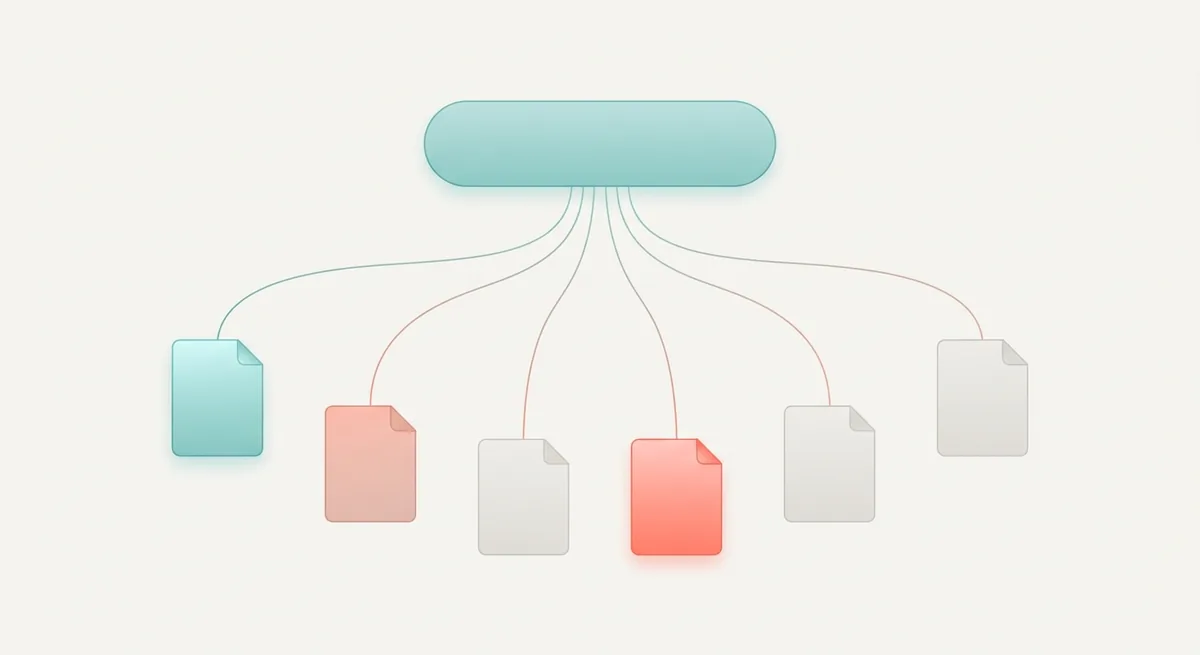
Fan-out explains why a page can show up in an AI Overview for a query it never targeted. It ranked for one of the hidden follow-up searches. Google says this lets it “display a wider and more diverse set of helpful links associated with the response than with a classic web search” (Google Search Central).
Then there are the hard requirements. “To be eligible to be shown as a supporting link in AI Overviews or AI Mode, a page must be indexed and eligible to be shown in Google Search with a snippet,” and “there are no additional technical requirements.” Google’s newer guide adds one more condition: a site “must be included in Search generative AI features in Search Console to be eligible.” That setting is on by default; the controls section below explains it.
None of this guarantees a citation. Google is blunt about that: “Indexing and serving isn’t guaranteed.” If your pages are not indexed in the first place, fix that before anything else; our guide to fixing Google Search Console indexing issues walks through the common causes.
What Our Tracker Saw: AI Overview Citations for 5 Prompts
In our October 21, 2026 test, Otterly.AI counted 36 Google AI Overview citations across five prompts, against 130 for ChatGPT, 50 for Perplexity and 28 for Microsoft Copilot. That puts Google AI Overview at about 15% of the 244 citations Otterly recorded.
We tracked a small marketing website our own team runs, with the market set to United States and English, on a no-card trial. Google AI Overview is one of the four engines included in Otterly’s base product, and all four returned answers for all five prompts. Here is what each engine cited, prompt by prompt:
| Prompt | Google AI Overview | ChatGPT | Perplexity | Microsoft Copilot |
|---|---|---|---|---|
| What is GEO? | 9 | 37 | 10 | 5 |
| How to get cited by ChatGPT | 11 | 22 | 10 | 5 |
| Best tools to track AI visibility | 7 | 29 | 10 | 5 |
| Optimizing for AI Overviews | 7 | 17 | 10 | 5 |
| Best AI SEO agencies in Taiwan | 2 | 25 | 10 | 8 |
| All five prompts | 36 | 130 | 50 | 28 |
Three things stood out to us.
- AI Overview counts swung the most in relative terms. They ran from 11 on one prompt to 2 on another, more than a fivefold gap. Perplexity cited exactly 10 every time, which looks like a fixed limit.
- The local buying question got the fewest. Only 2 sources for “best AI SEO agencies in Taiwan,” the lowest count for any engine on any prompt. That prompt names our home market, which is why it mentions Taiwan.
- Our site got zero. Brand coverage was 0% on every prompt, and our domain was cited 0 times, in AI Overviews and everywhere else.
How does a count of 2 compare with normal behavior? Pew found that 88% of the AI summaries in its study cited three or more sources, and only 1% cited a single source (Pew Research Center, 2025). Our 2-source answer was on the thin end of that range.
Treat these numbers as one day of data. Otterly’s trial account held a single run when we wrote this, so they show how the engines differ, not how stable each one is. For the full test, including how Writesonic handled the same prompts, see our Otterly.AI vs Writesonic comparison with the same 5 prompts.
Who Got Cited: Google’s Own Guide at the Top
The page cited most often across our five prompts was Google’s own guide to optimizing for generative AI features, which Otterly counted 7 times. Writesonic, run on the same five prompts, also listed that guide and Google’s “Succeeding in AI search” post among its cited pages.
What did the rest of the source list look like? Writesonic’s citation list included a Reddit r/SEO thread, a YouTube video, Medium, and the sites of several SEO tool vendors and agencies. Our site was not on it. Writesonic’s Starter trial covered three platforms: ChatGPT, Gemini and Google AI Overviews.
That mix lines up with larger studies. Pew found that Wikipedia, YouTube and Reddit were the three most common sources in Google’s AI summaries, together accounting for 15% of the links listed. Government sites were more common in summaries than in regular results, at 6% of AI summary sources against 2% (Pew Research Center, 2025).
Here’s the catch for small sites. The pages that win citations tend to be official documentation, big community threads and established brands. That doesn’t mean a small site can’t get in. It means it has to bring something those pages don’t have.
Google’s guide says what that something is. It recommends “providing a unique point of view,” and gives an example: “a first-hand review provides a unique perspective based on personal experience, whereas a summary of existing content simply restates information already available elsewhere” (Google Search Central). In our own setup, the only things we could add that the top-cited pages lacked were our test numbers.
AI Overviews vs AI Mode: What Changes for Site Owners
AI Mode is Google’s full-page AI search, while AI Overviews are a summary box inside regular results; Google says the two “may use different models and techniques, so the set of responses and links they show will vary” (Google Search Central). Both follow the same eligibility rules. What differs is how people use them and how they’re counted.
Google launched AI Mode to everyone in the US at I/O in May 2025, describing it as its “most powerful AI search, with more advanced reasoning and multimodality, and the ability to go deeper through follow-up questions” (Google blog, May 2025). The same post introduced Deep Search inside AI Mode, which “can issue hundreds of searches” and build a “fully-cited report in just minutes.” If you’ve seen the term “deep AI Mode,” that’s what it refers to.
| AI Overviews | AI Mode | |
|---|---|---|
| Where it appears | A box inside a regular results page | A separate mode with its own tab |
| When it shows | Only when Google judges it additive | When the user opens AI Mode |
| Follow-up questions | No | Yes; each one counts as a new query in Search Console |
| Fan-out | May be used | Used, plus Deep Search for longer reports |
| Position in Search Console | One position shared by all its links | Standard position rules |
| Same eligibility rules | Yes | Yes |
Do trackers treat them as one thing? No, and that’s worth knowing before you buy. In our trial project, SE Ranking showed separate widgets for AI Overview and AI Mode. Otterly.AI included Google AI Overview in its base product but listed Google AI Mode as a paid add-on. Writesonic’s Starter trial tracked Google AI Overviews and did not list AI Mode.
AI Mode is also Google’s answer to chat-style search engines. If you want to compare how the other big engine picks its sources, our guide to how ChatGPT search finds sources covers it, and our look at how Perplexity picks its sources covers the third.
Do AI Overviews Take Clicks Away? What Google Says
Google says total organic clicks have held steady: in August 2025 it wrote that “total organic click volume from Google Search to websites has been relatively stable year-over-year” (Google blog, 2025). Independent studies measure something narrower and find a large drop on queries that show a summary. Both can be true, and the difference matters for your site.
Start with Google’s side. The same post says Google is “actually sending slightly more quality clicks to websites than a year ago,” and defines quality clicks as “those where users don’t quickly click back.” Its site-owner documentation repeats the point: “when people click from search results pages with AI Overviews, these clicks are higher quality (meaning, users are more likely to spend more time on the site).” Google also says people are searching more, with AI Overviews driving “over 10% increase in usage of Google for the types of queries that show AI Overviews” in the US and India (Google blog, May 2025).
Now the outside measurements, each with its own method:
| Study | What it measured | Finding |
|---|---|---|
| Pew Research Center, July 2025 | Browsing data from 900 US adults, March 2025 | A regular result was clicked in 8% of visits with an AI summary vs 15% without; a link inside the summary was clicked in 1% of visits |
| Pew Research Center, July 2025 | Same panel | Users ended their browsing session on 26% of pages with an AI summary vs 16% without |
| Ahrefs, 2026 update | 300,000 keywords, December 2023 vs December 2025, desktop | An AI Overview correlated with a 58% lower average click-through rate for the top-ranking page |
Sources: Pew Research Center, Ahrefs.
Why do these disagree with Google? Partly because they ask different questions. Google talks about all organic clicks across all queries. Pew and Ahrefs look only at searches where a summary appears, and Ahrefs only at the top result. Google itself concedes that “user trends are shifting traffic to different sites, resulting in decreased traffic to some sites and increased traffic to others.”
So which sites gain? Google’s answer is specific: people are “more likely to click into web content that helps them learn more — such as an in-depth review, an original post, a unique perspective or a thoughtful first-person analysis.” Quick-fact pages are the ones most exposed. We can’t add our own traffic numbers to this debate; our test measured citations, not clicks.
How to Make Your Pages Eligible for AI Overviews
You make a page eligible for AI Overviews the same way you make it eligible for Search: Google says “there are no additional requirements to appear in AI Overviews or AI Mode, nor other special optimizations necessary” (Google Search Central). That’s the honest core of “AI Overview optimization.” Is there anything specific worth doing, then?
Google lists the SEO fundamentals it still considers worthwhile for AI features:
- Allow crawling in robots.txt “and by any CDN or hosting infrastructure.”
- Make content “easily findable through internal links.”
- Provide a good page experience.
- Keep important content “available in textual form.”
- Support text with high-quality images and videos where they help.
- Make sure structured data “matches the visible text on the page.”
- Keep Merchant Center and Business Profile information up to date, if you use them.
Step 1 trips up more sites than you’d expect. A firewall or CDN rule that blocks Googlebot blocks AI Overviews too. The free Semrush audit we ran has a dedicated panel for this kind of block, which the controls section covers.
Beyond the basics, Google’s guide puts content first. It says unique, compelling and useful content “will likely influence your website’s presence in generative AI search in the long run more than any of the other suggestions in this guide.” It contrasts commodity content, such as “7 Tips for First-Time Homebuyers,” with non-commodity content that offers “unique expert or experienced takes.”
It also warns against one tactic people try for fan-out. Writing separate pages for every variation of a query, “primarily to manipulate rankings or generative AI responses,” violates Google’s scaled content abuse spam policy (Google Search Central). One strong page beats twenty thin variants.
What about llms.txt files, special schema or “chunked” content? Google says you can ignore all three for its Search. We won’t repeat the full myth list here; our guide to what generative engine optimization is walks through each one with Google’s exact wording, plus how GEO differs from classic SEO.
Controls: nosnippet, max-snippet, noindex and Google-Extended
Site owners control AI Overviews mainly through the same snippet rules they use for regular results: Google’s robots meta tag spec says nosnippet applies to “AI Overviews, AI Mode” and “will also prevent the content from being used as a direct input for AI Overviews and AI Mode” (Google Search Central). Since August 31, 2026, there is also a site-wide switch in Search Console. Which one should you use?

Here is what each control does, according to Google’s documentation:
| Control | Where you set it | Effect on AI Overviews and AI Mode | Side effects |
|---|---|---|---|
nosnippet |
Robots meta tag or X-Robots-Tag | Content not used as direct input, no snippet shown | Removes text snippets from regular results and featured snippets too |
data-nosnippet |
HTML attribute on span, div or section | Marked text kept out of snippets | Only covers the marked sections |
max-snippet:[number] |
Robots meta tag | Limits how much content can be direct input | Shortens regular snippets as well |
noindex |
Robots meta tag or header | Page leaves Search, AI features included | Page loses all Search traffic |
| Search generative AI control | Search Console, Settings, Search generative AI | Excludes the site’s links and content from AI Overviews, AI Mode and generative AI features in Discover | Not used as a ranking signal for other parts of Search |
Google-Extended |
robots.txt user-agent token | None for Search | Limits training of Gemini models and grounding in Gemini Apps and Vertex AI |
The Search Console control is the newest. Google’s help page says excluding your site means “links to your site and your site’s content won’t appear in Search generative AI features,” and that changes take effect “within 1-2 days after the control goes live,” with some content taking longer because of caching (Search Console Help). Including your site is the default. A child property, such as one folder of your site, can override the setting its parent domain property uses.
Google-Extended is the control people misread most. Google says it “does not impact a site’s inclusion in Google Search nor is it used as a ranking signal in Google Search” (Google crawler documentation). Blocking it won’t remove you from AI Overviews. The Search Console help page says the same from the other side: the Search generative AI control “doesn’t affect AI training; to limit training of the models used to generate responses in Search generative AI features, use Google-Extended.”
When we ran a free Semrush Site Audit on our own small site, the overview showed a “Blocked from AI Search” panel that listed Googlebot and Google-Extended next to OpenAI’s ChatGPT-User and OAI-SearchBot. We didn’t open its detail view. It’s a quick way to spot an accidental block, but read Google-Extended’s row with Google’s definition in mind. The same audit gave our site an AI Search Health (beta) score of 95%. Our walkthrough of a free Semrush Site Audit shows the rest of that report.
What if you add a control and your content still shows up? Google suggests checking that the rule is visible to Googlebot with the URL Inspection tool, then waiting for a recrawl, which can take “anywhere from several days to several months.”
Finding AI Overview Traffic in Google Search Console
AI Overview traffic sits inside the Performance report: Google says sites in AI Overviews and AI Mode “are reported on in the Performance report, within the ‘Web’ search type” (Google Search Central). Since 2026, a separate Generative AI performance report also shows how often your pages appeared in those features. Where should you look first?
Start with how the main report counts AI Overviews. Search Console’s help page gives three rules (Search Console Help):
- Click: clicking a link to an external page in the AI Overview counts as a click.
- Impression: standard impression rules apply.
- Position: “An AI Overview occupies a single position in search results, and all links in the AI Overview are assigned that same position.”
AI Mode works differently. Its position “follows the same methodology as a Google Search results page,” and a follow-up question counts as a new query with its own impressions and clicks.
Then open the Generative AI performance report. Google announced it in June 2026, and the help page notes that “as of August 31, 2026, we’ve rolled out these insights to all websites worldwide” (Search Console Help). For Search, it covers AI Overviews and AI Mode. Here is what it offers:
| Part of the report | What it shows |
|---|---|
| Metric | Impressions: how many times links to your site were shown in a generative AI feature |
| Pages | The final URL linked, after redirects, mostly assigned to the canonical URL |
| Countries | Where the search came from |
| Devices | Desktop, tablet or mobile |
| Dates | Days, weeks or months in Pacific Time; Google’s announcement also mentions hourly granularity |
| Search type filter | Web: text-based, or Web: multimodal (Google Lens, Circle to Search, uploaded images) |
Notice what’s missing: the report counts impressions only. Clicks from AI features still live inside the overall Performance report, mixed with regular results. Search Labs experiments are excluded too.
An empty report has two common causes, per Google: your site hasn’t received enough impressions in these features yet, or someone excluded the site with the Search generative AI control. Check the setting before you assume Google is ignoring you.
If you’re new to the tool, our beginner’s guide to Google Search Console for SEO covers setup, the Performance report and a monthly routine. To read the query side of the same report, see our guide on query filters and regex in Search Console.
Tools That Track AI Overview Citations
Third-party trackers fill the gap Search Console leaves: they show which sources an AI Overview cited for a set of prompts, including your competitors. In our October 2026 trials, Google AI Overview came included in Otterly.AI’s base product and in Writesonic’s Starter trial, and SE Ranking gave it its own widget. Do you need one? Only if you want to see who gets cited instead of you.
| Tool | Google AI Overview in our trial | Google AI Mode | What we saw |
|---|---|---|---|
| Otterly.AI | Included in the base product | Paid add-on | 7-day trial, no card; setup needed at least 15 prompts; Lite at $29/month for 15 prompts afterward |
| Writesonic | Tracked on the Starter trial | Not listed on our trial | 7-day trial of a paid plan, no card; Starter at $79/month billed annually for 50 prompts |
| SE Ranking | AI Overview widget in the project | AI Mode widget in the project | 14-day trial, no card; 20 AI prompts; would not launch a project without at least one prompt |
| Semrush | Not part of the free account | Prompt Tracking needs the paid AI Visibility Toolkit | The free Position Tracking picker listed Google, ChatGPT and Gemini as engines |
Semrush needs a word of care. Its knowledge base says Prompt Tracking covers “ChatGPT, Google AI Mode, and Gemini,” and that “to access this feature, you need a subscription to the AI Visibility Toolkit” (Semrush KB). A free account showed those engines in a menu, but that is not the same as tracking AI answers for free. Our overview of Semrush AI features, from Copilot to AI search tracking explains where that toolkit fits.
Keep Google’s own warning in mind too. Its guide says “No third-party tool has access to our internal ranking or AI systems” (Google Search Central). These tools run prompts and read the answers like a user would. That’s useful, but it’s a sample, not Google’s data.
For prices, prompt limits and engine coverage side by side, read our comparison of 4 AI search visibility tools we set up. Each tool also has its own write-up, such as our Writesonic AI search tracking review and our SE Ranking 14-day trial review. If your budget is larger, our comparison of Peec AI, Profound and AthenaHQ covers three trackers built only for AI search.
Can You Turn Off AI Overviews When You Search?
No, you can’t switch AI Overviews off as a searcher: Google’s help page says “AI Overviews are a core Google Search feature, like knowledge panels. Features cannot be turned off” (Google Search Help). There is a workaround, though, and a few ways to make the summaries less of a problem.
The workaround is the Web filter. Run a search, then pick “Web” from the search filters on the results page. Google says this filter “displays only text-based links without features like AI Overviews.” You have to choose it each time; it’s a filter, not a setting.
Don’t confuse this with Search Labs. Google’s help page mentions turning off “AI in Search” in Labs, but that only opts you out of experiments, not out of AI Overviews.
What if you think AI Overviews get things wrong? Google agrees they can. The same page says “AI Overviews can and will make mistakes” and advises: “Always check important info in more than one place.” Each overview has thumbs-up and thumbs-down icons, and the thumbs-down path lets you report a problem.
For site owners who dislike AI Overviews, the options are different. You can’t remove the feature, but you can keep your own content out of it with the controls listed earlier. Just weigh the trade: the Search Console control also removes your links from those summaries.
What to Do About AI Overviews This Month
For most sites, the right response to AI Overviews is measurement first: Search Console now shows your AI feature impressions for free, and Google says no special optimization is needed to appear (Google Search Central). Change things after you know where you stand. Where do you start?

A short plan:
- Today: Check that Googlebot can reach your key pages through robots.txt, your CDN and your firewall. Confirm the Search generative AI setting in Search Console says what you intend.
- This week: Open the Generative AI performance report and note which pages earn impressions, by country and device.
- This month: Pick five questions your customers ask, look at which sites the AI Overviews cite, and improve the page that should answer each one with first-hand facts.
- Next month: Compare impressions again in the same report, over the same date range.
Our own small site started at zero citations in every engine we tracked. What surprised us was where the answers leaned: the most-cited page was Google’s own documentation, not a vendor blog. If you want to be cited, write the page that knows something the official docs don’t.
References
- Google Search Central: AI features and your website
- Google Search Central: Optimizing your website for generative AI features on Google Search
- Google Search Central: Robots meta tag, data-nosnippet and X-Robots-Tag specifications
- Google: Google’s common crawlers (Google-Extended)
- Google Search Central: Featured snippets and your website
- Search Console Help: Generative AI performance report (Search)
- Search Console Help: Search generative AI control
- Search Console Help: What are impressions, position, and clicks?
- Search Central Blog: Introducing Search Generative AI performance reports in Search Console
- Google Search Help: AI Overviews in Google Search
- Google blog: AI Overviews expand to over 200 countries and territories, more than 40 languages (2025)
- Google blog: AI Mode in Google Search, updates from Google I/O 2025
- Google blog: AI in Search is driving more queries and higher quality clicks (2025)
- Pew Research Center: Google users are less likely to click on links when an AI summary appears in the results (2025)
- Ahrefs: Update: AI Overviews reduce clicks by 58% (2026)
- Semrush Knowledge Base: Prompt Tracking