Professional editors rarely argue about which app has the most effects. They argue about codecs, color pipelines, shared projects and what the software will cost over the next three years. Pick the wrong one and you pay twice: once in license fees, and again in the weeks it takes to move every project to something else.
What Professionals Need From Video Editing Software in 2026
Editing is a real profession with real money behind it: the median annual wage for film and video editors was $75,420 in May 2025, according to the U.S. Bureau of Labor Statistics. People paid at that level need tools that don’t fail on a deadline, and clients who expect a certain file format back.
That is why this list is short. It covers the six editors that keep coming up when people ask what video editing software professionals use: Adobe Premiere Pro, DaVinci Resolve Studio, Final Cut Pro, Avid Media Composer, Vegas Pro and Lightworks. Consumer apps such as iMovie, Clipchamp or CapCut are left out on purpose.
Are you choosing your first serious editor, or switching away from one that no longer fits? Either way, the questions are the same: which computer you work on, who you share projects with, and whether you would rather pay once or every month. Each section below answers those three questions for one editor, with prices taken from the vendor’s own US store.
If you want to compare cheaper and simpler editors too, our list of consumer and prosumer editors for every budget covers those. If you are still sorting out what separates a desktop editor from a browser editor, start with the explainer on how editing software works and how it is priced.
Key Takeaways
The job market for this software is steady: BLS projects about 5,600 openings a year for film and video editors and camera operators through 2035 (U.S. Bureau of Labor Statistics). Premiere Pro is the safe default for agencies and Creative Cloud teams. DaVinci Resolve Studio is the best value, with a one-time license and the strongest color tools. Final Cut Pro is the pay-once pick for Mac editors. Avid Media Composer is the film and TV studio standard. Vegas Pro suits Windows-only editors, and Lightworks covers Linux users who want a free start.
Quick Verdict: Which Professional Editor Fits Which Workflow
The best professional video editing software for most working editors is Adobe Premiere Pro, because it covers the widest range of client and agency work, at $22.99/month on Adobe’s annual plan billed monthly (Adobe Premiere plans). That is only the short answer. The right pick depends on your workflow:
| If your work is… | Pick | Why |
|---|---|---|
| Agency or brand work inside Adobe apps | Adobe Premiere Pro | Frame.io review and 100GB cloud storage included; Creative Cloud Pro adds After Effects and Photoshop |
| Color-heavy work on a tight budget | DaVinci Resolve Studio | One-time $295 list price; editing, color, effects and audio in one app |
| Solo editing on a Mac | Final Cut Pro | $299.99 one-time purchase, or Apple Creator Studio at $129/year |
| Feature films, TV series or newsrooms | Avid Media Composer | Shared bins and projects, ScriptSync and PhraseFind on the Ultimate tier |
| Fast editing on a Windows PC | Vegas Pro | $99.95/year, or a $219.95 perpetual license |
| Linux, or a free start with film credits | Lightworks | Free tier exports up to 1080p; Pro is $490 once |
Is there one industry standard video editing software? Not really. Avid is the standard in film and scripted TV, Premiere in agencies and online video, and Resolve in color grading. The section on each editor explains which crowd it belongs to.
What Makes Video Editing Software Professional
Professional video editing software is defined less by features and more by the workflow around them. Avid sums up the bar on its own product page: Media Composer lists “Full ACES and 32-bit float support,” so what an editor sees is exactly what the colorist receives (Avid Media Composer). So what actually separates the six editors here from consumer apps? Five areas.
Codecs and camera formats
Pro footage arrives in heavy formats: Apple ProRes, Blackmagic RAW, RED RAW, Sony XAVC and others. A professional editor imports these natively, without converting first. Vegas Pro, for example, lists BlackMagic RAW, RED RAW, Nikon N-RAW and Apple ProRes RAW among its import formats (Vegas Pro system requirements).
Color grading
Color is where cheap editors and pro editors part ways. Look for color wheels, curves, scopes, log footage handling and HDR grading. DaVinci Resolve built its name here, with a dedicated Color page; Premiere lists color wheels, curves and video scopes, and Final Cut Pro includes color grading tools too.
Audio
Most pro editors can mix a full soundtrack without leaving the app. DaVinci Resolve’s Fairlight page handles up to 2,000 tracks, according to Blackmagic Design. Avid pairs Media Composer with Pro Tools for audio post.
Collaboration
Teams need shared projects, review links and bin locking so two editors don’t overwrite each other. This is the biggest gap between the six editors, and the comparison table later in this guide shows it row by row.
Delivery
Finished work goes out as broadcast masters, streaming files, social cuts and project exchange files such as AAF, XML or EDL. Lightworks, for example, lists AAF, XML, OMF and EDL interchange on its pricing page (Lightworks pricing).
How We Compared Them
This guide is based on the vendors’ own pages, not on a lab test. None of these six editors has been through the Indie Stack Lab test routine yet, so nothing here is a first-hand performance or render-speed claim. Every price, limit and system requirement comes from the official product page, pricing page, store or help center, checked on October 24, 2026.
Why spell this out? Many “best pro editor” lists imply long sessions with every app. A reader can’t tell which claims came from real use and which came from a press page. Here, every claim is something the vendor publishes, and each one links to its source.
Three rules shaped the comparison:
- US list prices only, in US dollars. Some vendor pages showed local currencies from our location; those figures were not used.
- Sale prices are labeled as sales. DaVinci Resolve Studio, for example, is listed at $295 but showed $236 on the day of checking.
- The learning-curve column is our judgment from each editor’s documentation and feature set, not a timed test.
A note on money: Indie Stack Lab may add affiliate links to some tools later. Affiliate links are labeled, and our disclosure page explains how they work.
Adobe Premiere Pro: The Default for Agencies and Creative Cloud Teams
Adobe Premiere Pro is the default professional editor for agencies and Creative Cloud teams: the Premiere plan costs $22.99/month on an annual plan billed monthly and includes Frame.io and 100GB of cloud storage (Adobe Premiere plans). Adobe’s pages now call the app simply “Adobe Premiere,” and its FAQ explains the name change.
Plans and what they include
The single-app plan includes Premiere on desktop and mobile, an Adobe Express Premium plan, Frame.io for review and approval, 100GB of cloud storage and 25 monthly generative credits. Creative Cloud Pro, which adds more than 20 apps including Photoshop, After Effects, Audition and Illustrator, is regularly $69.99/month and comes with 4,000 monthly generative credits. Adobe sometimes runs first-months discounts on that plan, so check the current offer before you subscribe.
There is no free version and no perpetual license. Premiere is sold only as a subscription, with a 7-day free trial that turns into a paid membership unless you cancel.
Tools that matter to working editors
Adobe lists Text-Based Editing, which turns a transcript into a rough cut; Media Intelligence search, which finds clips from a plain-language description; Object Mask for AI masking and tracking; Generative Extend for adding frames to a clip; and Enhance Speech for cleaning up dialogue. A new Color Mode for grading is in the Premiere beta. Captions can be translated into 18 languages, according to the Premiere product page.
What your computer needs
Adobe’s help center lists Windows 11 version 24H2, 8 GB of RAM and a GPU with at least 4GB of memory as the minimum for HD editing (Adobe Premiere technical requirements). For 4K and higher, it recommends 32 GB of RAM or more and 8 GB of GPU memory. Premiere also runs on macOS.
Who it fits, and who should skip it
Premiere fits editors who pass files to designers and motion artists, agencies that need Frame.io review, and freelancers whose clients send Premiere projects. Who should skip it? Anyone who hates subscriptions. Over three years the single-app plan costs $827.64, and you own nothing at the end.
DaVinci Resolve Studio: Best Value for Color and Finishing
DaVinci Resolve Studio is the best value among professional editors: Blackmagic Design lists it at $295 as a one-time purchase, and it runs on Mac, Windows and Linux (Blackmagic Design DaVinci Resolve). On October 24, 2026 the page showed it on sale for $236.
Free version vs Studio
The free DaVinci Resolve already works with most 8-bit formats at up to 60fps in Ultra HD 3840 x 2160, and includes multi-user collaboration and HDR grading. Studio adds the DaVinci AI Neural Engine, more Resolve FX, temporal and AI spatial noise reduction, text-based editing, magic mask and stereoscopic 3D tools. It also supports 10-bit video at up to 120fps and, per the Studio page, resolutions up to 32K, plus multiple GPUs and Dolby Vision and HDR10+ grading (DaVinci Resolve Studio).
One app, several pages
Resolve splits the work into pages: Cut and Edit for editing, Fusion for visual effects and motion graphics, Color for grading, Fairlight for audio, and Media and Deliver for organizing and exporting. Version 21 adds a Photo page for still images. For editors, the practical win is that a project never leaves the app between the edit and the final grade.
Collaboration
Blackmagic says its project libraries support real-time local and remote collaboration, and the Blackmagic Cloud website hosts projects and media for remote teams. Editors, colorists, effects artists and sound engineers can work on the same project at the same time, according to the product page.
Who it fits, and who should skip it
Resolve fits colorists, independent filmmakers, YouTubers who care about grading and small post houses that want to own their software. Who should skip it? Editors whose clients and agencies require Premiere project files. A team built on Adobe will keep sending you Adobe work.
Final Cut Pro: Best Pay-Once Editor for Mac
Final Cut Pro is the best pay-once professional editor for Mac: Apple sells it for $299.99 as a one-time purchase on the App Store (Apple Final Cut Pro). It is Mac and iPad only, so Windows editors can stop here.
Two ways to pay
Final Cut Pro is also part of Apple Creator Studio, a subscription that costs $12.99/month or $129/year after a 30-day free trial for new subscribers. Creator Studio bundles Final Cut Pro for Mac and iPad with Logic Pro, Pixelmator Pro, Motion, Compressor and MainStage. Apple notes that some premium content is available only to Creator Studio subscribers, but owners of the one-time version keep getting updates.
Pro features worth knowing
The Magnetic Timeline keeps clips in sync as you trim. Magnetic Mask isolates people and objects, and Beat Detection maps music into a grid you can cut to. Compressor, sold alongside it, adds export options for HDR, HEVC, 360° video and MXF. On iPad, Live Multicam connects up to four iPhone or iPad devices and syncs their footage.
What your Mac needs
Final Cut Pro for Mac requires macOS 15.6 or later, 8GB of memory (16GB recommended) and 7.2GB of free disk space, and some features require a Mac with Apple silicon. Transcript Search and Visual Search need Apple silicon and are available only in U.S. English, according to Apple.
Who it fits, and who should skip it
Final Cut Pro fits solo Mac editors, YouTubers and documentary makers who want speed without a monthly bill. Who should skip it? Mixed Mac and Windows teams, and anyone who needs bin-level collaboration; for shared projects, Avid, Resolve or Premiere are the better fit. Our roundup of Mac-only editing options, Final Cut Pro included compares it with the free Apple apps.
Avid Media Composer: The Film and TV Standard
Avid Media Composer is the standard editor for film, scripted TV and newsrooms: Avid’s US store lists Media Composer Standard at $259.99/year and Ultimate, the tier with shared bins and projects, at $539.99/year (Avid Media Composer). Avid calls it the editor “trusted by film, TV, and news studios.”
Three tiers and a free version
All three paid tiers include 99 video tracks and 99 audio tracks. Standard covers the professional editing toolset with standard color management. Ultimate adds advanced color management, shared bins and projects, ScriptSync (which syncs video to script text) and PhraseFind (which finds words in transcripts). Enterprise, at $899.99/year, adds shared projects on Avid NEXIS and third-party storage, a virtual machine option and admin controls. Avid also offers Media Composer First, a free version for new or casual editors that Avid says is “Free to use forever,” plus perpetual licenses and academic pricing.
Why studios use it
Avid’s pitch is reliability at scale. Its patented bin locking lets assistants and editors work in the same project without overwriting cuts, and multicam tools group up to 64 cameras. Avid’s page features case studies from the editors of F1 The Movie and Wicked. That is the kind of production Media Composer is built for.
What your computer needs
Media Composer runs on Mac and Windows desktops and laptops, according to Avid’s knowledge base, which recommends Avid-qualified systems for the best results (Media Composer system requirements).
Who it fits, and who should skip it
Avid fits editors who want to work in film or TV post, and teams with assistants, shared storage and long-form scripted projects. Who should skip it? Solo creators making short online videos. The interface and media management are built for big productions, and that is more structure than a YouTube channel needs.
Vegas Pro: Fast Timeline Editing for Windows
Vegas Pro is a professional editor for Windows users who want speed and a perpetual-license option: the Boris FX store lists Vegas Pro at $99.95/year as a subscription or $219.95 as a perpetual license (Boris FX store). If you remember it as Sony Vegas, you are not wrong.
From Sony Vegas to Boris FX
Boris FX announced on March 30, 2026 that it had acquired “Vegas Pro (formerly Sony Vegas),” Sound Forge and Acid Pro from MAGIX Software GmbH (Boris FX press release). The product now comes in three editions: Vegas Pro, Vegas Pro Plus and Vegas Pro Ultimate.
What each edition adds
Every edition includes GPU-accelerated timeline editing, AI tools, Continuum 2D and 3D titling, advanced color grading, multicam editing and integrated audio tools. Plus adds Mocha Vegas tracking and masking, CrumplePop audio plugins, Sound Forge and Acid Pro; its perpetual license is $299.95 in the store. Ultimate adds Mocha Pro, Continuum VFX plugins, Particle Illusion and Optics. A 15-day free trial needs no credit card, according to Vegas.
What your PC needs
Vegas Pro is Windows only. Its minimum requirements are Windows 11, an Intel Core i5 8th Gen or AMD Ryzen 5 1000 Series processor, 16 GB of RAM and 8 GB of VRAM; for 4K, Vegas recommends 32 GB of RAM (Vegas Pro system requirements). It also lists Windows 11 on ARM with Snapdragon X processors. It can import Premiere, Final Cut Pro and DaVinci Resolve project exchange files.
Who it fits, and who should skip it
Vegas fits Windows editors who like a drag-and-drop timeline, gaming and screen-recording creators, and anyone who wants a perpetual license under $300. Who should skip it? Mac users, and anyone joining a studio that standardizes on Avid or Premiere. For more PC options, see these Windows editing options beyond Vegas Pro.
Lightworks: A Free Professional Editor With Film Credits
Lightworks is a professional video editor for Windows, macOS and Linux with a free tier that exports up to 1080p, and its Pro plan costs $35/month, $280/year or $490 once (Lightworks pricing). Lightworks says the free version “isn’t a time-limited trial.”
Three plans and three ways to pay
| Plan | Monthly | Yearly | Pay once | Export limit |
|---|---|---|---|---|
| Free | $0 | $0 | $0 | Up to 1080p |
| Create | $20.00 | $160.00 | $240.00 | Up to 4K |
| Pro | $35.00 | $280.00 | $490.00 | Up to 8K |
Create adds 4K export, BRAW and ProRes decoding, NewBlue Titler Pro and audio noise reduction. Pro adds up to 8K and 10-bit video, HDR editing with full scopes, Apple ProRes encoding and AU, VST3 and LADSPA audio plugins.
Film history
Lightworks says it has helped shape Oscar-winning films for more than thirty years, with credits including Pulp Fiction, Braveheart, The Departed and The Truman Show, and two Emmy Awards for editing and live multicam innovations (Lightworks). It reports a community of over one million editors and creators.
Who it fits, and who should skip it
Lightworks fits Linux editors, students who want a professional timeline for free, and anyone who prefers a perpetual license. Who should skip it? Editors who need Resolve-level color or Premiere-level integrations. Lightworks covers color correction and grading, but its focus is the edit itself. If cost is your main filter, our list of free editors worth starting on compares more free options.
Comparison Table: Price Model, Platforms, Collaboration, Color and Audio
Only one of the six, Adobe Premiere Pro, is subscription only; the other five offer a free version, a one-time license or both. The table puts the official facts side by side:
| Editor | Price model | Platforms | Collaboration (per vendor) | Color | Audio | Learning curve (our read) |
|---|---|---|---|---|---|---|
| Adobe Premiere Pro | $22.99/month, subscription only | Windows, macOS, mobile | Frame.io review and approval | Color wheels, curves, scopes; Color Mode in beta | Enhance Speech, noise reduction | Steep |
| DaVinci Resolve Studio | $295 one-time; free version | Mac, Windows, Linux | Multi-user projects, Blackmagic Cloud | Dedicated Color page, HDR grading | Fairlight, up to 2,000 tracks | Steep |
| Final Cut Pro | $299.99 one-time or $129/year | Mac, iPad | Live Multicam on iPad, up to four devices | Grading tools, ProRes RAW, HDR | Logic Pro plugins | Moderate |
| Avid Media Composer | $259.99 to $899.99/year; free First | Mac, Windows | Shared bins and projects (Ultimate and up) | ACES, 32-bit float, Symphony toolset | 99 audio tracks, Pro Tools round-trip | Steep |
| Vegas Pro | $99.95/year or $219.95 perpetual | Windows | Imports Premiere, Final Cut Pro and Resolve project files | Advanced color grading | Integrated tools; Sound Forge in Plus | Moderate |
| Lightworks | Free; Pro $35/month, $280/year or $490 once | Windows, macOS, Linux | AAF, XML, OMF, EDL interchange | Correction and grading; HDR in Pro | Multitrack; plugins in Pro | Moderate |
What does the table not show? Speed and stability on your own hardware. Vendors publish requirements, not benchmarks you can trust across machines. Treat any list that ranks “performance” without saying how it was measured with suspicion.
Subscription vs One-Time License: Three-Year Cost Math
Over three years, the cheapest pro option is DaVinci Resolve Studio at a $295 list price, while Adobe Creative Cloud Pro at its regular $69.99/month adds up to $2,519.64 (Adobe Premiere plans). The gap matters most for freelancers, who pay for their own tools.
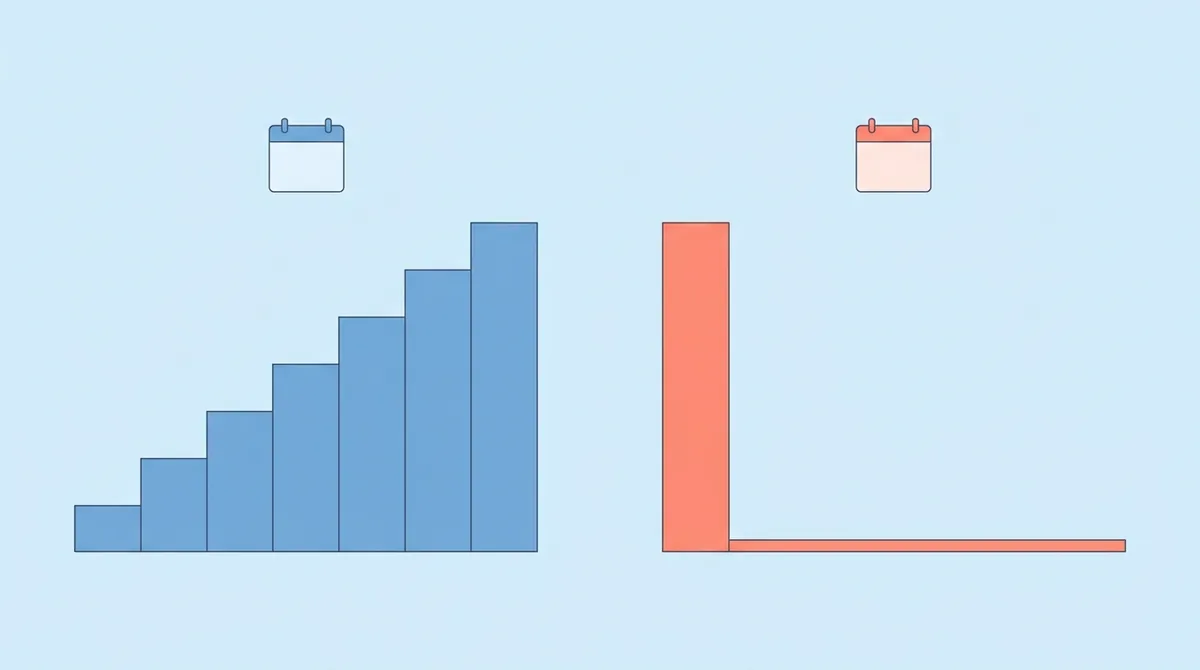
Here is what each editor costs over 36 months at the US list prices checked on October 24, 2026. Taxes and sale prices are left out.
| Editor and plan | How you pay | Cost over three years |
|---|---|---|
| DaVinci Resolve (free) | Free | $0 |
| Lightworks Free | Free | $0 |
| Vegas Pro perpetual | One-time | $219.95 |
| DaVinci Resolve Studio | One-time | $295.00 |
| Final Cut Pro | One-time | $299.99 |
| Vegas Pro subscription | $99.95/year | $299.85 |
| Apple Creator Studio | $129/year | $387.00 |
| Lightworks Pro perpetual | One-time | $490.00 |
| Avid Media Composer Standard | $259.99/year | $779.97 |
| Adobe Premiere (single app) | $22.99/month | $827.64 |
| Lightworks Pro yearly | $280/year | $840.00 |
| Avid Media Composer Ultimate | $539.99/year | $1,619.97 |
| Adobe Creative Cloud Pro | $69.99/month | $2,519.64 |
So should everyone pay once? Not quite. A subscription buys things a one-time license doesn’t: Premiere’s plan includes Frame.io and cloud storage, Creative Cloud Pro includes After Effects and Photoshop, and Avid Ultimate includes shared projects. If a client job needs those, the subscription pays for itself.
One more caution. A one-time license covers the version you buy; each vendor sets its own rules for major upgrades, and those rules can change. Read the upgrade terms on the store page before you count on a license lasting a decade.
Pinnacle Studio and Other Consumer Editors: Where They Fit
Pinnacle Studio is Windows editing software sold in editions such as Pinnacle Studio 26 Ultimate, with a free trial download (Pinnacle Studio). People often search for it next to the pro names, so where does it land? It is a capable editor for home and small-business projects, but it sits closer to consumer tools than to Avid or Resolve.
The same goes for Filmora, Movavi, iMovie and Clipchamp. They are good at quick projects with templates, and they are much easier to learn, though free versions can come with strings attached: Movavi’s free version stamps a watermark on exported videos. If that sounds like what you need, the simpler editors for your first projects are a better match than any app on this list.
And if you searched for professional video editing software online, note that all six editors here are desktop apps. Adobe offers Premiere on iPhone and Android as well, and Blackmagic Cloud hosts Resolve projects for remote teams, but the full editing work still happens on a computer.
Choosing Your Professional Editor: A Short Checklist
The fastest way to choose is to start from your computer and your clients, because those two facts rule out half the list: Final Cut Pro needs a Mac, Vegas Pro needs Windows, and Adobe’s 4K recommendation is 32 GB of RAM (Adobe Premiere technical requirements). After that, run through these questions:
- Which project files do your clients or employer send? Match their editor first.
- Do you work alone or with assistants, colorists and sound editors? Teams point to Avid, Resolve or Premiere.
- How much color work do you do? Heavy grading points to DaVinci Resolve Studio.
- Would you rather pay once or monthly? Add up three years with the cost table above.
- Does your computer meet the 4K requirements? Check before you download a trial.
Every editor here offers a free version or a trial, so take your own footage through a short project before you pay. A 30-second edit with a color pass and an export tells you more than any feature list, including this one. YouTube creators can also compare these apps against the editing software sorted by YouTube channel type.
References
- U.S. Bureau of Labor Statistics: Film and Video Editors and Camera Operators
- Adobe: Compare Premiere plans
- Adobe: Premiere
- Adobe Help: Premiere technical requirements
- Blackmagic Design: DaVinci Resolve
- Blackmagic Design: DaVinci Resolve Studio
- Apple: Final Cut Pro
- Avid: Media Composer
- Avid Knowledge Base: Media Composer system requirements
- Boris FX: Vegas Pro store
- Boris FX: Boris FX Acquires Vegas Pro, Sound Forge, and Acid Pro
- Vegas Pro: System requirements
- Lightworks
- Lightworks: Pricing
- Pinnacle Studio