You can rent a web server today and still have no website anyone can find by name. You can also buy a perfect .com and have nothing to show on it. That gap confuses almost everyone who builds a first site, because the two purchases often sit in the same checkout. This guide explains hosting vs domain registration in plain terms, shows what a real host handed us before any domain was attached, and lays out what each part costs in 2026.
Domain vs Hosting in One Sentence
A domain is the address people type, and hosting is the computer that answers when they get there. Cloudflare’s Learning Center defines a domain name as “the text that a user types into a browser window to reach a particular website,” while the site’s files live on a server with a numeric IP address (Cloudflare: What is a domain name?).
Think of a shop. The domain is the street address printed on your business card. The hosting is the building where the shelves, stock and staff actually are. An address with no building leads nowhere. A building with no address works, but only for people who already know the GPS coordinates.

So do you need both? For a normal public website, yes. You buy the domain from a registrar, you rent hosting from a host, and you connect the two with DNS records. Some companies sell all three jobs in one account, which is why they blur together.
Key Takeaways
The internet closed the third quarter of 2026 with 411.6 million registered domain names (DNIB Quarterly Report Q3 2026), and every one of them is a yearly lease, not a website. A domain gives you the name; hosting gives you the server; DNS tells the world which server the name belongs to. You can keep the domain and the hosting at two different companies, and then moving hosts never requires moving the domain.
What a Domain Is, and What It Is Not
A domain is a reservation, not property. Cloudflare explains that “registries own all of their domain names and registrars simply offer customers the opportunity to reserve those domain names for a limited amount of time,” with ten years as the maximum single reservation (Cloudflare: What is a domain name registrar?). You can renew forever, but you never stop paying.
Three parties share the work:
- The registry runs the master list for one extension. Verisign is the registry for .com.
- The registrar sells you the registration and passes it to the registry. ICANN accredits registrars and says they are “free to charge whatever they wish,” although each pays the registry a set per-domain fee (ICANN: What Does ICANN Do?).
- You, the registrant, hold the name for as long as you keep paying.
What does a domain not include? It does not include a website, storage, a mailbox or an SSL certificate. Some registrars bundle extras, but the registration itself is only the right to use the name and to tell the internet where it should point.
It also comes with duties. ICANN’s list of registrant responsibilities says you must “provide accurate information for publication in directories such as WHOIS,” respond to your registrar within 15 days, and keep your payment details current if the name renews automatically (ICANN: Registrants’ Benefits and Responsibilities). In return, your registrar must show you its pricing and its rules for renewing, transferring and restoring a name. For the purchase itself, our domain registration walkthrough covers searching for a name and checking out.
A domain is also not the same thing as a URL. In https://example.com/blog/, the domain is example.com; the protocol and the path are extra parts of the URL that point to one page on the site.
What Web Hosting Is
Web hosting is rented space on a server that stays online all day and sends your pages to anyone who asks for them. Hostinger’s own definition is clear: “Web hosting is a service that makes your website available on the internet. The hosting service provides a secure online space to store your website’s files: the code, images, text, and other content” (Hostinger web hosting).
Hosts sell that space in a few common shapes:
- Shared hosting puts many websites on one server. It is the cheapest option and fine for small sites.
- VPS hosting splits one physical server into virtual machines, each with its own reserved resources.
- Cloud hosting runs your site on virtual servers from providers such as DigitalOcean or AWS, often billed by the hour.
- Managed hosting is a service level on top of any of these: the host handles updates, backups and security for you.
Why does the type matter for this topic? Because it changes what comes in the box. Shared plans often include a first-year domain. Cloudways, a managed cloud host, does not sell domains at all. If you want the plan types compared on renewal price and specs, we lined up shared, VPS, cloud and managed plans side by side in a separate guide.
Hosting is also where the work happens. The server runs your site software, such as WordPress, stores your database and handles every visit. When a site is slow or down, the cause is almost always on the hosting side, not the domain side.
What a Host Gives You Without a Domain: Our Cloudways Trial
A host can give you a working website before you own any domain at all. On October 21, 2026, we started a Cloudways Flexible trial with no card and launched one server, and the Cloudways Help Center confirms that “Cloudways does not sell domain names. You must purchase your domain from a domain registrar” (Cloudways: How Do I Take My Website Live).
Here is what we saw, step by step:
- The server. The trial preset was WordPress on a DigitalOcean server in New York with 4 GB of RAM, 2 CPU cores, 80 GB of NVMe storage and 4 TB of transfer. The launch screen showed $0 during the trial and a listed price of $54.00/month afterward ($0.0804 an hour).
- The wait. Cloudways estimated about 5 minutes. In our test the server was ready after about 7 to 8 minutes, and a banner started counting down the 3-day trial.
- The address. The Access Details page listed an Application URL on cloudwaysapps.com, an admin panel link, and admin and database logins. When we opened that temporary URL without logging in, it returned HTTP 200 and showed a default WordPress site with its “Hello world!” post.
That temporary address is the key detail. We had a live server and a real website, but its name belonged to Cloudways, not to us. Nobody would type it, and it would disappear with the trial. What surprised us was how complete everything else felt: the database, the admin login and the files were all there, waiting for a name.
What did we not do? We did not attach a custom domain, install SSL for one, or move a site in. Those steps need a domain we own or a full account, so they were outside the trial. The rest of our Cloudways trial, from signup to the $1 card check, is in its own review.
How a Domain Points to Your Host: DNS in Plain Terms
DNS is the system that turns your domain into your host’s IP address. Cloudflare calls it “the phonebook of the Internet” and says it “translates human-readable domain names to machine-readable IP addresses” (Cloudflare: What is DNS?). Without it, the domain and the hosting never meet.
A lookup works roughly like this. A visitor types your domain. Their device asks a DNS resolver, which asks the root servers, then the servers for the extension (.com), and finally your domain’s authoritative nameservers. Those nameservers hold your DNS records and send back the answer.
Which records matter for a website? Mostly two:
- NS records name the nameservers in charge of your domain. Cloudflare says NS records “tell the Internet where to go to find out a domain’s IP address” (Cloudflare: DNS NS record).
- A records hold the IPv4 address of the server. Cloudflare calls the A record “the most fundamental type of DNS record” (Cloudflare: DNS A record).
Two more come up soon after. A CNAME record points one name, such as www, at another name. An MX record sends your email to a mail server, which may have nothing to do with your web host (Cloudflare: DNS records).
Changes are not instant. Every record carries a TTL (time to live), a number of seconds that tells resolvers how long to cache it. Cloudflare notes that the default TTL for an A record is 14,400 seconds, so an update can take 240 minutes to reach everyone (Cloudflare: DNS A record).
How does this look with a real host? The Cloudways guide lists two jobs: add the domain inside the Cloudways platform, then “add DNS records at your domain registrar or DNS provider” to point the domain at the server, with an A record as the usual choice. It puts the whole process at 20 to 30 minutes, plus DNS update time (Cloudways: How Do I Take My Website Live). That is the vendor’s estimate, not something we timed.
Domain Registrar, Web Host and DNS Host: Three Different Jobs
A working site uses three separate jobs that one company may or may not combine. The Cloudways guide puts it plainly: “Your domain registrar is where you purchased the domain. Your DNS provider is where you manage DNS records. Both may be the same or different.” The web host is a third job on top.
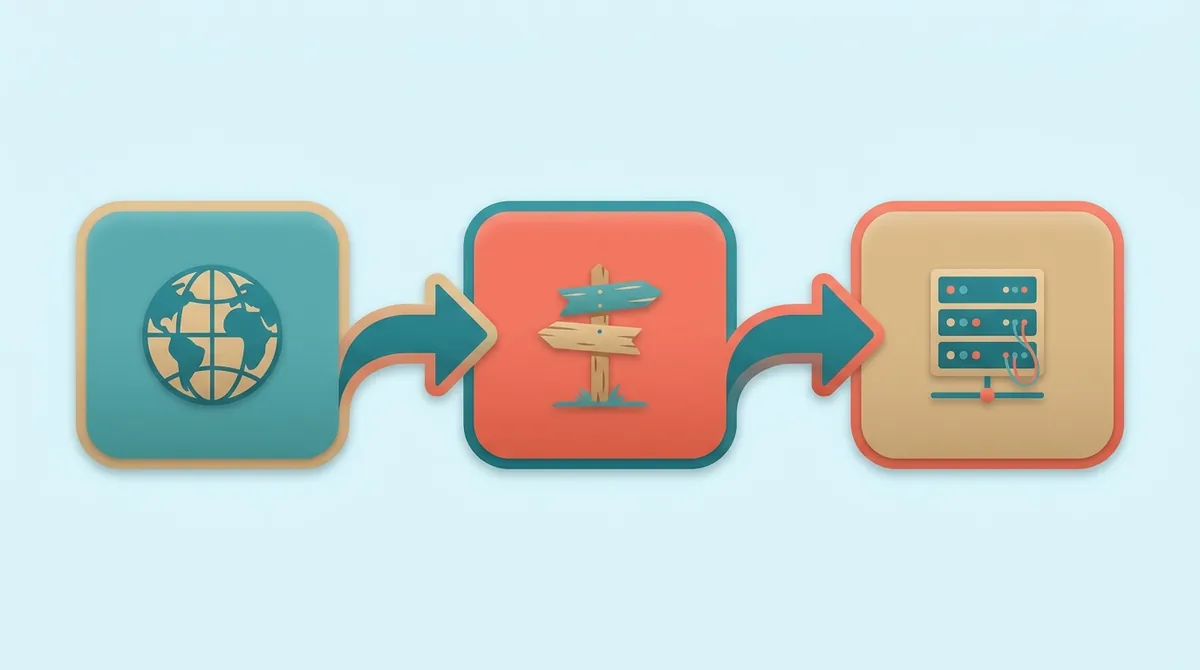
Here is what each one does:
- Registrar: keeps your registration active, bills the renewal, and holds the transfer controls (the lock and the authorization code).
- DNS host: runs the nameservers that answer lookups. Many registrars include DNS hosting with the registration, and Cloudways sells a DNS Made Easy add-on for managing records inside its own platform.
- Web host: runs the server with your files, database and site software.
A fourth job often sneaks in: email. Your mailboxes can sit with the registrar, the host, or a separate provider such as Google Workspace. The MX record decides which. Cloudways, for example, sells custom mailboxes through a Rackspace Email add-on rather than as part of the server plan (Cloudways: Which Email Add-on Should I Use?).
Does it matter who does what? It matters when something breaks or when you want to leave. If the registrar and the DNS host are the same company, you change records in one dashboard. If they differ, you first need to know which one is live, because editing records at the wrong company changes nothing. Our comparison of how registries, registrars and resellers split the work goes one layer deeper, and a WHOIS or RDAP check of your current registrar shows who holds your name today.
Side-by-Side Table: Domain vs Hosting
A domain and a hosting plan differ on every line of the bill, as the table below shows. The prices are US list prices we read on October 24, 2026; the expiry rules for domains come from ICANN’s Expired Registration Recovery Policy (ICANN ERRP).
| Domain | Web hosting | |
|---|---|---|
| What it is | The name people type (example.com) | Server space that stores and serves the site |
| Who sells it | ICANN-accredited registrars and their resellers | Web hosts, cloud providers, website builders |
| How it is billed | Per year, 1 to 10 years at a time | Per month, per year or per hour, often prepaid for 1 to 4 years |
| Typical US price | About $11/year for a .com at Porkbun | From $3.99/month (Bluehost Starter, 36-month term) to $54/month and up for cloud servers |
| Renewal | Set by the registrar; often higher after a sale | Often much higher than the intro price |
| If you stop paying | Reminders, a renewal window, then a 30-day redemption period before the name is released | Host policy; the site goes offline and data may be deleted |
| Can you move it? | Yes, to another registrar, except in 60-day locks | Yes, by copying the site and changing DNS |
| Can it work alone? | Only as a parked name or for email | Yes, on a temporary address like our cloudwaysapps.com URL |
Which line surprises people most? Usually the “If you stop paying” row. A lapsed domain can end up with someone else. A lapsed hosting plan takes your site offline, but the name stays yours as long as the domain is paid.
What Each Costs Per Year
A .com domain costs about $11 a year at a low-cost registrar, while hosting costs anywhere from about $48 to several hundred dollars a year. Cloudflare notes that domains in general run “from a few dollars (US) per year to thousands” (Cloudflare: What is a domain name?); Porkbun lists .com at $11.08 for its “everyday low price” (Porkbun .com), and Cloudways Flexible lists servers from $14 to $99 a month on DigitalOcean (Cloudways pricing).
Here is how the numbers stack up for a first year, using prices we read on October 24, 2026:
- A .com domain: $11.08 at Porkbun. Other registrars charge more, especially at renewal; we track those gaps in our guide to the lowest-cost domain registrars.
- Shared hosting: Bluehost Starter lists $3.99/mo for a 36-month term, renewing at $9.99/mo, with “Free Domain 1st Year” (Bluehost web hosting). At that rate, the first 36 months come to $143.64 paid up front.
- Managed cloud hosting: Cloudways’ smallest Flexible server is $14/month, which Cloudways says is “primarily intended for testing and staging purposes”; it recommends 2 GB or more for live sites (Cloudways Getting Started FAQs). The 2 GB server is $28/month, or $336 a year.
- Our trial server: the 4 GB DigitalOcean server from our test lists at $54.00/month, or $648 a year.
Put together, a small site on a 2 GB Cloudways server with a Porkbun .com costs $347.08 for the year ($336 plus $11.08). Most of that is hosting. The domain is the small, steady line; the hosting is the line that grows with traffic.
Why quote renewal prices at all? Because both sides use sales. Hostinger’s domain help page warns that “Domain renewal or redemption prices are often higher than the initial registration price” (Hostinger: domain registration cost). Bundled registrars can show the biggest jumps; our look at Domain.com’s first-year and renewal prices is one worked example. Budget on the renewal line, not the banner price.
One Company or Two? Bundling vs Keeping Them Separate
Both setups work; the choice is about convenience now versus flexibility later. Hosts clearly want the domain sale: in a 2026 global survey of 446 hosting providers, 46% named domain registration and management among the paid services they sell most successfully, the top answer (WebPros Web Hosting Trends Report 2026).
Reasons to keep everything at one company:
- One login and one bill.
- The host can set up DNS for you, so the site works on day one.
- Many shared plans include the first year of the domain for free.
Reasons to keep the domain at a separate registrar:
- Leaving the host is easier. You copy the site and change DNS. The domain stays put.
- Renewal prices are often lower. Standalone registrars compete on renewal price; hosts often price the domain as part of the package.
- One problem cannot take down both. If a hosting account is suspended over a billing issue, you still control the name and can point it elsewhere.
- You avoid transfer locks. ICANN lets a registrar refuse a transfer “within 60 days of initial registration” or within 60 days of a previous transfer (ICANN: FAQs for Registrants: Transferring Your Domain Name).
Honestly, for a first blog the bundle is fine. For a business site you expect to keep for years, a separate registrar is the safer default. Either way, put the domain in an account you control, with your own email address, not one owned by a web designer or agency.
So which should you pick? If you would struggle to move a site twice, keep the name at a registrar and treat the host as replaceable.
If you build on a website builder such as Squarespace, Wix or Shopify, the hosting comes with the plan and you only decide where the domain lives. WordPress users have more choice; our guide to which WordPress hosts include a domain and for how long compares seven of them.
“Free Domain With Hosting” Offers: What to Check
A free domain with hosting is usually free for one year and tied to a long prepaid plan. Hostinger’s help center says the offer applies to “a new eligible Hostinger plan with a 12-month or longer billing period,” covers “one year of registration,” and must be claimed within 12 months of the purchase (Hostinger: How to get a free domain).
Read the fine print on that page and a pattern appears. Monthly plans, its Single hosting plan, renewals and upgrades do not qualify. The domain “must be verified within 15 days of registration to remain active.” After the first year, “it must be renewed at the standard renewal price before it expires.” Hostinger’s plan cards simply say “Domain - free for 1 year” (Hostinger web hosting), and Bluehost’s say “Free Domain 1st Year.”
Before you accept a free domain, check these six things:
- Which extensions qualify. Hostinger publishes its list of eligible extensions by plan; an extension outside the list is a paid add-on.
- The renewal price. Hostinger shows it on the confirm screen before you claim; write it down.
- Whether privacy is included. Bluehost lists “Domain Privacy- Free 1st year” on some plans, so it may become a paid add-on later.
- What happens if you cancel the hosting. Ask what happens to the domain and to any refund if you cancel early, and get the answer in writing.
- Who the registrant is. The domain should list you, not the host, as the registered name holder.
- Whether you can transfer it out. You can, after the 60-day window, but you will need the authorization code from the host.
Is it a bad deal? No. A year of a free .com saves about $11. Just treat it as a first-year discount, not a free domain for life.
What Happens If Your Domain or Hosting Expires
If your domain expires, you get warnings and a grace window, but not forever. ICANN’s Expired Registration Recovery Policy requires registrars to notify you “at least two times” before expiry, about one month and about one week ahead, plus one more notice within five days after the name expires (ICANN ERRP).
After that, the timeline depends on the registrar and the registry:
- The registrar may stop the domain from resolving, so your site and email stop working even though the hosting still runs.
- If the registrar parks the domain on its own page, ICANN says that page “must conspicuously indicate that the domain name registration is expired and provide renewal instructions.”
- Once the registrar deletes the name, generic registries such as .com must offer a 30-day Redemption Grace Period. During it, the registry must “disable DNS resolution and prohibit attempted transfers,” and only the old registrar can restore the name, usually for a fee.
- After that, the name can be registered by anyone.
Hosting expiry works differently, because no ICANN policy covers it. Each host writes its own rules. Cloudways, for example, says its plans are pay-as-you-go once you upgrade from the trial, and it only offers a 3-day free trial, not free hosting (Cloudways Getting Started FAQs). When hosting lapses, the site goes offline, but the domain is untouched; you can point it at a new host and restore from a backup.
Which one hurts more? A lost domain, by far. You can rebuild a site on any host, but you cannot rebuild a name someone else just registered. That is why ICANN’s registrant duties include keeping your payment details current if you use auto-renewal.
Moving to a New Host Without Losing Your Domain
You can change hosts and keep your domain, because the domain only needs new DNS records. ICANN’s transfer FAQ notes that “You may have the option to change web-hosting providers instead of registrars to avoid the inter-registrar transfer process (and lock) altogether,” by updating your nameservers or your hosting IP address (ICANN: FAQs for Registrants: Transferring Your Domain Name).
Google’s guide to changing hosting without changing URLs gives a clear order of work (Google Search Central: Changing your hosting):
- Copy and test the site on the new host. Use the temporary address the new host gives you, like the cloudwaysapps.com URL in our trial. If that test copy is public, Google suggests adding a noindex rule so it does not get indexed.
- Lower the TTL of your DNS records “at least a week in advance of the move,” so the change spreads faster.
- Keep your Search Console verification working. If you verify with an HTML file or a meta tag, make sure the new copy includes it. Our guide to Search Console verification methods explains the options.
- Remove any crawl blocks from the new copy, then update the DNS records to point at the new host.
- Watch traffic on both hosts, and shut down the old hosting only when nobody, including Googlebot, still reaches it.
What about moving the domain itself to a new registrar? That is a separate project with its own rules: an unlocked domain, an authorization code from the current registrar (ICANN says it must provide it “within five (5) calendar days” of your request), and a confirmation step. Our walkthrough of a registrar transfer away from GoDaddy shows those steps at one real registrar. Do one move at a time; changing the host and the registrar in the same week makes problems hard to trace.
Which Setup Fits Your Site
The right setup depends on how long you plan to keep the site and how much you want to manage. Which of the three situations below sounds like yours? As a rule of thumb, register the domain where its renewal price is low and you control the account, then choose hosting for the site you have today; the 46% figure from the WebPros survey shows how hard hosts will push the bundle, so decide on purpose.

Three common situations:
- A first blog or portfolio: a shared plan with a free first-year domain is the simplest start. Note the renewal price of both on day one, and plan to move the domain to a cheaper registrar later if the gap is large.
- A small business site: register the domain at a standalone registrar in a company-owned account, and point it at whichever host fits. You can change hosts later without touching the name.
- A growing WordPress site or store: a managed cloud host such as Cloudways gives you a server and a temporary address; you bring the domain and the DNS. In our trial, that server was live before any domain existed.
Whichever you pick, write down three things: who your registrar is, who runs your DNS, and who hosts the site. Those three answers solve most domain-vs-hosting problems before they start.
References
- DNIB: The DNIB Quarterly Report Q3 2026
- ICANN: What Does ICANN Do?
- ICANN: Registrants’ Benefits and Responsibilities
- ICANN: Expired Registration Recovery Policy
- ICANN: FAQs for Registrants: Transferring Your Domain Name
- Cloudflare Learning Center: What is a domain name?
- Cloudflare Learning Center: What is a domain name registrar?
- Cloudflare Learning Center: What is DNS?
- Cloudflare Learning Center: DNS records
- Cloudflare Learning Center: DNS NS record
- Cloudflare Learning Center: DNS A record
- Cloudways Help Center: How Do I Take My Website Live from Cloudways?
- Cloudways Help Center: Getting Started FAQs
- Cloudways Help Center: Which Email Add-on Should I Use?
- Cloudways: Pricing
- Hostinger: Web Hosting
- Hostinger: How to get a free domain at Hostinger
- Hostinger: How much does it cost to register a new domain at Hostinger
- Bluehost: Web Hosting
- Porkbun: .com
- WebPros: Web Hosting Trends Report 2026 (PDF)
- Google Search Central: Changing your hosting