GoDaddy will sell you a .com for one cent. The catch is the three-year purchase that comes with it, and the $22.99 a year that follows. If that second number is why you are here, this guide shows what the main alternatives charge to take your domain, and exactly how to move it off GoDaddy without breaking your site or email.
Why Site Owners Look Past GoDaddy for Domain Registration
GoDaddy’s .com page lists the first year at $0.01 with a “3-year purchase required” and “Additional year(s) $22.99” (GoDaddy .com domains). That price gap, not the quality of the domain itself, is what pushes most people to look for a switch.
Anyone weighing a GoDaddy alternative domain registration service is really comparing three things: the yearly price, the free extras and the exit steps. A domain is the same product wherever you buy it. Every .com sits in the same registry, and every registrar has to follow the same ICANN transfer rules. What changes is the yearly bill, the extras that are free or paid, and how many steps it takes to leave.
So is GoDaddy a bad place to keep a domain? No. It includes free WHOIS privacy and a transfer lock, and it says it manages “over 82+ million domains” for more than 20 million customers (GoDaddy domain search). The question is whether you want to keep paying its regular price once the sale year is over.

If you are choosing a registrar for the first time rather than leaving one, our comparison of 15 domain registrars is the better starting point. This page assumes your domain already lives at GoDaddy.
Key Takeaways
GoDaddy is still one of the two biggest sellers of new domains: it registered 1,282,486 of them in September 2026, second only to GMO Internet Group (WHOISFreaks, Monthly Insights Radar, September 2026). Size is not the issue; the regular .com price is. Moving a .com to Porkbun or Spaceship cuts the yearly bill roughly in half at today’s list prices, and the transfer itself adds a year to your registration.
Quick Picks: GoDaddy Alternatives by Need
The best GoDaddy alternative for most people is a registrar whose renewal price stays close to the wholesale cost: Porkbun lists .com at $11.08 for registration, renewal and transfer alike, with “All prices include ICANN and any other fees” (Porkbun domain pricing). The right pick still depends on what else you need from the account.
| If you want… | Look at | Why, from the official pages |
|---|---|---|
| The lowest long-term .com cost | Cloudflare Registrar | Prices “at or below what registries and ICANN charge”; DNS must run on Cloudflare |
| One flat price you never recheck | Porkbun | $11.08 to register, renew or transfer a .com |
| The cheapest transfer in today | Spaceship | $9.48 sale transfer price plus a $0.20 ICANN fee |
| A big retail registrar with promos | Namecheap | $11.48 sale transfer price, free lifetime privacy, $18.48 renewal |
| A bundle with hosting, email and support | Domain.com | $10.99 transfer with a one-year extension; .com renews at $22.99 with free privacy |
Which one would we lean toward for a personal site or a small business site? Our take: Porkbun or Spaceship if you want a plain registrar, Cloudflare if your DNS already runs there. Each section that follows explains the trade-off behind that call.
What GoDaddy Charges for Domain Registration in 2026
GoDaddy’s domain registration price for a .com on October 24, 2026, was $0.01 for the first year with a three-year purchase, then $22.99 for each additional year (GoDaddy .com domains). Here is how the main GoDaddy prices and perks fit together, all from GoDaddy’s US pages that day:
- One-cent first year. The .com and .net offers both need a three-year term. A .net then lists additional years at $24.99.
- New-customer promo code. The domain search page offers “a .COM for only $2.99” with the code GDWELCOME, for a one-year term and new customers only (GoDaddy domain search).
- Free features. The same page lists Domain WHOIS Privacy Protection, Email Impersonation Protection (DMARC) and a Registrar Transfer Lock as free with each domain.
- Free domain with a plan. An annual Web Hosting, Managed WordPress or Website Builder plan “automatically” qualifies for a free domain.
- Transfers in. Moving a .com to GoDaddy costs $0.01 for the first year plus a free transfer, again with a three-year term for the bigger saving (GoDaddy domain transfer).
So what does the one-cent deal really cost? A three-year purchase at those prices is $0.01 plus two years at $22.99, or $45.99 up front. From year four, you pay $22.99 a year unless a new promo applies.
GoDaddy also sells extras around the domain. Its Domain Protection page offers Full and Ultimate plans; Ultimate adds “an extra 90 days to renew” if a domain expires through failed billing (GoDaddy Domain Protection). The domain menu also lists Premium DNS, a Domain Broker Service and bulk domain search for registering many names at once (GoDaddy bulk domain search).
You may also see Search Engine Visibility offered next to a domain. GoDaddy describes it as “an Internet-based search engine optimization and submission tool” and states that it “does not guarantee search engine listings or higher rankings” (GoDaddy Search Engine Visibility FAQ). It is an SEO add-on, not part of registering a domain, and a domain at any registrar works without it.
Why People Look for GoDaddy Alternatives: Renewals and Upsells
Most people look for an alternative to GoDaddy because of the renewal price: the regular .com rate of $22.99 a year is more than double Porkbun’s flat $11.08 (Porkbun .com). Over a decade of ownership, that gap is larger than the cost of the domain at a low-markup registrar.
Three patterns show up again and again when you read GoDaddy’s own pages next to its competitors’:
- The sale price is short and the regular price is long. A first year at $0.01 or $2.99 lasts twelve months. The regular price lasts as long as you keep the name.
- Extras appear around the domain. Protection plans, Premium DNS, email and SEO tools are all offered in the same account. None of them is required to own a domain.
- Bundles add rules. GoDaddy’s transfer help notes that “Domains that are part of a bundle can’t be transferred within 120 days of new registration,” twice the usual 60 days (GoDaddy Help: transfer away).
Search “GoDaddy alternatives Reddit” and you will find threads asking exactly this, including one titled “GoDaddy alternatives for domain registration in 2026?” that ranks on page one for this topic. The questions there tend to be about renewal bills and checkout add-ons, not about whether the domain works.
Is GoDaddy good for domain registration, then? It does the core job: the domain resolves, privacy is free, and support runs 24/7. If you value one account for your domain, website builder and email, staying can be reasonable. If you only need a domain, a plain registrar does the same job for less from year two.
How We Compared the Alternatives
We compared GoDaddy and five alternatives on October 24, 2026, using only each company’s public US pricing pages and help documents; Spaceship, for example, lists its $0.20 ICANN fee as a separate line (Spaceship domains). We did not buy, renew or transfer a domain at any of them.
That means this is a comparison of published prices and published transfer rules. It says nothing about support quality, and a fee that only appears in a checkout cart would not show up here. Where a page leaves a number out, we tell you where to look for it instead.
Our rules:
- One extension for every registrar: .com.
- Transfer price and renewal price in separate columns, because moving a domain away from GoDaddy costs a transfer first and renewals after.
- Prices in US dollars as shown to a US visitor, before tax. Sale prices are marked as sales.
- Free privacy counted only when the registrar’s own page says it is included.
- Transfer rules taken from ICANN and from each registrar’s help pages, not from third-party guides.
Why bother with transfer prices at all? Because a transfer is not free at most registrars: for a .com, it usually buys one more year of registration. That is good news, since you are not paying for nothing, but it means the first bill after leaving GoDaddy is a full year’s price.
Comparison Table: Renewal Price, Privacy and Transfer Cost
On October 24, 2026, the lowest listed price for moving a .com off GoDaddy was Spaceship’s $9.48 plus the $0.20 ICANN fee, and the highest regular renewal among the alternatives was Hover at $18.99 (Hover domain pricing). Every figure below is for one .com, per year, before tax.
| Registrar | Transfer in from GoDaddy | .com renewal | Free WHOIS privacy | Catch when moving |
|---|---|---|---|---|
| GoDaddy (staying) | — | $22.99 | Yes | One-cent year needs a 3-year purchase |
| Cloudflare Registrar | At cost | At cost | Yes (redaction) | Domain must be active on Cloudflare DNS first |
| Porkbun | $11.08 | $11.08 | Yes | None beyond the standard ICANN rules |
| Spaceship | $9.48 sale + $0.20 fee | $9.98 + $0.20 fee | Yes | ICANN fee shown as its own line |
| Namecheap | $11.48 sale | $18.48 | Yes, lifetime | Renewal is well above the transfer price |
| Domain.com | $10.99 | $22.99 | Yes | Email and the separate Domain Privacy + Protection add-on are sold separately |
| Hover | $18.99 | $18.99 | Yes | Flat price, but the highest of the group |
What does that mean over time? Here is one worked example, using only those list prices. You keep a .com for five more years and move it today:
| Where the domain lives | First bill (adds 1 year) | Four more renewals | Five-year total |
|---|---|---|---|
| Stay at GoDaddy | $22.99 | $91.96 | $114.95 |
| Porkbun | $11.08 | $44.32 | $55.40 |
| Spaceship | $9.68 | $40.72 | $50.40 |
| Namecheap | $11.48 | $73.92 | $85.40 |
| Hover | $18.99 | $75.96 | $94.95 |
The gap between staying and moving to Porkbun is $59.55 over five years for one .com. For ten domains, it is close to $600.
Two warnings before you trust any five-year number. First, Namecheap’s .com page already says “Registry prices for .com are rising” and offers savings on multi-year renewals “before Nov 1” (Namecheap .com), so expect most of these prices to move up. Second, sale prices end. If price is the only thing you care about, our guide to the cheapest domain registration ranks registrars across more extensions.
Cloudflare Registrar: At-Cost Renewals, DNS Moves First
Cloudflare Registrar charges the registry and ICANN price with no markup: its product page says registration, transfer and renewal prices “are always at or below what registries and ICANN charge us” (Cloudflare Registrar). For long-term cost, that is as low as a .com gets.
The move from GoDaddy works differently, though. Cloudflare’s transfer guide says you “cannot enter an authorization code until your domain is active on Cloudflare” (Cloudflare: Transfer your domain). In practice the order is:
- Turn off DNSSEC at GoDaddy if it is on, then wait at least 24 hours.
- Add the domain to Cloudflare, check the imported DNS records, and switch the nameservers at GoDaddy to the two Cloudflare assigns.
- Wait for the zone to show Active, then unlock the domain at GoDaddy and request the auth code.
- Enter the code at Cloudflare, pay for the extra year, and approve the transfer.
Cloudflare puts the total time at “up to 10 days, depending on your registrar.” The upside of this order is that your site and email are already running on Cloudflare’s DNS before the registration moves, so the transfer itself changes nothing visitors can see.
What are the trade-offs? All from Cloudflare’s FAQ (Cloudflare Registrar FAQ):
- Every domain on Cloudflare Registrar uses Cloudflare nameservers. Need other nameservers later? You have to move the domain to another registrar.
- Renewals and transfers are final, with no refunds.
- A renewal at your old registrar within 45 days of transferring may mean the registry does not add the extra year. Cloudflare advises waiting at least 45 days after a renewal before you transfer.
Cloudflare fits site owners who are happy to run DNS on Cloudflare. If you want phone support, a builder or email bundled with the domain, it is the wrong home.
Porkbun: One Flat Price for Transfer and Renewal
Porkbun charges the same $11.08 to register, renew or transfer a .com, and its price list says “Most transfers include a one year domain renewal” (Porkbun domain pricing). That makes the math after leaving GoDaddy simple: one price, every year.
Its .com page promises “No surprise renewals: The price you see is the price you pay, year after year” (Porkbun .com). Each .com includes:
- free WHOIS privacy,
- a free Let’s Encrypt SSL certificate, renewed automatically,
- free DNS management that Porkbun says runs on Cloudflare,
- up to 20 email forwards and free URL forwarding.
Why does a flat price matter so much for someone leaving GoDaddy? Because the reason most people leave is a surprise at renewal. A registrar whose transfer, renewal and registration columns all show the same number removes that surprise by design.
Unlike Cloudflare, Porkbun lets you point the domain at any nameservers you like. If your website host gave you its own nameservers, you can keep using them.
Namecheap: A Familiar Retail Registrar With Transfer Promos
Namecheap’s transfer page lists a .com transfer at $11.48 on sale, with a regular renewal price of $18.48 (Namecheap domain transfer). It is cheaper than GoDaddy’s regular rate from year two, but the saving is smaller than at Porkbun or Spaceship.
What Namecheap does well is the transfer experience on paper:
- “Any remaining time is added to your 1-year renewal,” so you lose none of the time you already paid GoDaddy for.
- The page says a transfer “will complete within 30 minutes to 6 days.”
- You can transfer up to 50 domains at once, and it offers Concierge support during the transfer.
- Free domain privacy is included “forever.”
New customers also see a lower first-year .com registration with a promo code, but Namecheap notes that it is “limited to one domain purchase per user/household” (Namecheap .com). That promo is for new registrations, not for the domain you are bringing over.
Who should pick Namecheap over a cheaper registrar? Someone moving a portfolio of mixed extensions who wants one large retail registrar with frequent sales. For a single .com held for years, the $18.48 renewal is the number to weigh.
Spaceship and Other Low-Cost Registrars
Spaceship listed the lowest .com transfer price among the registrars in this guide that publish a number: $9.48 on sale, renewing at $9.98, with a $0.20 ICANN fee added to each (Spaceship domains). Domain privacy and auto-renewal come standard.
Spaceship shows the ICANN fee as its own line. Porkbun folds it into the price. Neither approach is better, but it means the honest comparison is $10.18 a year at Spaceship against $11.08 at Porkbun for a .com renewal. Spaceship also sells hosting and email in the same account, though you do not need either to hold a domain there.
Hover takes the opposite approach: a flat $18.99 to register, renew or transfer a .com, with “FREE WHOIS privacy included” (Hover domain pricing). It costs more than the other plain registrars here and still about $4 a year less than GoDaddy’s regular rate. People who pick Hover usually want a small, tidy product list rather than the lowest price.
Should you chase the lowest number? Not if it means moving again next year. A transfer resets a 60-day window during which a registrar may refuse another transfer, so pick a registrar you expect to stay with. Our list of 15 registrars compared side by side covers Gandi, IONOS and others that this page leaves out.
Domain.com and Other Bundled Registrars
Domain.com offers to transfer a domain “for $10.99 and get a free one-year extension,” and its transfer page says it “partners with Network Solutions to make it happen” (Domain.com domain transfer). It is the closest match here to GoDaddy’s model: a domain plus hosting, email and site tools in one account.
So how does Domain.com vs GoDaddy look on the official pages?
- First year: Domain.com advertises “Get your .com for $5 today” (Domain.com); GoDaddy offers $0.01 with a three-year term, or $2.99 for one year with a new-customer code.
- Privacy: Domain.com’s .com price page lists “Free privacy, DNS controls” as included (Domain.com .com domains), and sells Domain Privacy + Protection as a separate, optional add-on (Domain.com domain search); GoDaddy includes WHOIS privacy free.
- Transfer in: $10.99 at Domain.com against $0.01 at GoDaddy, both adding a year.
- Renewal: both list $22.99 a year for a .com renewal (Domain.com .com domains), so the first-year price is where they differ.
Network Solutions, Domain.com’s partner, lists .com at $11.99 with “Renews at $22.99” (Network Solutions domains). That is the same regular rate as GoDaddy. If renewal cost is your reason for leaving, a bundled registrar is unlikely to fix it; for the full price list, see our breakdown of Domain.com pricing, renewals and coupons.
Website builders sell domains too. Squarespace Domains lists prices from $11 to $130 and says “the price you see is the price you pay,” with taxes and fees counted in and WHOIS privacy on eligible domains (Squarespace Domains). That makes sense if your site already runs on Squarespace. A free domain bundled with a hosting plan works the same way: convenient in year one, tied to the host after that. Our explainer on domain vs hosting covers why many owners keep the two separate.
How to Transfer a Domain Away From GoDaddy
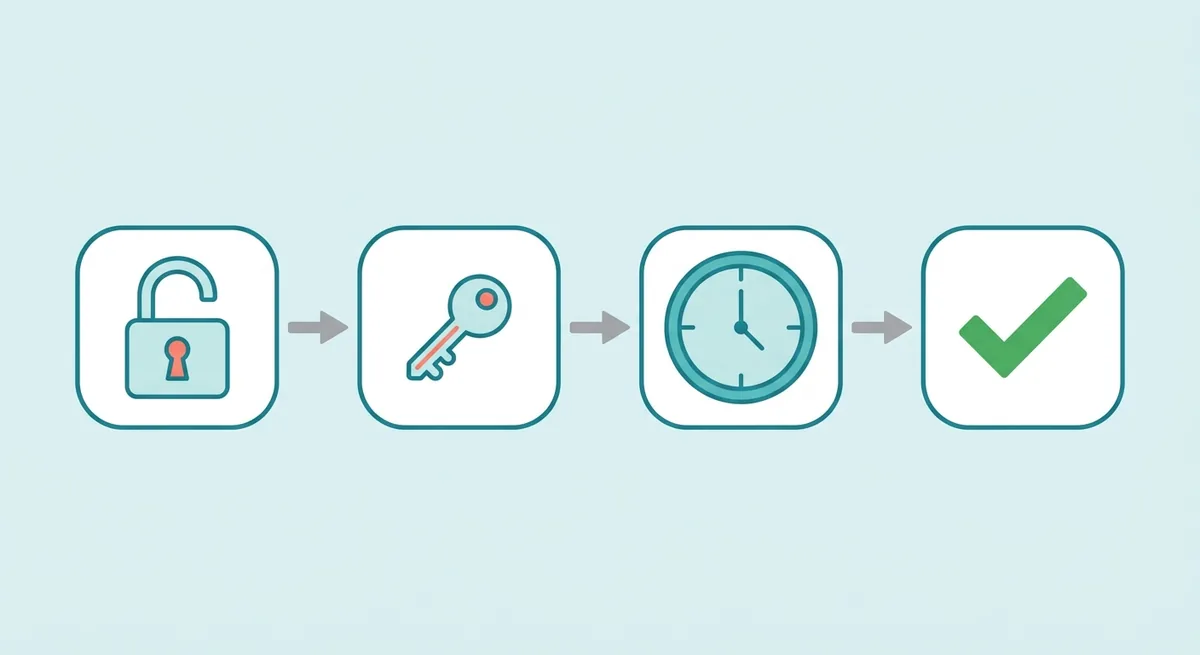
To transfer a domain away from GoDaddy, you unlock it, turn off Domain Privacy, downgrade Domain Protection to none, copy the authorization code, and start the transfer at the new registrar; GoDaddy says transfers “typically take 5-7 days to complete” (GoDaddy Help: transfer away). Here is the full sequence, with the checks most guides skip.
Before you start: check eligibility and save your DNS
- Check the dates. GoDaddy’s note says domains “can’t be transferred within 60 days of new registration, transfer, or contact info change” when the registrant opted into the 60-day lock, and bundled domains wait 120 days.
- Look up who holds the domain. If you are not sure GoDaddy is the registrar, ICANN’s FAQ points you to its lookup tool; our guide to WHOIS and RDAP lookups shows what the result means.
- Export your DNS records. GoDaddy’s help center explains how to export the zone file from the DNS tab’s Actions menu, in the standard BIND format (GoDaddy Help: export zone file). Keep that file even if the new registrar imports records for you.
- Note your email records. If GoDaddy hosts your email, or your MX, SPF and DKIM records sit in GoDaddy’s DNS, rebuild them at the new DNS host before the move.
Step by step at GoDaddy
- Unlock the domain. In the Domain Portfolio, open the domain, and switch the toggle under Transfer to off. GoDaddy says it can take up to 90 minutes for the change to show (GoDaddy Help: unlock or lock).
- Select Transfer to Another Registrar. GoDaddy shows a checklist and tells you if the domain is not eligible.
- Confirm identity. Domains with Domain Protection need a 2-step verification code, if 2SV has been on for at least 24 hours, or a one-time password sent to your account email.
- Continue with the transfer. GoDaddy warns that Domain Privacy turns off at this step so your contact details reach the new registrar.
- Copy the auth code. You can copy it on screen, and GoDaddy also emails it to the registrant address (GoDaddy Help: auth code). Exporting your domain list gives you codes for many domains at once.
Step by step at the new registrar
- Start the transfer and paste the auth code. Pay for the transfer year.
- Approve the request. The gaining registrar sends an authorization email, and GoDaddy may email you to confirm. Approving speeds things up.
- Wait for the registry. Under the ICANN Transfer Policy, the registry completes the transfer unless the losing registrar rejects it within five calendar days (ICANN Transfer Policy).
- Check the new expiry date. A completed transfer adds one year to the registration, as long as the total stays at or under 10 years.
What rights do you have if something stalls? ICANN’s registrant FAQ says your registrar “must provide you with the AuthInfo code within five (5) calendar days of your request,” and that a transfer “cannot be denied due to non-payment” of a transfer fee (ICANN: FAQs for Registrants). If a transfer is refused for a reason not on ICANN’s list, you can file a Transfer Complaint with ICANN.
One timing tip. GoDaddy’s unlock article suggests renewing before you transfer, while Cloudflare warns that a renewal within 45 days of a transfer can cost you the extra year. The clean way through is to start the move well before your expiry date, so neither rule bites. For the general transfer rules beyond GoDaddy, our guide on domain renewals, expiration and transfers walks through the basics of how registrations and renewals work.
After the Move: What to Check in the First Week
The first week after a transfer is for rechecking the settings that do not travel on their own; GoDaddy, for one, turns Domain Privacy off as part of the transfer so your contact details reach the new registrar (GoDaddy Help: transfer away). Did your DNS, email and privacy all make the trip? Here is how to tell.

Run through this list once the new registrar shows the domain as active:
- Visit your site and send yourself a test email. If either fails, compare the live DNS records with the zone file you exported from GoDaddy.
- Check the nameservers at the new registrar. They should point to whichever DNS host now holds your records.
- Turn on auto-renew and add a backup card. GoDaddy’s own timeline shows how fast an expired domain goes dark: “+5 days: The domain will be parked and any connected website or email will stop working” (GoDaddy Help: expiration timeline). Other registrars have their own clocks.
- Turn on two-factor authentication at the new registrar. Whoever controls that login controls the domain.
- Confirm privacy is on. Domain Privacy was switched off at GoDaddy for the move, so check that the new registrar’s free privacy or redaction is active.
- Cancel what you no longer need at GoDaddy. Hosting, email or Domain Protection renew on their own schedule. Renewing a domain does not renew those products, and moving a domain does not cancel them.
Remember the new 60-day window too. ICANN lets a registrar deny a transfer “within 60 days of a previous transfer,” so your new registrar is home for at least two months. Need a new host as well? Our website hosting buyer’s guide covers the plan types to compare, and our look at what the Cloudways 3-day free trial includes covers one managed cloud host in detail.
Our closing rule of thumb, after reading every price page in this guide: if your only GoDaddy product is the domain, moving it to a low-markup registrar is one of the easiest recurring savings a site owner can make. If GoDaddy also runs your site and email, move the domain last, after the services that depend on it.
References
- GoDaddy: .com domains
- GoDaddy: Domain name search
- GoDaddy: Domain transfer
- GoDaddy: Domain Protection
- GoDaddy: Bulk domain search
- GoDaddy Help: Search Engine Visibility FAQ
- GoDaddy Help: Transfer my domain away from GoDaddy
- GoDaddy Help: Unlock or lock my domain
- GoDaddy Help: Get the auth code for my domain
- GoDaddy Help: Export my domain’s zone file records
- GoDaddy Help: Standard domain expiration timeline
- ICANN: Transfer Policy
- ICANN: FAQs for Registrants: Transferring Your Domain Name
- WHOISFreaks: Monthly Insights Radar, September 2026
- Cloudflare: Registrar
- Cloudflare: Transfer your domain to Cloudflare
- Cloudflare: Registrar FAQ
- Porkbun: Domain pricing
- Porkbun: .com
- Namecheap: Domain transfer
- Namecheap: .com registration
- Spaceship: Domains
- Hover: Domain pricing
- Domain.com
- Domain.com: Domain transfer
- Domain.com: Domain name search
- Domain.com: .com domains
- Network Solutions: Domains
- Squarespace: Domains