Registering a domain takes about five minutes at checkout. Living with the choices you made in those five minutes can take years. This guide explains how domain registration really works, who sets the rules, and what to check at each step so the name stays yours.
Domain Registration in One Paragraph: What You Are Actually Buying
Domain registration means renting the exclusive right to a name such as yourbrand.com for a set term, and ICANN’s own registrant FAQ is blunt about it, saying that you do not “own” a domain name. What you get is closer to a lease from the registry that runs the extension, paid through a registrar, for one to ten years at a time, renewable for as long as you keep paying (ICANN Registrant FAQs).
That one fact explains most of what follows. Because it is a lease, renewal dates matter. Because the registrar keeps your contact record, the email on file matters. And because the registry, not the registrar, holds the master list, you can move the name between registrars without losing it.

So is a domain the same as a website? No. ICANN compares a domain name to a street address: “there must still be a building or post office box” at that address before anything arrives. You still need hosting for a site and an email service for mail.
Key Takeaways
Registrations of new .com and .net names reached 13.1 million in the third quarter of 2026, up from 10.6 million a year earlier (DNIB Quarterly Report Q3 2026). Every one of those buyers went through the same steps: pick a name, pick a registrar, enter contact details, confirm an email within 15 days, and renew before the term runs out. The steps are simple; the renewal price and the contact email are where people get caught.
Who Is Involved: ICANN, Registries, Registrars and You
Four parties sit behind every .com, and ICANN’s registration page says you can buy one from “more than two thousand ICANN-accredited registrars” or their resellers (ICANN: Registering Domain Names). Here is who does what:
- ICANN writes the contracts. It signs an agreement with each registry and runs the accreditation system for registrars (ICANN: What Does ICANN Do?).
- The registry runs one extension. ICANN describes it as the one company “in charge of all domains ending with that particular TLD.” Verisign runs .com.
- The registrar sells you the name. ICANN says registrars are “free to charge whatever they wish,” while paying the registry a set fee per domain.
- You are the registrant, also called the Registered Name Holder: the person or organization named on the record.

Resellers add a fifth layer. Many web hosts and agencies sell domains under their own brand but place the order through an accredited registrar. ICANN says resellers “are not accredited by ICANN organization,” and that the registrar stays responsible for every name its resellers sell. ICANN’s advice is to deal directly with an accredited registrar when you can.
How many extensions can you choose from? IANA’s list of top-level domains counted 1,437 entries in its version dated October 23, 2026 (IANA TLD list). Each one has its own registry and its own rules. For how the three business layers (registry, registrar, reseller) shape what you pay, our side-by-side review of 15 registrars covers it in detail.
Before You Buy: Choosing a Name and an Extension
A domain name label can only use letters, digits and hyphens, and RFC 1035 caps each label at 63 characters (RFC 1035). That rule is older than most of the internet, and every registrar enforces it at the search box.
A few more rules from the same standards:
- Case does not matter. RFC 1035 says two names “with the same spelling but different case are to be treated as if identical,” so YourBrand.com and yourbrand.com are one domain.
- A label may start with a digit. RFC 1123 relaxed the old letter-first rule (RFC 1123).
- A hyphen cannot start or end a label, and spaces and underscores are not allowed in the name you register.
- Non-Latin scripts work through internationalized domain names (IDNs), which some registries offer and some registrars sell.
Then there is the extension. Most English-language businesses still start with .com, and GoDaddy’s .com FAQ notes that a .com “is unrelated to any country and can be used by anyone anywhere” (GoDaddy .com domains). Country codes such as .us or .de come with local rules, and a few generic extensions, such as .gov and .edu, are restricted to certain groups.
What makes a good name? Our take, after reading registrar search pages side by side: short, easy to spell when heard aloud, and free of hyphens and look-alike digits. Say it to a friend on the phone; if they type it wrong, keep looking.
Before you pay, also search the name as a trademark. ICANN’s Uniform Domain-Name Dispute-Resolution Policy (UDRP) lets a trademark holder file a complaint over an abusive registration, and every registrar must follow it (ICANN UDRP). A name that copies someone else’s brand can be taken away, along with everything you built on it.
How to Register a .com Domain, Step by Step
Registering a .com takes six steps at almost any registrar, and the last one has a deadline: under ICANN’s Whois Accuracy Program, the registrar must verify your email or phone within 15 days of the registration (ICANN 2013 RAA). Here is the order of work.
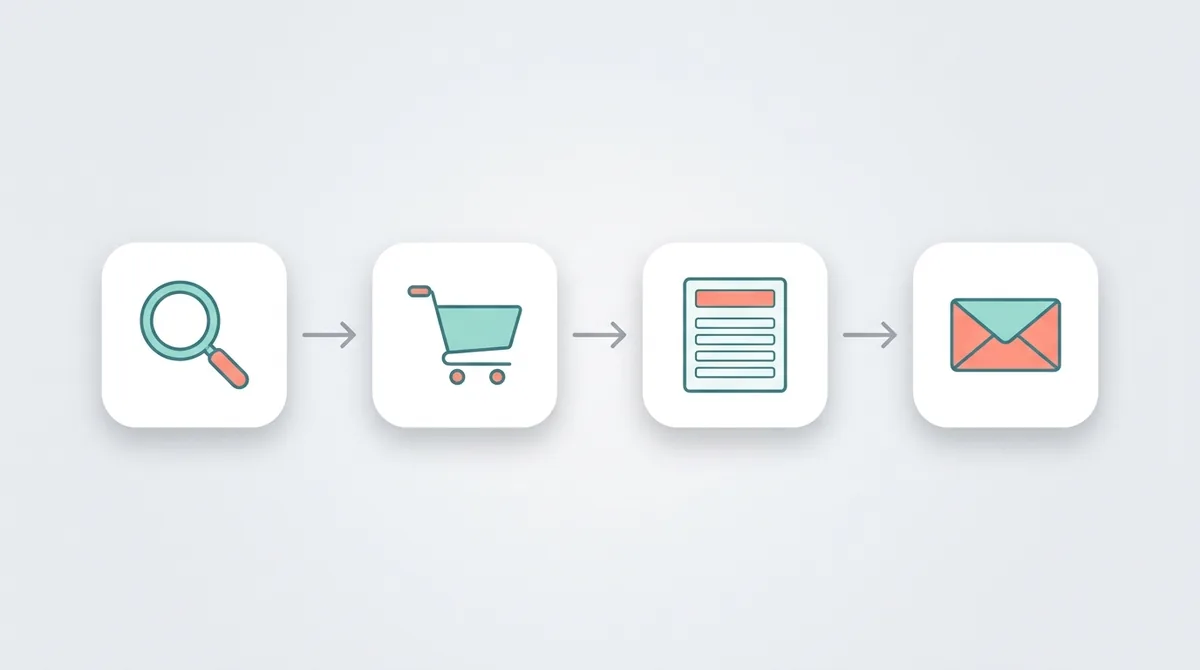
- Search for the name. Type it into the registrar’s search box. If the .com is taken, the search usually suggests other extensions or variations. Premium names carry their own, higher price.
- Pick the term. ICANN’s FAQ says registrars offer terms “in one-year increments,” and the remaining term can never exceed ten years. GoDaddy’s FAQ, for example, says a .com can be bought “for anywhere from 1-10 years.”
- Review the cart. Untick add-ons you have not chosen on purpose. Check the renewal price shown for year two.
- Enter the registrant details. Use your own legal name, or your organization if the domain belongs to a business. The email must be one you read every week.
- Read the registration agreement. ICANN’s registrant rights page says you are entitled to review it “at any time, and download a copy for your records” (ICANN: Registrants’ Benefits and Responsibilities).
- Confirm the verification email. The registrar sends a link or code. If no affirmative response arrives, the specification says the registrar must verify the details manually “or suspend the registration.”
Does the name go live right away? Registration itself is near-instant at most registrars; the name then needs DNS records before a website or email works on it. Turn on two-factor authentication for the registrar account the same day, because whoever controls that login controls the domain.
What You Pay: First Year, Renewal and Add-Ons
A domain bill has three parts: the first-year price, the renewal price, and a small ICANN fee that Namecheap’s help page puts at “$0.20 for each year of domain registration, renewal or transfer” (Namecheap: What is the ICANN fee?). The first two can differ a lot, and the second is the one you pay for as long as you keep the name.
Three US price pages, read on October 24, 2026, show the range:
| Registrar | .com first year | .com after that | Condition shown |
|---|---|---|---|
| Porkbun | $11.08 | $11.08 | Same price every year |
| Namecheap | $11.28 on sale | $18.48 renewal | Regular first-year price $14.98 |
| GoDaddy | $0.01 | $22.99 per additional year | 3-year purchase required |
Sources: Porkbun .com, Namecheap .com and GoDaddy .com domains. Cloudflare Registrar takes a different approach and says it does not mark up domain prices at all (Cloudflare Registrar).
Why does the same .com cost so differently? Every registrar buys the name from the same registry, then sets its own markup, discount and bundle. Prices also move: Namecheap’s .com page carried a banner on October 24, 2026 saying registry prices for .com are rising, with a deadline of November 1. Treat any figure here as a snapshot.
Add-ons are the other part of the bill. Common ones are paid privacy, email, SSL certificates, website builders and “protection” products. Some are useful; none is required to register the name. For the full price picture, our guide to the lowest-cost places to register a domain ranks registrars by price alone, and our Domain.com pricing breakdown shows how one bundled checkout adds up over three years.
Our rule of thumb: multiply the renewal price by the number of years you expect to keep the name, then compare registrars on that total, not on the sale price.
Your Contact Details, WHOIS and Privacy
Your contact details go into the domain’s registration record, but most of them are no longer public by default: ICANN’s Registration Data Policy, in effect since August 21, 2025, lists the registrant’s name, street, postal code and phone among the fields to redact when privacy law or the registrar’s policy calls for it (ICANN Registration Data Policy). The registrant’s state or province and country are still published.
Two other changes matter for anyone reading older guides:
- WHOIS has been replaced. As of January 28, 2025, ICANN says RDAP (the Registration Data Access Protocol) is “the definitive source” for generic domain registration data, “in place of sunsetted WHOIS services” (ICANN: Launching RDAP; Sunsetting WHOIS). ICANN’s public lookup tool is at lookup.icann.org.
- The organization field has teeth. If you fill in Registrant Organization, the same policy says the registrar must tell you that the organization “will be considered the Registered Name Holder.” In other words, typing your company name there makes the company the registrant.
Does that make paid privacy pointless? Not always. Where no privacy law requires redaction, the policy leaves it up to each registrar, and country-code extensions are not covered by ICANN’s policy at all. Check what your registrar shows in a public lookup, and what privacy it includes for free, before you pay for it.
Your duties are on the same ICANN rights page: provide accurate contact information, “promptly update” it when it changes, and respond to inquiries from your registrar within fifteen days. The contract that the registrar signs with ICANN goes further: willfully giving false details, or ignoring an accuracy inquiry for more than fifteen days, is grounds for “suspension and/or cancellation” of the registration. To see what a public lookup shows for your own name, our walkthrough of WHOIS and RDAP lookups explains each field.
Registering Through a Web Host or Website Builder
You do not have to register a domain with your web host: ICANN’s FAQ answers “No” to the question of whether you must buy hosting from the company where you registered the name (ICANN Registrant FAQs). Bundles are still popular, because they remove the DNS step.
What a bundle usually looks like:
- A free first year. Wix, for example, offers a free domain for a year “with any annual site plan” (Wix domains).
- Automatic connection. The builder or host points the domain at your site for you.
- A renewal on the host’s price list. After the free year, you pay whatever the host charges for that extension.
Some hosts sell no domain at all. Cloudways, a managed cloud host, gives each new application a temporary domain for testing, and its help article says a custom domain “will not start working immediately after adding it” until you update the DNS records at your registrar (Cloudways Help Center). For what the free trial looks like before any domain is attached, see our walkthrough of the Cloudways trial, temporary address included.
So which is better, a bundle or a separate registrar? A bundle is simpler on day one. A separate registrar keeps the domain portable, so changing hosts later means editing DNS records instead of moving two services at once. Our explainer on what a domain does and what hosting does covers that trade-off, and our guide to web hosting plan types helps you pick the host itself.
Business, Nonprofit and Restricted Extensions (.edu, .gov, .us)
Most extensions are open to anyone, but a handful check who you are, and .gov is the strictest: get.gov says .gov domains are “only available to U.S.-based government organizations,” and that they are free (get.gov eligibility). The Cybersecurity and Infrastructure Security Agency (CISA) verifies every request and needs approval from a senior official of the organization.
The other common restricted cases:
- .edu. EDUCAUSE limits new .edu names to U.S.-based postsecondary institutions with institutional accreditation from an accreditor recognized by the U.S. Department of Education (EDUCAUSE .edu eligibility). Program or branch-campus accreditation is not enough.
- .us. The usTLD Nexus Requirements Policy allows U.S. citizens and residents, organizations formed in the United States, and foreign entities with “a bona fide presence in the United States” (usTLD Nexus Requirements Policy). Registrants certify this at checkout and must stay in compliance for as long as they hold the name.
- .org. Open to anyone. ICANN describes it as unrestricted, though it “was intended to serve the noncommercial community,” which is why many nonprofits, churches and NGOs use it.
Do you need a registered business to buy a .com? No. Any person can register one. What matters for a business is whose name is on the record. If a company pays for the domain, put the company in the organization field and use a role email that survives staff changes. ICANN’s FAQ warns that a developer may register a client’s domain “using their own contact details,” leaving the developer as the registrant of record even when the client paid.
After You Register: DNS, Email and the Verification Email
The first job after checkout is the verification email, because the 2013 Registrar Accreditation Agreement requires an “affirmative response” from the registrant, such as a returned code, within 15 days of the registration (ICANN 2013 RAA). Miss it, and the registrar can suspend the name until you confirm. The same check runs again after a transfer or a change of registrant.
Then connect the name to your services:
- Point the nameservers. Use your registrar’s DNS, your host’s DNS, or a separate DNS provider. ICANN notes that a change of address “will then be recognised by the entire Internet within 48 hours.”
- Add the website records. An A record points to an IP address; a CNAME points to another name. Your host tells you which to add.
- Add the email records. MX records route mail; SPF and DKIM records help your messages reach inboxes. Newsletter tools often check these: MailerLite, for one, wants an authenticated sending domain before campaigns go live, as our walkthrough of MailerLite’s free plan and domain authentication shows.
- Verify ownership with Google. Google Search Console accepts a DNS TXT record as proof that the domain is yours; our step-by-step walkthrough of Search Console verification covers that record.
Why does a new domain sometimes show ads? ICANN explains that without hosting or email, a registrar may set up “parking” on the name, which means pointing it at a page of advertisements. Point the domain at your own services, or ask the registrar to remove the parking page.
Renewal, Expiration and Transfers
Renewal is where most domains are lost, so ICANN’s Expired Registration Recovery Policy makes the registrar warn you twice: “approximately one month prior to expiration” and “approximately one week prior to expiration” (ICANN Expired Registration Recovery Policy). A third notice must follow within five days after the expiry date if you have not renewed.
What happens after expiry, under the same policy:
- For at least the last eight days that you can still renew, the registrar must interrupt the domain’s DNS, so your site and email stop working.
- Any web page shown in its place must say the registration has expired and explain how to renew.
- Once the registrar deletes the name, most generic registries offer a 30-day Redemption Grace Period, when only the registrar that deleted it can restore it, usually for an extra fee.
- After that, the name is released and anyone can register it.
How do you avoid all of that? Turn on auto-renew, keep a valid card on file, and keep the registrant email working. ICANN’s rights page reminds registrants who choose automatic renewal to keep their payment information current.
Transfers follow their own clock. ICANN’s transfer FAQ says your registrar may refuse a transfer “within 60 days of initial registration” or of a previous transfer, and that it must give you the transfer code “within five (5) calendar days of your request” (ICANN: FAQs for Registrants). Changing the registrant’s name, organization or email can also trigger a 60-day Change of Registrant lock unless your registrar lets you opt out. For a full move with every click, our step-by-step transfer out of GoDaddy walks through unlocking, the auth code and the first week after.
Common Domain Registration Mistakes
The most expensive mistake is losing the name, and ICANN’s FAQ shows how often that starts with someone else’s contact details on the record: “you may need to provide proof of your payment” to get a domain back from a developer who registered it in their own name (ICANN Registrant FAQs). Here are the mistakes to avoid, roughly in order of cost.
- Registering in someone else’s name. Agencies and freelancers sometimes register the domain under their own account. Ask for the domain to be in your name or your company’s from day one.
- Using an email on the same domain. If admin@yourbrand.com is the registrant email and the domain expires, the renewal notices go to a mailbox that has stopped working. Use an address on a different domain.
- Turning off auto-renew. A card that expires quietly is the classic cause of a lost name.
- Ignoring the verification email. A suspended domain looks the same to visitors as a broken one.
- Comparing first-year prices only. A cheap first year with a high renewal often costs more over three years than a flat price.
- Buying every add-on. Privacy, email and SSL may already be free with your registrar or host.
- Picking a name you cannot defend. Check trademarks before you build a brand on it.
- Forgetting the 60-day locks. Plan registrar changes and contact updates so they do not block a move you need to make soon.
What surprised us when reading ICANN’s policies side by side was how much of the protection rests on one email address: the verification link, the renewal notices and the transfer code all go there. Which of these mistakes is the easiest to fix today? The email. Log in to your registrar, check which address is on the registrant record, and change it to one you read if it is not.
Before You Register: Your Next Step
Domain registration rewards ten minutes of reading before checkout, because the rules that matter most (the 15-day verification, the renewal notices about a month and a week before expiry, and the 60-day transfer window) are the same at every ICANN-accredited registrar. The price and the extras are what differ.
What should you do first? Start with the registrar, not the sale. Compare renewal prices, check what privacy costs, and confirm the email you will put on the record. If you are still choosing where to buy, our comparison of domain registrars on renewal price and privacy lines up the main options. Then register the name, confirm the email the same day, and switch on auto-renew before you close the tab.
References
- ICANN: Registrant FAQs
- ICANN: Registering Domain Names
- ICANN: What Does ICANN Do?
- ICANN: Registrants’ Benefits and Responsibilities
- ICANN: 2013 Registrar Accreditation Agreement
- ICANN: Registration Data Policy
- ICANN: Launching RDAP; Sunsetting WHOIS
- ICANN: Expired Registration Recovery Policy
- ICANN: FAQs for Registrants, Transferring Your Domain Name
- ICANN: Uniform Domain-Name Dispute-Resolution Policy
- IANA: List of top-level domains
- DNIB: The DNIB Quarterly Report Q3 2026
- IETF: RFC 1035, Domain Names
- IETF: RFC 1123, Requirements for Internet Hosts
- get.gov: Eligibility for .gov domains
- EDUCAUSE: .edu eligibility
- usTLD: Nexus Requirements Policy (PDF)
- Namecheap: What is the ICANN fee?
- Porkbun: .com
- Namecheap: .com registration
- GoDaddy: .com domains
- Cloudflare: Registrar
- Wix: Domains
- Cloudways Help Center: How to launch an application