Ask “is Substack free?” on Reddit and you get ten answers, half of them out of date. The real answer sits in Substack’s own help center, spread across a dozen pages. This guide pulls those pages together, shows every fee in one table, and runs the math on what a writer actually keeps.
Is Substack Free? The Short Answer
Yes, Substack is free to start: its help center says “Publishing on Substack is free, no matter how many subscribers you have” (Substack Help: How much does Substack cost?). You pay nothing to sign up, write, build a list or send emails to it. Money only changes hands when you turn on paid subscriptions.
At that point, the same page says, “Substack keeps 10% of subscription revenue, and Stripe charges its own payment processing fees.” Stripe is the payment company Substack uses to take card payments. So the honest answer to “does Substack cost money?” is: not until you earn money, and then it takes a share of each payment instead of a monthly bill.
Readers get the same deal. Free posts cost nothing to read, and the Substack app is free to download. A reader only pays when they choose a paid plan on a publication, at the price that writer sets.
How is that different from most email tools? Most newsletter platforms charge by list size. Substack charges by revenue, and its about page says the platform already counts “5 million paid subscriptions and counting.” A writer with 50,000 free subscribers and no paid plan pays Substack $0. A writer with 200 paying readers pays a cut on every one of those payments.
One thing up front about how this guide was put together. Indie Stack Lab has not run Substack through our test list, so every Substack fact here comes from Substack’s help center, its about page and Stripe’s public pricing, all read on October 23, 2026. Where we add first-hand numbers, they come from three other newsletter platforms we tested, and we label them that way.

Key Takeaways
Substack keeps 10% of each paid subscription payment and charges nothing for free publishing, according to Substack’s cost page. Stripe adds 2.9% + 30¢ per US card payment plus a recurring billing fee, so a writer keeps roughly 83% to 86% of a typical subscription. A custom domain is an optional one-time $50, and iOS in-app purchases add Apple’s cut on top.
What Substack Charges Writers, and When
Substack charges writers nothing until a reader pays, and then it takes “10% of each subscription payment,” per the fee table on its cost page. Stripe’s fees come out of the same payment. Here is the full list, as Substack’s help center shows it on October 23, 2026:
| Fee | Amount | When it applies |
|---|---|---|
| Substack fee | 10% of each subscription payment | Only on paid subscriptions |
| Stripe card processing | 2.9% + $0.30 per payment for US cards | Every card payment |
| Stripe Billing (recurring payments) | 0.7% | Every recurring subscription payment |
| Local payment methods | Set by Stripe, varies by country | Direct debit and bank methods, mostly in Europe |
| Custom domain | One-time $50 | Only if you connect your own domain |
Do the Stripe numbers hold up outside Substack? They do. Stripe’s own US pricing page lists 2.9% + 30¢ “per successful transaction for domestic cards,” plus 1.5% for international cards and 1% more if currency conversion is needed. Its Billing pricing page lists 0.7% of Billing volume on the pay-as-you-go plan.
The 0.7% versus 0.5% mix-up
You may see two different recurring fees quoted, and both come from Substack. The cost page says the Billing fee is “0.7% for recurring payments as of July 2024.” Substack’s reader payment methods page still says “0.5% for recurring payments.” Stripe’s own page says 0.7%, so this guide uses 0.7% in every calculation. The difference is small: on an $8 payment it is less than 2 cents.
Where the 10% does not apply yet
There is one exception to the 10%. Substack’s payments availability page says creators in India, Brazil, Indonesia, Mexico, Malaysia and Thailand are exceptions “and the Substack application fee does not apply.” Stripe’s processing fees still do. The page also warns that “Substack’s 10% fee will eventually apply, and plan accordingly.”
What about writers anywhere else? If you only publish free posts, the same page says you “can start from anywhere.” Paid subscriptions need a Stripe account in a country Stripe supports.
What Readers Pay: Free Posts vs Paid Subscriptions
Readers pay nothing for free posts, and for paid posts they pay “the monthly, annual, or founding member price the writer sets,” according to Substack’s cost page. Substack doesn’t add a fee to web payments. That is the core of the “substack free vs paid” question: free is a plan the writer offers, not a trial that runs out.
So what does a Substack subscription cost? It depends on the writer, within limits. Substack’s paid publication setup page sets the floor:
- Monthly plan: at least $5/month.
- Annual plan: at least $30/year.
- Founding member plan: an annual plan at any amount higher than the monthly and yearly plans.
Those minimums apply to US-dollar Stripe accounts. Substack also says it “does not offer a ‘yearly only’ subscription plan option,” so a paid publication always has a monthly price. If a writer changes the price later, only new paid subscribers pay the new rate. Existing subscribers stay on what they originally paid, per Substack’s price change page.
When readers pay more than the listed price
Substack’s cost page names two cases. First, tax: some writers add sales tax or VAT on top. Second, in-app purchases: subscriptions bought in the Substack iOS app “may cost more to cover Apple fees.”
Tax is about to change. Starting December 1, 2026, Substack “calculates, collects, and remits sales tax or VAT on your paid subscriptions on your behalf, at no additional cost,” according to its tax update page. For US and Canada publishers, tax is added at checkout, so a reader’s total can be higher than the plan price. Where tax applies, it shows as its own line on the receipt.
How readers can pay
Readers can pay with Visa, Mastercard, American Express, Discover, JCB, Diners Club and UnionPay, or with Apple Pay, Google Pay and Link. Readers in Europe may also see SEPA Direct Debit, iDEAL and Bancontact. Substack doesn’t charge readers an extra fee for any of these methods.
A Worked Example: What a Writer Keeps From a Paid Subscription
On an $8/month subscription paid with a US card, a writer keeps about $6.61, or 82.7%, once Substack’s 10% and Stripe’s fees from the Substack cost page come out. The prices here are made up for the example; the fee rates are the published ones.
Assumptions: a US card, no sales tax, no currency conversion, a web payment (not the iOS app), and every fee calculated on the full payment.
| Line | $8/month plan, one payment | $80/year plan, one payment |
|---|---|---|
| Reader pays | $8.00 | $80.00 |
| Substack fee (10%) | $0.80 | $8.00 |
| Stripe card fee (2.9% + $0.30) | $0.53 | $2.62 |
| Stripe Billing fee (0.7%) | $0.06 | $0.56 |
| Writer keeps | $6.61 | $68.82 |
| Share kept | 82.7% | 86.0% |
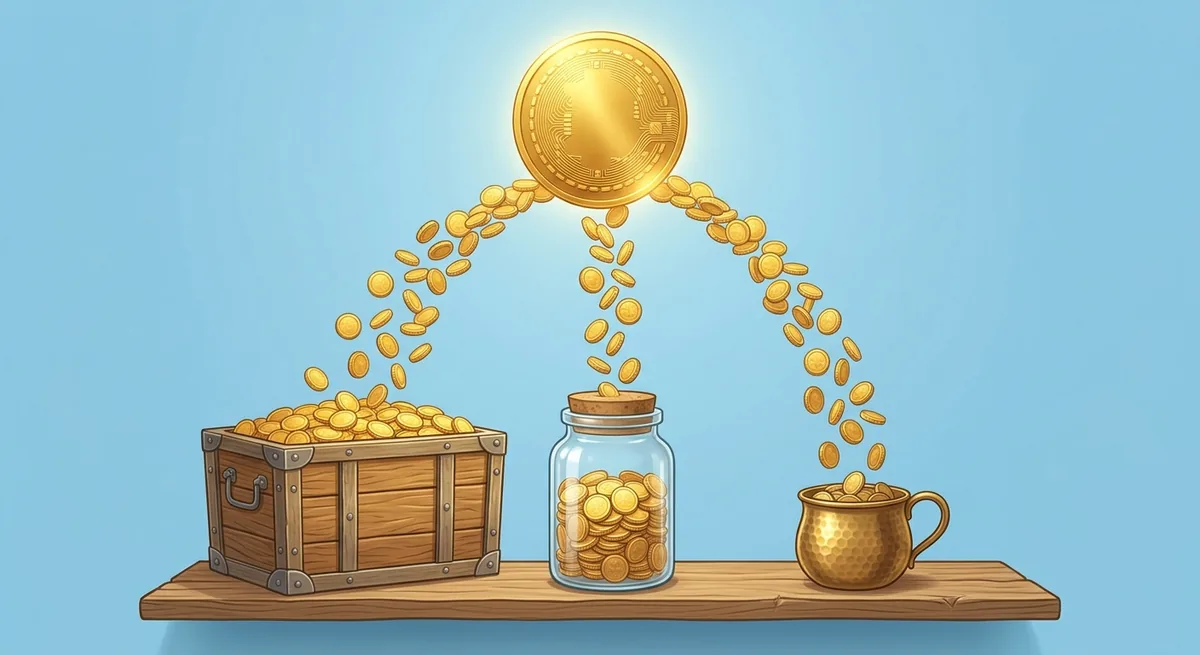
Why does the annual plan keep more? Because of the fixed $0.30. On a monthly plan, Stripe charges that 30 cents twelve times a year. On an annual plan, it charges it once. Twelve $8 payments add up to $96 and leave the writer about $79.34, while one $80 payment leaves $68.82. The monthly reader pays more in total, but a bigger share of each dollar goes to fees.
What changes the result
A few things push the writer’s share down:
- An international card adds 1.5% on Stripe’s US pricing, which is $0.12 more on an $8 payment.
- Currency conversion adds another 1% when it is needed.
- The $5/month minimum price is hit hardest by the fixed fee: the same math leaves about $4.02, or 80.4%.
- A dispute costs $15.00 per dispute received, per Stripe’s pricing page.
Here’s the catch with low prices. The cheaper the plan, the bigger the share the fixed $0.30 takes. If you are torn between $5 and $7 a month, the fee math is a small reason to lean higher, or to push the annual plan harder.
Want to see the real split for your own payments? Substack’s cost page says to open Transactions in your Stripe dashboard, pick a payment marked Succeeded, and scroll to the breakdown. The Billing fee shows up under payouts instead.
Is the Substack App Free, and Is Substack an App?
The Substack app is free: Substack’s help center says it “is free and designed to read your favorite creators in one dedicated space” (Substack Help: How much does the Substack app cost?). The only cost inside it is a paid subscription to a publication. So yes, Substack is an app, and it is also a website and an email newsletter service.
Where can you get it? Substack’s app download page points to the App Store on iOS and the Play Store on Android. Writers can publish from the web or from either app, per its publishing guide. Readers can choose push notifications, email or both, so installing the app doesn’t have to stop the emails.
What iOS in-app purchases cost writers
This is the one place where “free” gets complicated. Substack’s iOS payments page says that “Apple charges an extra 15-30% on fees purchased through the app.” Writers pick one of two options:
| Option | What the in-app reader pays | What happens to the writer |
|---|---|---|
| Adjusted pricing (Substack’s recommendation) | A higher in-app price, set as close as possible to cover Apple’s cut | Payout stays closer to the web payout |
| Keep prices the same | The web price, or the next App Store price point up | Lower payout per in-app subscriber |
Substack’s 10% is still based on your web price either way, per its cost page. A few other rules are worth knowing before you go paid:
- The in-app option “cannot be disabled while payments are connected.”
- Apple pays Substack for a month of subscriptions “up to 45 days after the end of that month,” so January’s in-app earnings arrive around mid-March.
- Apple subscriptions can’t be paused, and Apple manages refunds and cancellations.
- In the US, the app also links readers out to the web checkout. Outside the US, Apple doesn’t allow that, so international readers who upgrade inside the iOS app only see the in-app option.
Does that make the app a bad deal for writers? Not necessarily. Substack hopes the easier upgrade earns writers more overall, and a reader who pays in-app might not have paid at all on the web. Just know that in-app subscribers cost more to serve.
Optional Costs: Custom Domain and Other Extras
The only optional fee Substack lists is a custom domain, which costs a “one-time $50 USD fee,” according to its custom domain guide. Everything else on the platform is either free or tied to paid subscriptions. No sales tax or VAT is charged on the $50.
Do you need a custom domain on Substack? No. Every publication works on a free yourname.substack.com address. A custom domain makes the site look like your own brand and makes the web address yours to keep. Here is what the $50 covers, and what it doesn’t:
- It does not buy the domain. “Substack doesn’t sell domains, and the $50 fee doesn’t cover registering one.” You buy the domain from a registrar first.
- Substack requires a subdomain such as
www.yourdomain.com, and you can redirect the root domain to it. - Verification “can take up to 36 hours,” and Substack emails you when the domain is live.
- If setup fails and you delete and re-add the domain, “You won’t be charged again.”
- Newsletters still come from a substack.com address: “Emails are still sent from [yoursubdomain]@substack.com.”
That last point surprises people. A custom domain changes your website address, not your sender address. If sending from your own domain matters to you, that is a feature to look for on other platforms.
New to domains? Our beginner’s guide to domain registration explains what you buy, from whom and what renewals cost.
Costs that are not on Substack’s bill
Some costs come from Stripe or from your own choices. Stripe charges $15.00 for each card dispute it receives, per its pricing page. Releasing in-app earnings from a held balance early carries “a small fee charged by Stripe,” per Substack’s iOS payments page. And if you raise in-app prices to cover Apple, your in-app readers pay that difference.
How Substack’s Free Start Compares With Free Plans We Tested
Substack’s free start has no subscriber cap, per its cost page, while the three newsletter tools we tested all capped their free plans by list size. That is the real trade: Substack costs nothing until you earn, the others cost nothing until you grow.
We tested beehiiv, Kit and MailerLite on October 20, 2026, with one work account, no card and the same seven tasks on each. Substack was not part of that test. The table puts its official terms next to the free plan limits we recorded:
| Substack (official docs) | beehiiv (our test) | Kit (our test) | MailerLite (our test) | |
|---|---|---|---|---|
| Free subscriber cap | No cap stated: free “no matter how many subscribers you have” | 2,500 subscribers | Up to 10,000 (public pricing page) | 250 subscribers |
| Free email sends | No send cap listed on the cost page | Unlimited | Unlimited broadcasts (public pricing page) | 2,500 per month |
| Selling paid subscriptions | 10% + Stripe fees | Not included in the trial | Listed on the free plan (public pricing page) | Not checked |
| What you pay to grow | A share of paid revenue | A paid plan above 2,500 | A paid plan for automations | A paid plan above 250 |
A few details from our test log matter here. beehiiv’s billing page showed “Free Plan — 2,500 subs @ $0/month,” and its trial card marked “Earn with ads, paid recommendations, and subscriptions” as not included. Kit’s in-app billing showed “Creator Monthly — 1,000 subscribers — $39/month” during the trial, while its public pricing page listed a free plan for “up to 10,000 subscribers.” MailerLite’s plan page read “Up to 250 subscribers. 2,500 emails.”
What surprised us was how differently each tool defined “free.” When we tested Kit, a full-screen card form appeared right after onboarding, with a small skip link at the bottom. MailerLite let us build a form and a welcome email, but blocked both from going live until the sender domain was verified. Substack’s model avoids both kinds of wall, but it never stops charging once you go paid.
Which one fits you? If you never plan to charge readers, a capped free plan can still cost $0 for a long time. If you plan to sell subscriptions from day one, Substack’s revenue share is simple and has no list-size bill. Our side-by-side comparison of beehiiv, Kit and MailerLite covers the three tested tools in detail. For one tool at a time, read our beehiiv review, our Kit email marketing review and our MailerLite review.
Can You Run More Than One Substack?
Yes, you can have more than one Substack: “Substack allows up to 10 publications per account,” per its multiple publications page. Each one is free to create, and each gets its own subdomain. You switch between them from the menu next to Dashboard.
Is a second publication always the right move, though? Often it isn’t. Substack also lets you add “Sections” inside one publication: extra newsletters that go to a subset of your audience, each with its own URL and subscribers who can opt in or out (Substack Help: multiple newsletters under one publication). You can attach a podcast to a section, too.
Here is how the two options compare on cost and setup:
| Separate publication | Section inside one publication | |
|---|---|---|
| Cost to create | $0 | $0 |
| Stripe account | A separate Stripe account for each paid publication | Shares the publication’s Stripe account |
| Subscriber list | Its own list | Part of the main list; subscribers choose what they get |
| Custom domain | Its own $50 fee if you want one | Uses the publication’s address, /s/section-name |
The Stripe rule is the one to plan around. Substack’s Stripe page says “It’s not possible to link two publications to the same Stripe account.” The money can still land in the same bank account, but you manage two sets of payouts and fees.
What if you change your mind later? “Substack publications can’t be combined or merged together.” The workaround is to export one publication and import it into the one you keep. Start with sections if you are unsure; it is easier to split later than to merge.
When Substack Stops Being the Cheapest Option
Substack stops being the cheapest option once 10% of your paid revenue is more than a flat monthly plan would cost you somewhere else; its about page frames the deal as “90% goes to you.” Below that point, the revenue share is cheaper. Above it, you are paying for convenience.
Here is a simple way to find your own break-even point. Take the monthly price of the tool you would switch to, and multiply it by 10. That is the paid revenue at which Substack’s 10% costs the same. For example, Kit’s in-app billing showed $39/month for its Creator plan at 1,000 subscribers in our test. 10% of $390 is $39, so Substack’s fee costs less until your paid revenue passes about $390 a month. At $8/month, that is roughly 49 paying readers.
| Paid revenue per month | Substack’s 10% | Compared with a $39/month flat plan |
|---|---|---|
| $200 | $20 | Substack costs $19 less |
| $390 | $39 | About even |
| $1,000 | $100 | Substack costs $61 more |
| $5,000 | $500 | Substack costs $461 more |
Is that the whole story? No, and this is where people get the math wrong. Stripe’s card and Billing fees apply on any platform that uses Stripe, so they cancel out of the comparison. A flat-fee tool’s price also rises as your list grows. Some tools add their own fee on paid subscriptions, and we did not check Kit’s in our test, so read the pricing page of any tool you compare. To fill in the flat-fee side with current numbers, our beehiiv pricing guide, Kit pricing guide and MailerLite pricing guide list each plan by list size. Substack also bundles things a flat-fee tool may not, such as its in-app network. Its about page says “30%+” of paid subscriptions “come from within Substack’s network.”
Leaving Substack, if you outgrow it
Substack says it is “free to start and free to leave,” and its export tools back that up. Settings → Exports creates a zip file with “your posts, subscriber list, and related statistics” (Substack Help: export posts). The subscriber list also exports as a CSV, though “It’s not currently possible to export a file with subscriber names” (Substack Help: export email list).
The catch is paid subscribers who joined through iOS. Apple “does not transfer billing relationships between platforms,” per the iOS payments page. You keep their email addresses, but they have to subscribe again with a new payment method. Want ideas beyond subscriptions before you decide? Our guide to newsletter monetization covers six ways newsletters make money.
Templates and Design on Substack
Substack has post templates: you click “Template” in the post editor toolbar and save reusable text or images, per its template guide. They are free on every publication. Substack suggests using them for disclaimers, calls to subscribe or share, custom dividers and recurring sections.
So does Substack have newsletter templates in the sense most email tools do? Not really. There is no gallery of email layouts to pick from. Templates are blocks of content you insert into a post, and they are “only available on posts on the web and not available on Notes or the Substack app.” You can group them by naming a template with a slash, such as “Welcome/free subscribers.”
What you can and can’t change
Design lives in the website editor (Substack Help: custom theme). You can set colors, title and body fonts, a logo of at least 256 x 256 pixels, a wordmark, a header layout, a hero layout for the top of the homepage, and up to 10 content blocks below it. There is no separate font size setting; the font you pick sets the size.
What you can’t do is write your own code. Substack’s CSS and HTML page says it does not “support custom CSS or HTML in the post editor,” including raw iframe embeds. Supported embeds such as YouTube and Spotify work through the embed feature.
Welcome emails are covered, too. Substack offers four of them, for free, paid, imported and founding subscribers, all editable from Settings (Substack Help: welcome emails). One quirk: in profile mode, welcome emails only start once you have published at least 2 posts. Looking for layout ideas to adapt? Our newsletter templates guide shows common layouts, and our welcome email examples include a three-email series you can copy.
Before You Start a Substack: A Short Checklist
Starting a Substack costs $0, and the only bill you can run into before your first paid reader is the optional $50 domain fee from Substack’s custom domain guide. The bigger decisions come later, when you go paid. Settle these before you do:
- Will you charge readers? If not, Substack stays free at any list size.
- What price will you set? Check the worked example: the $5/month minimum keeps about 80.4%, an $80 annual plan about 86.0%.
- Will most readers use the iOS app? Decide between adjusted and unchanged in-app prices before you turn on payments.
- Do you need your own domain? It costs $50 once, and emails still come from substack.com.
- One publication or several? Sections inside one publication avoid a second Stripe account.
- What is your exit plan? Export your list once in a while, and remember that iOS subscribers don’t transfer.
Still building your first audience? Our step-by-step guide to building an email list covers the part no platform does for you. Whatever you pick, the list is the asset. The platform is just where it lives for now.
Further Reading
- Best newsletter platforms: beehiiv vs Kit vs MailerLite
- Best email marketing platforms for creators
- Newsletter monetization: 6 ways newsletters make money
- How to build an email list: a step-by-step guide
References
- Substack Help: How much does Substack cost?
- Substack Help: How can readers pay for a subscription on my Substack publication?
- Substack Help: How do I set up a paid publication?
- Substack Help: Can I change the price of my subscription after launch?
- Substack Help: Upcoming changes to tax on Substack
- Substack Help: Are there any countries or geographies where payments aren’t supported?
- Substack Help: How much does the Substack app cost?
- Substack Help: Where can I find the Substack app?
- Substack Help: How can I publish on Substack?
- Substack Help: Can my subscribers pay on the Substack iOS app?
- Substack Help: How do I set up my custom domain on Substack?
- Substack Help: Can I create multiple publications under the same account?
- Substack Help: How can I create multiple newsletters or podcasts under one publication?
- Substack Help: Can I link multiple publications to the same Stripe account?
- Substack Help: How do I export my posts?
- Substack Help: How do I export my email list on Substack?
- Substack Help: How can I add a template into my Substack post?
- Substack Help: How do I set a custom theme for my Substack?
- Substack Help: Can I edit the CSS or HTML on Substack?
- Substack Help: How do I set up welcome emails on Substack?
- Substack: About
- Stripe: Pricing
- Stripe: Billing pricing