Mailchimp’s free plan now stops at 250 contacts and 500 sends a month, and it puts a hold on sending the moment your list goes over. That single limit sends a lot of people looking for an alternative for Mailchimp. We put three of the most common replacements, beehiiv, Kit and MailerLite, through the same seven setup tasks, then checked each one against the Mailchimp limit it is supposed to fix.
Who This Guide to Mailchimp Alternatives Is For
This guide is for people who already use Mailchimp, or almost signed up, and want to know which tool solves their specific problem. Mailchimp’s own help center lists the Free plan at “up to 250 contacts and 500 sends per month, with a daily send limit of 250” (Mailchimp: About Mailchimp Pricing Plans). If that line describes your wall, keep reading.

Why another list of alternatives? On October 23, 2026, four of the top eight Google results for “alternative for mailchimp” were lists written by email software companies, and each one puts its own product near the top. We don’t sell an email tool. We ran the same tasks on all three alternatives on the same day and wrote down where each one made us stop.
One thing up front: we did not test Mailchimp. Every Mailchimp fact in this article comes from Mailchimp’s pricing page and help center, and it is labeled that way.
Key Takeaways
Mailchimp’s Free plan allows 250 contacts and 500 sends a month (Mailchimp: About Mailchimp Pricing Plans), so each alternative fixes a different part of that limit. beehiiv removes the send cap, Kit raises the list size to 10,000 on paper, and MailerLite keeps the 250 cap but adds free automations and five times the sends. Which part of Mailchimp’s limit is hurting you? Pick the tool that fixes that part.
Quick Verdict: The Best Mailchimp Alternative for Each Reason You’re Leaving
The best Mailchimp alternative depends on which limit you hit first: in our October 20, 2026 test, beehiiv’s billing page listed unlimited email sends on its Free Plan, while Mailchimp’s Free plan caps sends at 500 a month (Mailchimp pricing). Start from your reason for leaving, not from a ranking.
| Why you’re leaving Mailchimp | Our pick | What fills the gap |
|---|---|---|
| 500 sends a month isn’t enough | beehiiv | Free Plan listed in-app with unlimited email sends, up to 2,500 subscribers |
| Your list is past 250 contacts and you don’t want to pay yet | Kit | Pricing page: Free for up to 10,000 subscribers |
| You want automations without paying | MailerLite | Pricing page: 3 active automations on Free, up to 5 steps each |
| You need a second login for free | MailerLite | 2 seats on Free, against 1 seat on Mailchimp Free |
| You want a free welcome email with the fewest steps | beehiiv | A welcome email is listed on Free; ours went live in one publish |
| You sell ebooks or courses to your list | Kit | Free plan includes digital products and subscriptions |
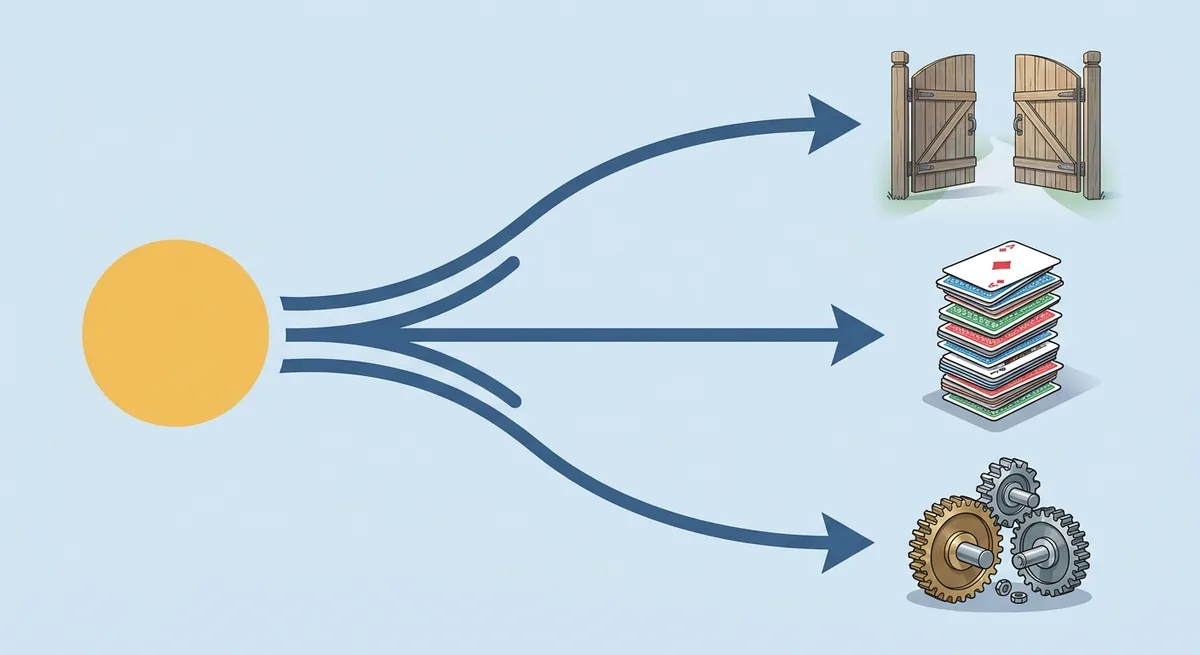
Is there one winner? Not really. If you want a single default for a solo newsletter with no domain, beehiiv was the smoothest of the three in our test. If your list is the problem, Kit gives you the most room before you pay. If automations are the reason you wanted Mailchimp in the first place, MailerLite is the closest match, as long as you own a domain.
Why People Look for a Mailchimp Alternative in 2026
Most people leave Mailchimp because of the Free plan’s numbers: Mailchimp’s pricing page lists 250 contacts, “Max of 500/mo or 250/day” for sends, 1 seat and 1 audience, and marks Marketing Automation Flows as not included on Free (Mailchimp pricing). Each of those lines turns into a real problem fast.
What 500 sends a month means in practice
Send a weekly newsletter to 250 contacts and you need about 1,000 sends a month. That is twice Mailchimp’s free allowance. At 250 contacts, the Free plan covers roughly two newsletters a month, and the daily cap of 250 means one full-list send per day at most.
What happens if you go over? Mailchimp’s help center says that if you exceed the 250 contact limit on Free, “a hold is placed on sending live emails or test emails until you upgrade to a paid plan or reduce your contact total” (Mailchimp: About Mailchimp Pricing Plans). You can still edit emails and collect contacts. You just can’t send.
Unsubscribed contacts still count
This catches a lot of people. The same help article says “Subscribed, unsubscribed, and non-subscribed contacts are included in your contact count,” while archived, cleaned and deleted contacts are not. So a list of 200 active readers plus 60 people who unsubscribed already counts as 260 contacts, over the free limit, unless you archive the 60.
What is paid-only on Mailchimp
Mailchimp’s pricing table marks these as not included on Free: Marketing Automation Flows, email scheduling and removing Mailchimp branding. Pre-built templates are “Limited,” and support is “Email support for first 30 days” (Mailchimp pricing). The cheapest paid plan, Essentials, starts at $13/month and allows “Up to 4 flow steps” with 3 seats.
None of this makes Mailchimp a bad product. It does make the free plan a short runway for anyone who sends weekly, wants a welcome email, or works with a second person.
How We Tested the Alternatives (and What We Did Not Test on Mailchimp)
We tested beehiiv, Kit and MailerLite on October 20, 2026, from one work account, without entering a credit card, and gave each tool the same seven tasks. Mailchimp was not part of that test.
The seven tasks, written down before we opened any app:
- Sign up.
- Create a newsletter.
- Build a subscribe form and get the embed code.
- Set up an automatic welcome email.
- Check that the welcome email reaches our own inbox.
- Write an email and send it only to ourselves as a test.
- Read the free plan limits from the billing page.
Every email went to our own address. When a step asked for a card, a DNS change or an upgrade, we stopped and recorded what the screen said, word for word, with masked screenshots.
Two limits of this test matter for anyone moving from Mailchimp. First, we did not import a list into any of the three tools, because our test account started empty. The migration section below relies on each tool’s own Mailchimp import guide. Second, every Mailchimp number comes from Mailchimp’s pricing page and help center, read in October 2026 in US dollars. Mailchimp’s prices change with list size, so check yours at your own contact count.
Why not test Mailchimp too? Because this guide is for people who already know Mailchimp’s limits from the inside. What they lack is a fair look at what’s on the other side.
A note on money: Indie Stack Lab may add affiliate links to some tools later. Affiliate links are labeled, and our disclosure page explains how they work. They did not change what we tested or what we wrote down.
beehiiv: The Biggest Free Subscriber Cap We Saw In-App
beehiiv fixes Mailchimp’s sending limit: the billing page in our account listed a Free Plan of 2,500 subscribers at $0/month with unlimited email sends, against Mailchimp Free’s 250 contacts and 500 sends a month. Of the three alternatives, it was the only one whose app showed a complete free plan.
The gap it fills for Mailchimp users
The big change is sends. A weekly or even daily newsletter fits inside beehiiv’s free plan, as long as your list stays under 2,500 subscribers. That’s ten times Mailchimp’s free contact limit.
The welcome email is the second change. beehiiv’s pricing table lists a welcome email on Free (beehiiv pricing), while Mailchimp marks automation flows as not included on its Free plan. In our test, a prebuilt automation called “Welcome Email (with re-entry)” went live with one Publish click, and the email arrived when we subscribed our own address. We did that on day 1 of a 14-day Pro trial, so we can’t show you the same flow after the trial ends.
What stays the same as Mailchimp Free
Some limits don’t move. The Free Plan has 1 team seat and 1 publication, which is the same as Mailchimp’s 1 seat and 1 audience. Sequences of several emails, which beehiiv calls live custom automations, start at the Lite plan, priced at $59/month billed monthly or $588/year for 1,000 subscribers (beehiiv pricing).
Branding stays too. Settings showed private branding, the option that removes the “Powered by” badge, as a paid feature.
Friction you’ll notice when you switch
Expect two checks at signup: a “press and hold” human check and an SMS phone verification (“We need to verify your phone number for security. No marketing texts. Ever.”). The subscribe forms page also says its forms “are designed to be embedded on external websites,” so if your Mailchimp form lives on your own WordPress site, you swap one embed snippet for another.
Your sender address changes, too. Our test email went out from an address at mail.beehiiv.com, and connecting a custom domain starts at Lite. Want the full picture? Read about what beehiiv’s free plan and Pro trial include, or see how beehiiv’s Lite and Pro prices rise with list size.
Kit: The Free Plan With the Highest Listed Cap
Kit fixes Mailchimp’s list-size limit: its public pricing page lists a Free plan for “up to 10,000 subscribers” (Kit pricing), 40 times Mailchimp Free’s 250 contacts. Broadcasts are unlimited on that plan, so the 500-send ceiling disappears too.
The gap it fills for Mailchimp users
If your list has outgrown 250 contacts and you’re not ready to pay, Kit gives you the most room. The free plan also includes unlimited forms and landing pages, tagging and segmentation, and selling digital products and subscriptions, per Kit’s help center (Kit: The Kit Free plan).
Kit counts your list differently, too. Its help center says “Only subscribers with the “Confirmed” status count toward your billing total“ (Kit: Subscriber profile and status). Unsubscribed people don’t eat into your cap the way they do on Mailchimp.
The gap it doesn’t fill: automations
Here’s the catch. Kit’s free plan article lists Visual Automations and email sequences as paid features and says “Visual automations and sequences stop running while you’re on the Free plan” (Kit: The Kit Free plan). That is the same gap Mailchimp Free has. If an automatic welcome email is why you’re leaving Mailchimp, Kit’s free plan won’t solve it.
In our test the welcome email worked, but only on the trial and only after three separate pieces: a sequence with the email, the email’s own Published switch, and a Visual Automation that links the form to the sequence. Double opt-in was on by default, so the welcome email arrived after we clicked the confirmation link.
Friction you’ll notice when you switch
There is no Google sign-in, so you sign up with an email and password. Right after onboarding, a full-screen “Welcome to Kit!” modal asked for card details for the Creator plan; the “I’ll do this later” link at the bottom skipped it. The free form carries a “Built with Kit” badge.
What does the paid step cost? In our in-app billing, Creator was $39/month billed monthly for 1,000 subscribers. For the free plan in detail, see our walkthrough of Kit’s free plan and three-part welcome setup, and for every tier, Kit’s paid plans by list size.
MailerLite: Closest to Mailchimp’s Feature Set, Domain First
MailerLite is the closest match to what people wanted from Mailchimp’s free plan: its pricing page lists 3 active automations with up to 5 steps each, 3 active forms, 1 landing page, 1 website and 2 seats on Free (MailerLite pricing). The subscriber cap is the same 250 as Mailchimp’s, but the plan allows 2,500 emails a month, five times Mailchimp’s 500.
The gap it fills for Mailchimp users
Automations are the headline. Mailchimp Free includes no automation flows; MailerLite Free includes three. The second seat matters for anyone who shares the newsletter with a partner or an assistant. And 2,500 emails a month covers a weekly newsletter to the full 250-subscriber list with room to spare.
The counting rule is friendlier as well. MailerLite’s pricing FAQ says unsubscribed and bounced addresses don’t count toward the 250 limit (MailerLite pricing). When active subscribers go over it, though, “sendings will be locked” until you upgrade or remove subscribers, which is close to Mailchimp’s hold.
The domain wall
This is the part to plan for. MailerLite let us build a form and a welcome automation, but neither could go live. The form page said: “Sender email domain must be authenticated and verified before you can enable this form.” The automation showed: “Sender email must be authenticated before you can send from this address.”
In plain terms, you need your own domain and you need to add DNS records to it. MailerLite’s help center lists three: DKIM as a CNAME record, SPF as a TXT record and a domain verification TXT record (MailerLite Help: Domain authentication). Test emails to ourselves still went out without them. We didn’t change DNS during the test, so our automation stayed inactive.
Do you already send Mailchimp campaigns from an address on your own domain? Then you know where your DNS lives, and adding MailerLite’s records is a short task. If you don’t own a domain yet, start with how to register a domain name.
Don’t trust the trial numbers
During our trial, the in-app usage page showed caps of 1,000 automations and 500 forms. Those were trial figures. The pricing page’s Free column, 3 active automations and 3 active forms, is what to plan around. Onboarding also required a postal address before the dashboard loaded. For the full test, read how MailerLite’s domain authentication step plays out on a new account, and for paid tiers, see MailerLite’s Comfort and Power plans by list size.
Mailchimp vs the Three Alternatives: Free Plan Limits Side by Side
On paper, Kit’s free list is 40 times Mailchimp’s, beehiiv’s is 10 times, and MailerLite’s matches Mailchimp’s 250 but sends five times as many emails (Mailchimp: About Mailchimp Pricing Plans). The table puts those numbers next to the other limits that decide a switch. Mailchimp’s column comes from its own pages; the other columns come from our test or the vendor’s pricing page, as marked.
| Mailchimp Free (official pages) | beehiiv Free | Kit Free | MailerLite Free | |
|---|---|---|---|---|
| List size | 250 contacts | 2,500 subscribers (in-app) | Up to 10,000 subscribers (pricing page) | 250 subscribers (in-app and pricing page) |
| Emails per month | 500, and 250 a day | Unlimited (in-app) | Unlimited broadcasts (pricing page) | 2,500 (in-app and pricing page) |
| Seats | 1 | 1 (in-app) | Not checked | 2 (pricing page) |
| Automations | Not included | Welcome email (pricing page) | Stop running on Free (help center) | 3 active, up to 5 steps (pricing page) |
| What counts toward the cap | Subscribed, unsubscribed and non-subscribed contacts | Not checked | Confirmed subscribers only (help center) | Active subscribers; unsubscribed and bounced excluded (pricing FAQ) |
| Branding on free emails or forms | Mailchimp branding stays | “Powered by” badge | “Built with Kit” badge | Not checked |
| Live welcome email in our test | Not tested | 1 publish | 3 pieces, on the trial | Blocked until the domain is authenticated |
What doesn’t the table show? Deliverability. We only sent test emails to ourselves, so we have no inbox-placement data for any of the four. Our side-by-side test of beehiiv, Kit and MailerLite covers the three alternatives task by task, including the signup checks.
Moving Your List Out of Mailchimp
Moving a list takes one export from Mailchimp and one import on the other side, and all three alternatives publish their own Mailchimp import guide. Mailchimp’s help center says “only Owners and Admins can export audiences,” and the export stays in your account for 30 days (Mailchimp: View or Export Your Contacts).
Step 1: export from Mailchimp
Per Mailchimp’s help center, click Audience, pick the audience if you have more than one, click Export audience, then Export CSV in the “Export all contacts?” pop-up. You get an email when the file is ready.
The download may be a ZIP with separate CSV files for subscribed, non-subscribed, unsubscribed and cleaned contacts. Archived contacts are exported separately, and the export does not include report data such as open and click rates. Want your old open rates? Save those reports before you close the account.
Which file do you import? For a CSV upload, start with the subscribed file. Importing unsubscribed people as active subscribers would mean emailing people who asked you to stop.
Step 2: import into beehiiv
beehiiv’s guide uses a CSV upload: Settings, then Subscribers Import, then New Subscribers Import and Upload a CSV file (beehiiv: How to migrate from Mailchimp to beehiiv). You confirm that every contact “knowingly opted in to receive emails from you,” then map columns to fields and tags.
Two details stand out. beehiiv uses the import date as each subscriber’s signup date unless you ask its support team to add the original dates. And past campaigns can come along through Settings, then Content Import, but only campaigns built with Mailchimp’s New Email Builder; the guide says Legacy Email Builder campaigns are not imported.
Step 2: import into Kit
Kit connects to Mailchimp directly: Subscribers, then Add Subscribers, then Other provider, then Mailchimp, and you paste a Mailchimp API key (Kit: Migrating from Mailchimp to Kit). Kit’s guide says “All your Mailchimp merge fields come with you,” and it turns list names, tags and interest groups into Kit tags, such as “Newsletter:Tech.” A CSV import is the fallback.
What doesn’t come along? The same guide says automations, templates, forms, landing pages and campaigns have to be rebuilt in Kit. Treat an API key like a password, and delete it in Mailchimp once you no longer need the connection.
Step 2: import into MailerLite
MailerLite has an Import from Mailchimp tab under Subscribers, then Add subscribers, with two ways in: log in with your Mailchimp details or connect with an API key (MailerLite Help: How to migrate from Mailchimp). You choose the lists, let it map fields, and pick whether to create a group for each list and tag.
It asks two questions worth slowing down for. Do you want unsubscribed and unconfirmed contacts? Unsubscribed ones land in a separate category that can’t receive newsletters. Do you want segments? Only basic segments transfer; behavioral and e-commerce segments need rebuilding. Forms, templates and automations stay behind, as with Kit. A Sync again button lets you pull fresh signups from Mailchimp before you switch your forms over.
Step 3: switch forms, then close
Keep Mailchimp running until the new forms are live on your site. Then export once more, import the latest signups, and only after that downgrade or close the old account. For ideas on rebuilding the first email new readers get, see our welcome emails for newsletters, shops and small businesses.
Free, Cheaper, Nonprofit and Open-Source Options
The cheapest way off Mailchimp is usually a free plan with more room, not a cheaper paid plan: Mailchimp’s Essentials starts at $13/month (Mailchimp pricing), while Kit’s Free plan covers up to 10,000 subscribers at $0. Here’s how the options compare by goal.
The best free Mailchimp alternative
It depends on your limit. For list size, Kit’s free plan has the highest listed cap. For sending often, beehiiv’s in-app Free Plan showed unlimited sends. For automations on a free plan, MailerLite is the only one of the three with active automations on Free.
Cheaper alternatives to Mailchimp
Do paid alternatives cost less? At small list sizes, prices are close. Here is what each vendor listed when we read the pages in October 2026, in US dollars:
| Tool | Entry paid plan | Listed price | List size at that price |
|---|---|---|---|
| Mailchimp | Essentials | Starts at $13/month | Smallest contact tier |
| MailerLite | Comfort | $12/month | 500 subscribers |
| Kit | Creator | $39/month billed monthly (in-app) | 1,000 subscribers |
| beehiiv | Lite | $59/month billed monthly, or $588/year | 1,000 subscribers |
These prices rise with your list, so compare them at your own subscriber count. The bigger saving is staying free longer. A 2,000-subscriber list is over the cap on Mailchimp Free and MailerLite Free, but still free on beehiiv and Kit.
Mailchimp alternatives for nonprofits
Mailchimp’s pricing page says it “offers a 15% discount to nonprofits and charities” (Mailchimp pricing). MailerLite’s pricing page goes further: “nonprofit organizations receive a 30% discount on MailerLite’s paid plans” (MailerLite pricing). beehiiv’s and Kit’s pricing pages show standard rates only, so contact their sales teams and ask about nonprofit pricing before you assume list price.
For a small charity list, the free plans may matter more than any discount. Is a 30% cut on a paid plan worth more than staying at $0? Under 2,500 subscribers, beehiiv Free costs nothing at all.
Open-source and self-hosted options
Open-source newsletter software is a different trade. You run the program on your own server and connect a sending service, so you pay for hosting and sending instead of a plan. None of these tools went through our seven tasks, so we don’t rank them here.
Is Mailchimp Still a Good Newsletter Platform?
Mailchimp is still a strong newsletter platform when you need its integrations or a team on a paid plan: its integrations page lists “300+ Integrations,” with Shopify, WooCommerce, Square, Canva and Zapier among the most popular (Mailchimp integrations). The case for leaving is strongest on the Free plan, not the paid ones.
What do the paid plans add? Per Mailchimp’s pricing page, Essentials removes Mailchimp branding, adds email scheduling and 24/7 email and chat support, and allows 3 seats. Standard raises that to 5 seats and “Up to 200 flows” for automation. Premium adds phone and priority support and unlimited seats and audiences. Monthly sends scale with your list: 10 times your contacts on Essentials, 12 times on Standard and 15 times on Premium.
When does staying make sense?
- You run an online store, and Mailchimp’s Shopify or WooCommerce integration already feeds your emails.
- Several people work on your emails, and you’re paying for seats anyway.
- You rely on Mailchimp’s templates and reports, and rebuilding them would cost more than the plan.
When does leaving make sense?
- You’re on Free and your sending schedule needs more than 500 emails a month.
- Unsubscribed contacts keep pushing your count over 250.
- You’re one writer with one newsletter, and you want a welcome email without paying.
If templates are the main thing keeping you, look at seven newsletter layouts you can rebuild in any editor before you decide. Most layouts carry over to any of the three alternatives with an hour of work. Drafting in Google Docs, Word or Canva instead? Our guide to turning a document template into an email newsletter shows the routes.
Your Switching Plan: Pick by the Limit You Hit First
Pick the alternative that fixes the first Mailchimp limit you hit: on its Free plan that is 250 contacts or 500 sends a month (Mailchimp: About Mailchimp Pricing Plans), and the right replacement differs for each. Which one have you hit?
A short checklist before you move:
- Hit 500 sends? Start with beehiiv. Have a phone number ready for the SMS check.
- Hit 250 contacts? Start with Kit. Budget for Creator if you need an automatic welcome series.
- Need automations or a second seat for free? Start with MailerLite. Authenticate your domain on day one.
- Selling ebooks or courses? Kit’s free plan includes digital products.
- Export your subscribed contacts, save the reports you care about, and keep Mailchimp running until your new forms are live.
Still weighing a different kind of platform? Our guide to whether Substack is free covers its fees, and our roundup of the best email marketing platforms for creators widens the field. Once you’ve moved, our step-by-step guide to building an email list helps you grow the new one.
References
- Mailchimp: Marketing plans and pricing
- Mailchimp Help: About Mailchimp Pricing Plans
- Mailchimp Help: View or Export Your Contacts
- Mailchimp: Integrations
- beehiiv: Pricing
- beehiiv Support: How to migrate from Mailchimp to beehiiv
- Kit: Pricing
- Kit Help Center: The Kit Free plan
- Kit Help Center: The subscriber profile page and status
- Kit Help Center: Migrating from Mailchimp to Kit
- MailerLite: Pricing
- MailerLite Help: Domain authentication
- MailerLite Help: How to migrate from Mailchimp to MailerLite